Tables placed in a Pages document using the Insert button are of four types, indicateD in the example below by the type name entered in cell A1 of each of the tables in the example.
Note that all four types are inserted with "Alternating row color" activated.
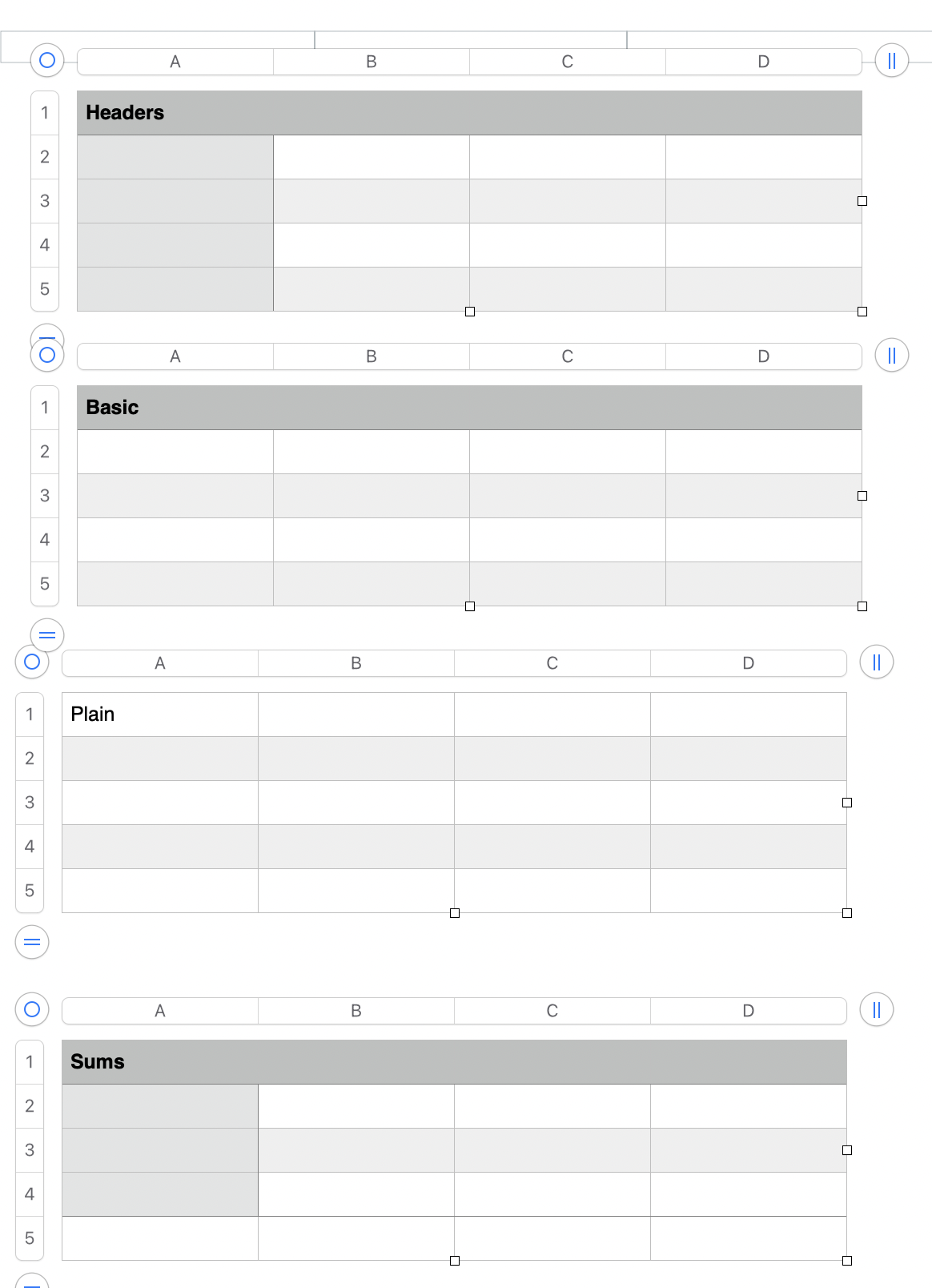
Three of the four types include a Header row (Row 1), which is highlighted to indicate that it is different from the rest of the rows.
Two examples also include a Header column (Column A). Header rows and Header columns have some properties not shared with 'regular' rows.
Tables in Pages (and in Numbers) are not required to have header rows or header columns, but they are often useful, and templates that include tables with these features have them for a specific purpose.
One table (Sums) has a Footer row, noticeable because it has neither the 'header column' highlighting seen in the same table nor the 'alternate row' shading a[plied to body rows in that table. Footer rows are often used to calculate and contain sums or averages of data collected in one of the columns in the table.
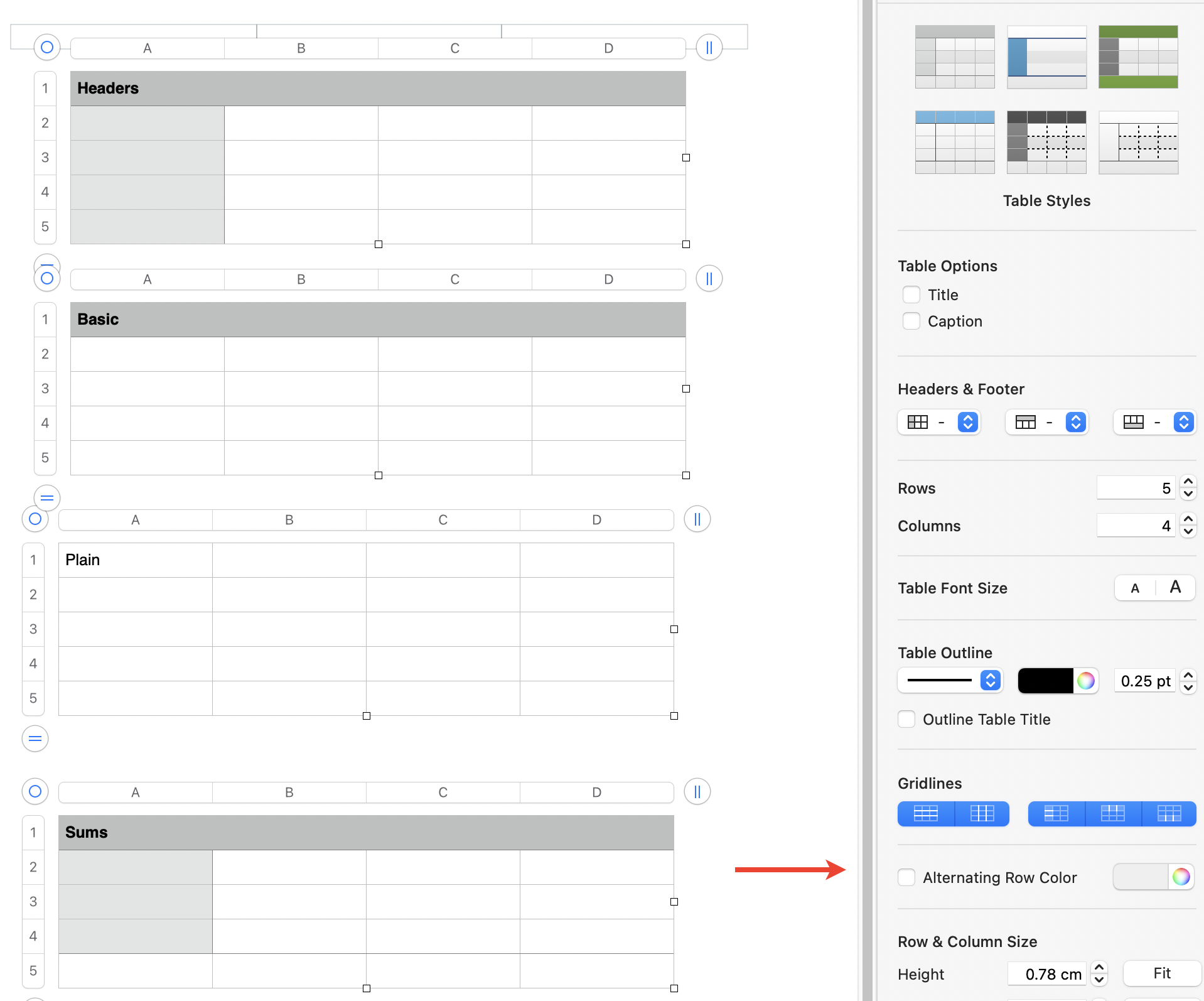
Removing the shading from the 'Alternate rows' is a simple matter of selecting the table, then clicking on the (now empty) checkbox beside "Alternating Row Color" to uncheck it for the result shown below.
Regards,
Barry

