Hello,
The Apple ID phone numbers and FaceTime/iMessgae numbers are a little different so both of the below articles may be useful. Also, if her number is associated with your SIM card or your IMEI you may need to contact your carrier to have the number transferred on their end.
https://support.apple.com/en-us/HT204915#trusted
"About trusted phone numbers and trusted devices
With two-factor authentication, a trusted device or trusted phone number helps verify your identity when you sign in to a new device or browser.
What is a trusted phone number?
To use two-factor authentication, you need at least one trusted phone number on file where you can receive verification codes. If you have a phone number that isn't associated with your trusted device, consider verifying it as an additional trusted phone number. If your iPhone is your only trusted device and it's missing or damaged, you won't be able to receive verification codes required to access your account.
To see, add, or change your trusted phone numbers:
- On your iPhone, iPad, or iPod touch: Go to Settings > your name > Password & Security. Next to Trusted Phone Number, tap Edit.
- Choose Apple menu > System Settings (or System Preferences), then click your name (or Apple ID). Click Password & Security, then add or remove a trusted phone number.
- Go to the Account Security section of appleid.apple.com."
Add or remove your phone number in Messages or FaceTime - Apple Support
"Remove your phone number
If you don't want calls or messages for your iPhone on your iPad, iPod touch, or Mac, you can remove your phone number. There are two ways to do this:
- On your iPhone, go to Settings > Messages > Send & Receive. Select your Apple ID at the bottom of the screen and tap Sign Out. Then go to Settings > FaceTime, select your Apple ID and tap Sign Out.
- If the phone number that you want to remove belongs to an iPhone that you can't access, change your Apple ID password. This removes all phone numbers from your iPad, iPod touch, and Mac. Calls or messages for the removed numbers won't appear on those devices anymore.
If you have questions, contact Apple Support."
https://support.apple.com/en-us/HT203042
"Deregister iMessage on your iPhone
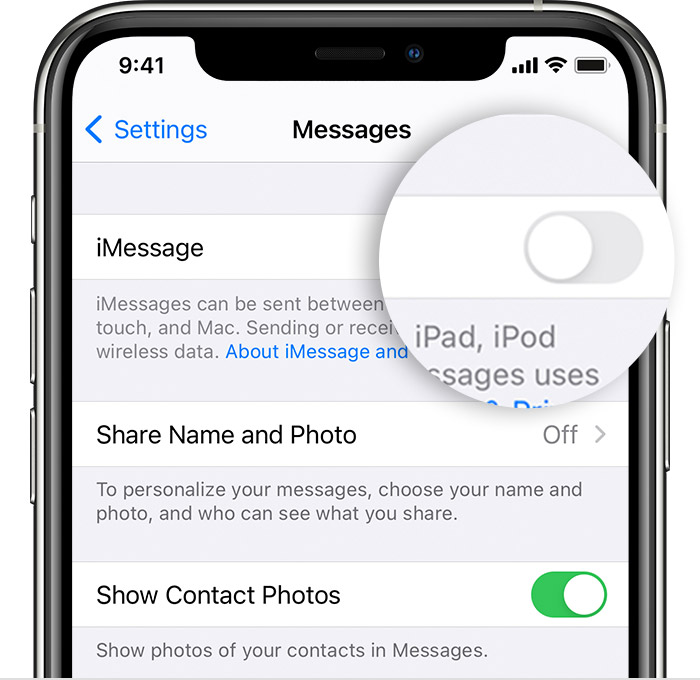
If you still have your iPhone, you can deregister iMessage with these steps:
- If you transferred your SIM card from your iPhone to a non-Apple phone, put it back in your iPhone.
- Make sure that you're connected to your cellular data network.
- Tap Settings > Messages and turn off iMessage.
 "
"
I hope this helps.

