Back up to time machine

In the last 10 days the automatic back up to time machine has become very slow on my MacBook pro. It coincides with moving to ventura but started before the move. Why would this suddenly be happening?

MacBook Pro 13″, macOS 10.12

Posted on Nov 16, 2022 10:21 AM

Reply
Question marked as Top-ranking reply

Posted on Nov 16, 2022 10:54 AM

Have you installed and run any "cleaning", "optimizing", "speed-up", anti-virus or VPN apps on your Mac?


Download and run Etrecheck.  Copy and paste the results into your reply. Etrecheck is a diagnostic tool that was developed by one of the most respected users here in the ASC and recommended by Apple Support  to provide a snapshot of the system and help identify the more obvious culprits that can adversely affect a Mac's performance.


Copy the report
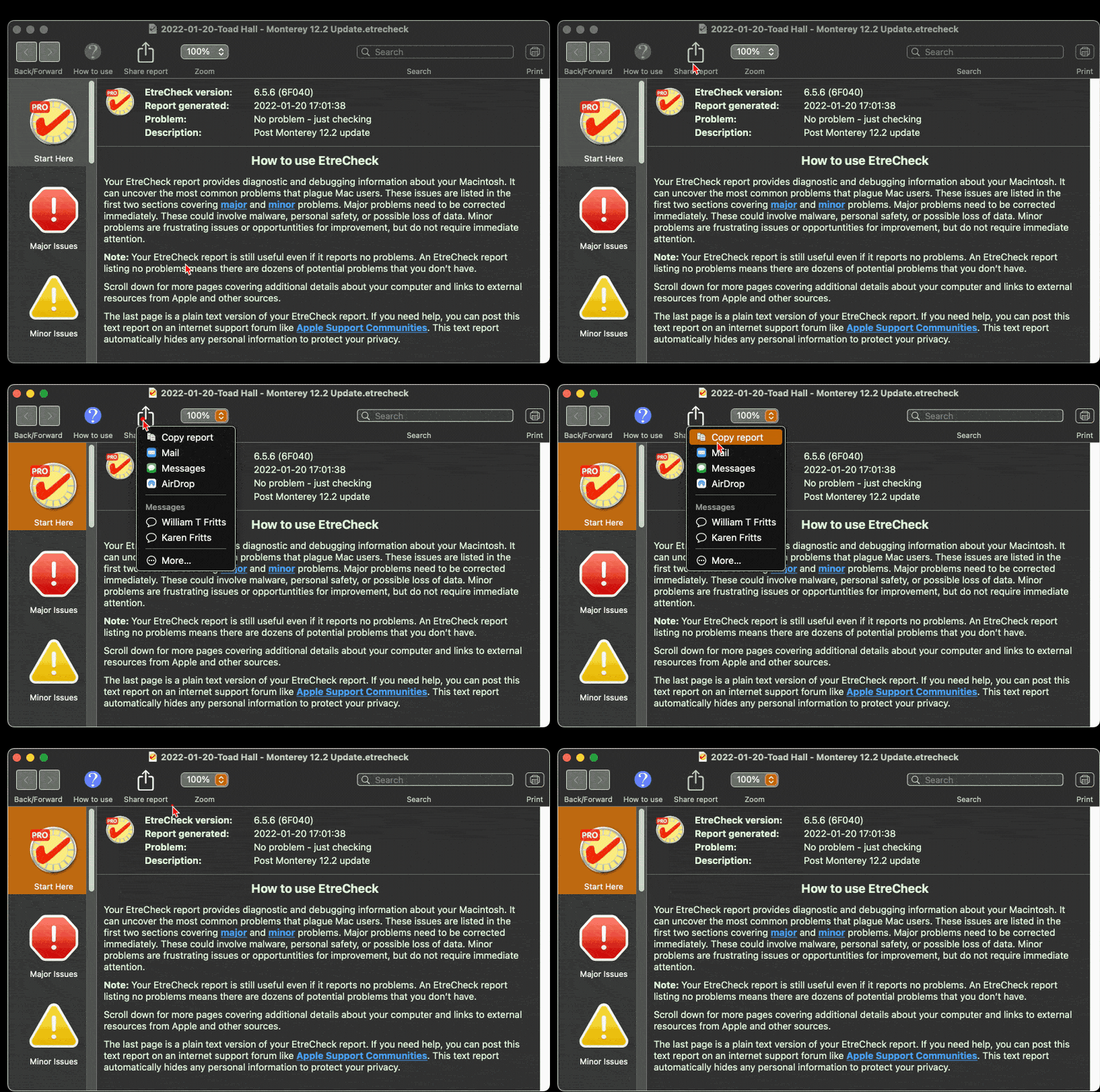


and use the Additional Text button to paste the report in your reply.



Then we can evaluate the report to see if we can determine the cause of the problem.


2 replies
Question marked as Top-ranking reply

Nov 16, 2022 10:54 AM in response to JerryMartin4

Have you installed and run any "cleaning", "optimizing", "speed-up", anti-virus or VPN apps on your Mac?


Download and run Etrecheck.  Copy and paste the results into your reply. Etrecheck is a diagnostic tool that was developed by one of the most respected users here in the ASC and recommended by Apple Support  to provide a snapshot of the system and help identify the more obvious culprits that can adversely affect a Mac's performance.


Copy the report


and use the Additional Text button to paste the report in your reply.


Then we can evaluate the report to see if we can determine the cause of the problem.


This thread has been closed by the system or the community team. You may vote for any posts you find helpful, or search the Community for additional answers.

Back up to time machine

Welcome to Apple Support Community
A forum where Apple customers help each other with their products. Get started with your Apple Account.
