
blink alert. photo on Apple Watch
I have 6 blink cameras and and an iwatch ultra. Some times when I get an alert the blink camera sends a photo to my watch and some times it does not. Am I missing a setting somewhere??
I have 6 blink cameras and and an iwatch ultra. Some times when I get an alert the blink camera sends a photo to my watch and some times it does not. Am I missing a setting somewhere??
Hello dunk50,,
Welcome to Apple Support Communities.
We understand that you don’t always get a photo in notifications on your Apple Watch for your Blink cameras. We are happy to help.
Do you receive the notification with a photo every time you receive a notification from your camera? When you don’t receive the notification on your Apple Watch, do you receive it on your iPhone?
Here’s additional information on where your notifications appear: Notifications on your Apple Watch - Apple Support
Where notifications appear
Notifications appear on your Apple Watch or iPhone, but not both.
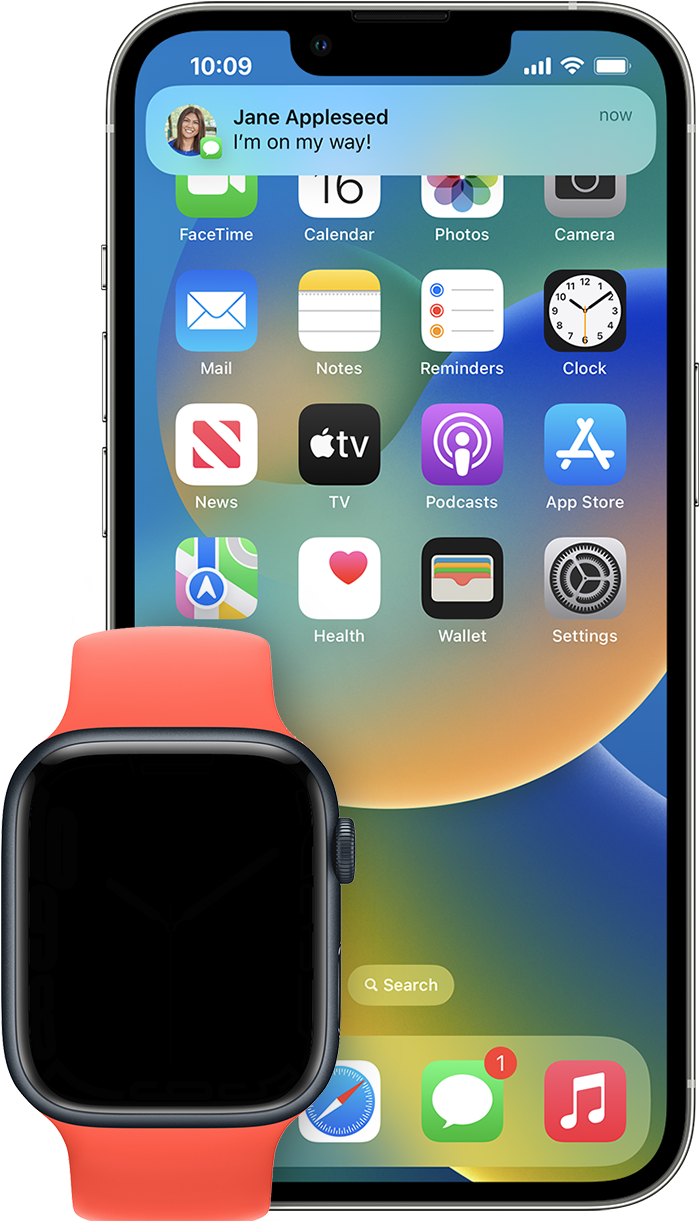
If your iPhone is unlocked, you get notifications on your iPhone instead of your Apple Watch.
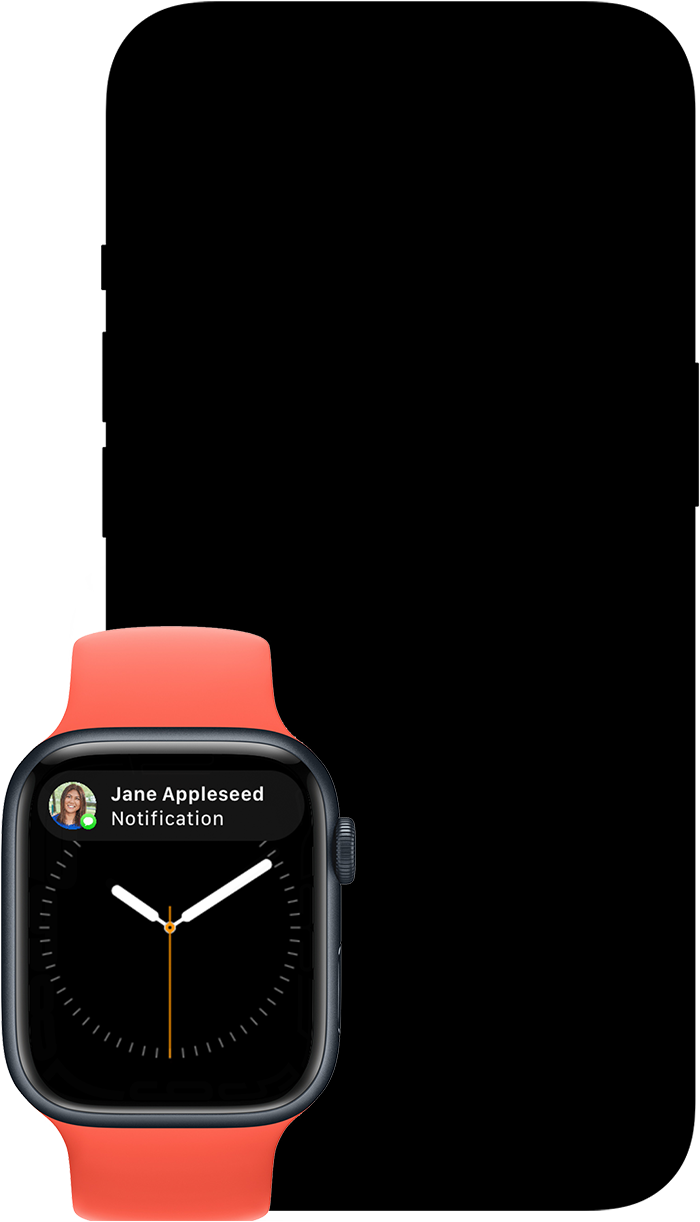
If your iPhone is locked or asleep, you get notifications on your Apple Watch, unless your Apple Watch is locked.
Some apps, such as the Noise app, are only on your Apple Watch. Notifications for these apps don't appear on your iPhone.
If this doesn’t help resolve this, we recommend reaching out to the developer of your security cameras using the steps here: How to contact an app developer - Apple Support
Let us know if you have further questions.
Take care.
Hello dunk50,,
Welcome to Apple Support Communities.
We understand that you don’t always get a photo in notifications on your Apple Watch for your Blink cameras. We are happy to help.
Do you receive the notification with a photo every time you receive a notification from your camera? When you don’t receive the notification on your Apple Watch, do you receive it on your iPhone?
Here’s additional information on where your notifications appear: Notifications on your Apple Watch - Apple Support
Where notifications appear
Notifications appear on your Apple Watch or iPhone, but not both.
If your iPhone is unlocked, you get notifications on your iPhone instead of your Apple Watch.
If your iPhone is locked or asleep, you get notifications on your Apple Watch, unless your Apple Watch is locked.
Some apps, such as the Noise app, are only on your Apple Watch. Notifications for these apps don't appear on your iPhone.
If this doesn’t help resolve this, we recommend reaching out to the developer of your security cameras using the steps here: How to contact an app developer - Apple Support
Let us know if you have further questions.
Take care.
Hi dunk50,
Based on your reply, it sounds like you're receiving the notifications. However, sometimes the notifications on your Apple Watch are missing the photo. If this is correct, we'll want to make sure all devices and the app are up to date, as updates can often include fixes for unexpected behavior. You'll want to install available updates in the order below starting with the companion iPhone.
If you continue to see issues with notifications on your Apple Watch for the Blink Home Monitor app, we'd recommend contacting the app developer. They'll be best equipped to give additional insight into this, or provide any available solutions. Contact them at Blink Support.
Cheers!
I will try to clarify as best I can. My iPhone 13 gets notifications from my Blink cameras and photos without fail all the time. When phone is asleep in my pocket or awake. My watch is set to mirror phone. I get notifications on my watch without fail when Blink is activated BUT it is hit and miss on the watch with a photo. Sometimes the notification on the watch is accompanied with a photo and that is a very nice function. More often than not the photo is missing from the notification to the watch, but it is always on the phone. Thanks for the support have a Great Thanksgiving.
blink alert. photo on Apple Watch


