Hello zunger.
Thanks for reaching out to Apple Support Communities.
We understand that your Mac has issues waking after it goes to sleep. We will be glad to assist.
Let's try resetting the SMC and NVRAM:
How to reset the SMC of your Mac
Laptop computer
1) Shut down your Mac.
2) On your built-in keyboard, press and hold all of these keys:
*Shift  on the left side of your keyboard
*Control  on the left side of your keyboard
*Option (Alt)  on the left side of your keyboard
3) While holding all three keys, press and hold the power button as well.
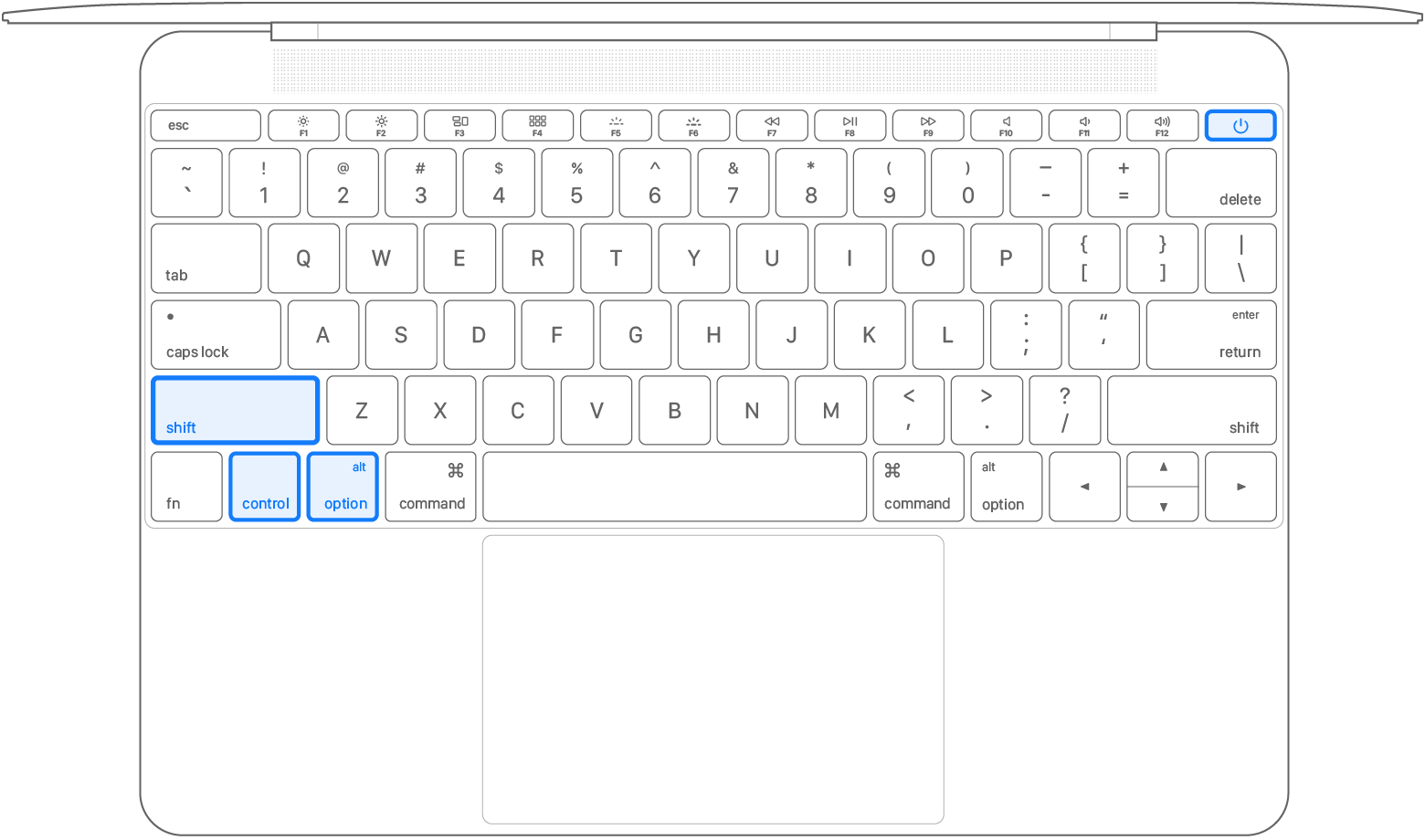
4) Keep holding all four keys for 10 seconds.
5) Release all keys, then press the power button to turn on your Mac.
Reset NVRAM or PRAM on your Mac
If you have an Intel-based Mac
If you're not using a Mac with Apple silicon, you're using an Intel-based Mac.
How to reset NVRAM





1) Shut down your Mac.
2) Turn on your Mac, then immediately press and hold these four keys together: Option, Command, P, R.
3) Release the keys after about 20 seconds, during which your Mac might appear to restart. For example, you might hear a startup sound more than once, or see the Apple logo more than once.
4) When your Mac finishes starting up, you might need to adjust any system settings that were reset.
The reason why we’re recommending the steps above is because they directly address the issue you initially posted about: you're having difficulty waking your Mac up from sleep.
If the original problem persists after trying the previous steps, please provide us with specifics on what you see for more help, and we will continue from there.
Thanks for using the Apple Support Communities.
Cheers!


