
When I log out, pictures are deleted from my iPhone
Hotspot logged out I logged out of the LED from the phone Erase the photos that were not stored on iCloud How do I get them back
[Re-Titled by Moderator]
Apple Watch SE, watchOS 9
Hotspot logged out I logged out of the LED from the phone Erase the photos that were not stored on iCloud How do I get them back
[Re-Titled by Moderator]
Apple Watch SE, watchOS 9
Hey Hjy-95,
Thank you for using Apple Support Communities!
Try the steps here to retrieve your missing photos:
If you're missing photos or videos in the Photos app - Apple Support
Cheers!
Hjy-95,
To clarify, are you missing photos that were stored in iCloud, deleted photos on your iPhone, or photos that were missing after restoring your iPhone? Were you able to follow the steps listed in the article suggested by
Danielle Million? This information will help us to better assist you. If so, and they were stored in iCloud, follow the steps listed here as well: Get help with iCloud Photos - Apple Support
"What if some of my photos and videos are missing after I turn on iCloud Photos?
Look for your missing photos and videos in the Recently Deleted album of your Photos app, and make sure that you signed in to iCloud with the correct Apple ID. Learn more about how to find missing photos and videos in the Photos app.
Any photos or videos that you copy to your device through iTunes or the Finder are not copied in iCloud Photos.
Upload originals from your iPhone, iPad, or iPod touch to your Mac
To upload original, full resolution versions of your photo library to your Mac, turn on iCloud Photos on your Mac.
Copy photos from your Mac to your iPhone, iPad, or iPod touch
Upload photos from your PC
Learn how to upload photos and videos to iCloud Photos
What if some of my photos and videos are missing after I turn on iCloud Shared Photo Library?
If you're missing photos on a device after setting up iCloud Shared Photo Library in iOS 16.1 or later, iPadOS 16.1 or later, or macOS Ventura or later:
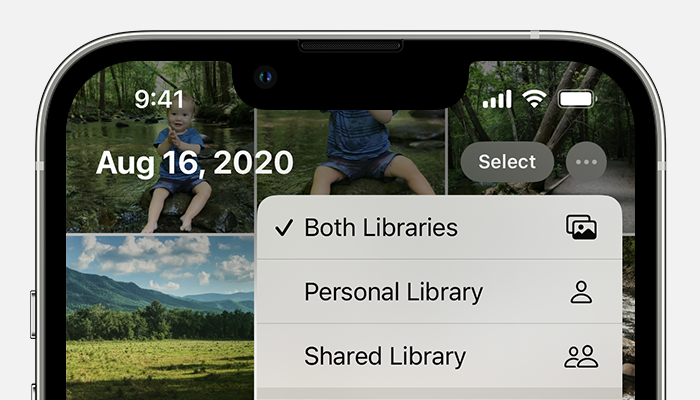
What happens when I delete photos from a device using iCloud Photos?
When you delete a photo or video from the Photos app on your iPhone, iPad, iPod touch, or Mac, it also deletes from your iCloud Photos and any other devices where you're signed in to iCloud Photos. It also no longer counts towards your iCloud storage. If you want to remove photos and videos from your iPhone, your iPad, your iPod touch, your Mac, and iCloud.com, you can delete them in the Photos app.
You can recover your photos and videos from the Recently Deleted album for 30 days. Learn how to recover a recently deleted photo.
Can I see all the photos and videos from my Mac on iCloud.com?
iCloud Photos uploads photos and videos from your Mac System Library. Photos and videos that you keep outside of your System Library won't upload or update across your devices.
How do I check the status of my uploads or downloads to iCloud Photos?
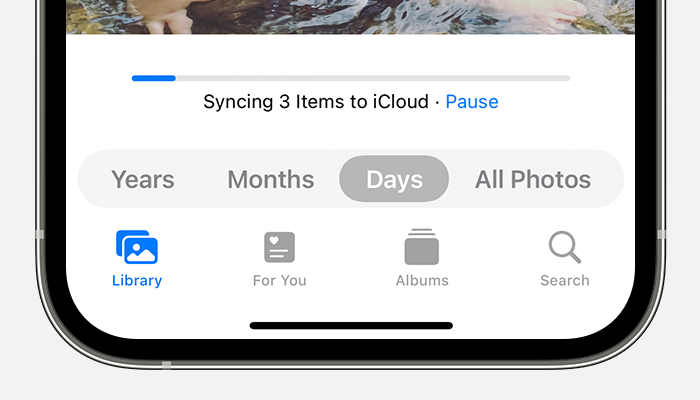
What happens when I go over my iCloud storage limit?
If you exceed your iCloud storage limit, photos and videos won't upload to iCloud and your library won’t stay up to date across your devices. To continue using iCloud Photos, upgrade your storage plan or reduce the amount of storage that you're using.
Reduce the storage for iCloud Photos by deleting photos and videos that you don't want to keep from your iOS and iPadOS devices or on iCloud.com. Your device will immediately remove any photos and videos that you delete and they won't be available for recovery in your Recently Deleted album.
If you're out of storage, your devices won't back up to iCloud, and new photos, videos, documents, and your information won't stay up to date."
We hope this helps.
Cheers!
Yes please i want this pictures I give you any details you want, but I want these pictures for seriousness, because half of these pictures have been erased, and the other half are not
When I log out, pictures are deleted from my iPhone


