HomeKit timer

How do i set HomeKit to turn off a smart outlet in 2h for example. I have a crockpot that when finished stays ON in WARM mode forever, i want to put a homekit outlet on it and when i start cooking for for 2h i want to be able to set Homekit "timer" to 2h to turn it off. A one time thing, not setting the current time + 2h and repeat every day , or every tuesday or something ,no repeating

Posted on Nov 29, 2022 11:50 AM

Reply
Question marked as Top-ranking reply

Posted on Jan 8, 2023 6:54 AM

This procedure will allow you to automatically turn off a plug that “you” turned on randomly or manually..


Create a new automation > select “An accessory is controlled”

select the SmartPlug > Next > Turns On > Convert to Shortcut


Tap on the “Scenes and Accessories” and select the SmartPlug again > Next >

ensure it is set to off >Done


In the field “Search for apps and actions” type “wait”

Tap on the Wait control to import it in the shortcut window.


Tap and hold the Wait Control to slide it above the “Set” Control

Change the values of the desired seconds > Done


Restart your iPad before testing the automation. My smartplug acted erratically until I restarted the iPad and the word “updating” appeared on the icon of my device in the Home app.


I am now able to turn off any plug in 2 hrs (7200 seconds) after I turn the plug on,

Regards

2 replies
Question marked as Top-ranking reply

Jan 8, 2023 6:54 AM in response to ajrnd2017

This procedure will allow you to automatically turn off a plug that “you” turned on randomly or manually..


Create a new automation > select “An accessory is controlled”

select the SmartPlug > Next > Turns On > Convert to Shortcut


Tap on the “Scenes and Accessories” and select the SmartPlug again > Next >

ensure it is set to off >Done


In the field “Search for apps and actions” type “wait”

Tap on the Wait control to import it in the shortcut window.


Tap and hold the Wait Control to slide it above the “Set” Control

Change the values of the desired seconds > Done


Restart your iPad before testing the automation. My smartplug acted erratically until I restarted the iPad and the word “updating” appeared on the icon of my device in the Home app.


I am now able to turn off any plug in 2 hrs (7200 seconds) after I turn the plug on,

Regards

Dec 1, 2022 1:09 PM in response to ajrnd2017

Hello ajrnd2017,


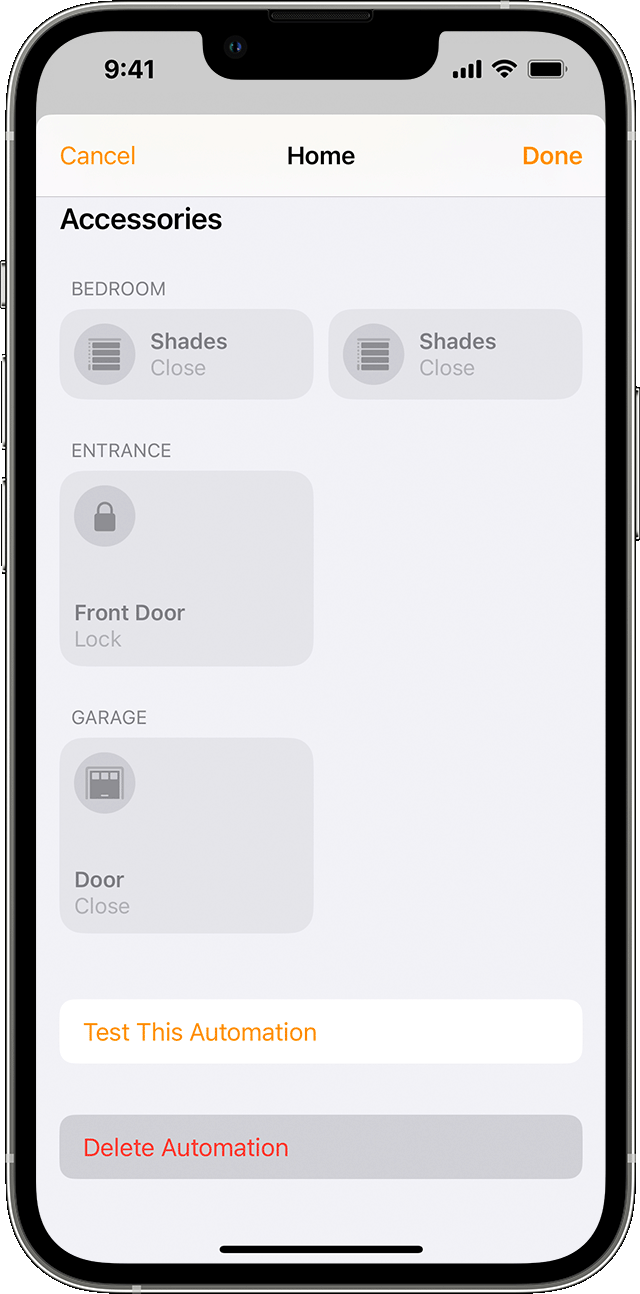
When an automation is set up to turn on an accessory, you can set a specific amount of time for the accessory to be turned off. This information can be found under the "Turn off or delete an automation" section of Create scenes and automations with the Home app.


"Turn off or delete an automation

To enable or disable an automation:


  1. Open the Home app on your iPhone, iPad, or Mac and go to the Automation tab.
  2. Tap or click the automation.
  3. Turn Enable This Automation on or off.

Tap or click Turn Off to choose an amount of time to turn off accessories in an automation. For example, if you create an automation that turns on the lights when you arrive home, you can have the lights turn off after an hour.

To delete an automation, tap or click the automation, then scroll to the bottom and tap or click Delete Automation. On your iPhone or iPad, you can also swipe left over the automation and tap Delete."


Regards.


This thread has been closed by the system or the community team. You may vote for any posts you find helpful, or search the Community for additional answers.

HomeKit timer

Welcome to Apple Support Community
A forum where Apple customers help each other with their products. Get started with your Apple Account.