
How do I use FaceTime on Mac book air
How do I make phone FaceTime on Mac Book air?
MacBook Pro 17″, OS X 10.11
How do I make phone FaceTime on Mac Book air?
MacBook Pro 17″, OS X 10.11
Hello Judy ODonnell,
It sounds like you're wanting to use FaceTime from your Mac, right? You can take a look at the steps here:
Make calls in FaceTime on Mac - Apple Support
"Make a FaceTime call
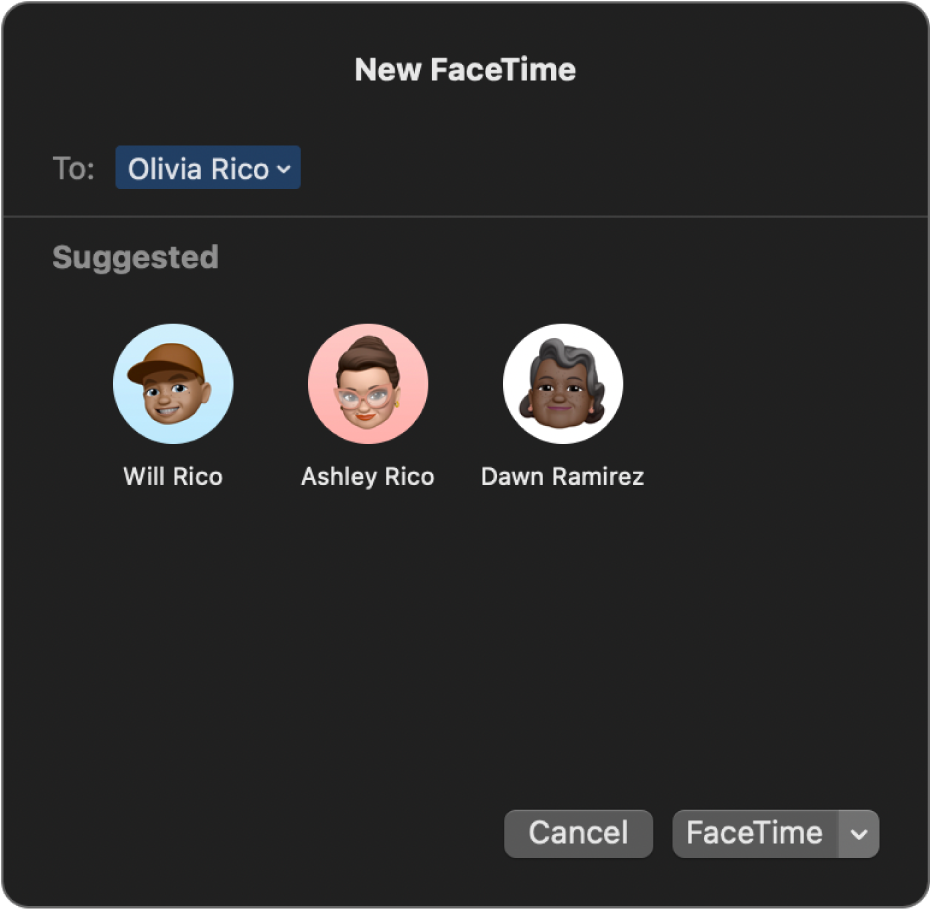
 on your Mac, sign in and make sure FaceTime is turned on.
 appears next to those people you can’t call.
Note: When a person’s name is blue, they have an Apple ID and you can reach them directly on FaceTime—the call rings on their Apple devices. When a person’s name is green, you can click “Invite with Messages” to send them a text message with a link. When a person’s name is red, that contact cannot be reached by Messages. You should instead create and share a link to start a FaceTime call.
4. To start a FaceTime video call, click FaceTime. To start a FaceTime audio call, click  and select FaceTime Audio. (You can also use the Touch Bar).
If you choose FaceTime Audio and you’re set up to make phone calls on your Mac, you can choose whether to make a FaceTime audio call or a phone call. When you’re in an audio call or a phone call, the camera is automatically off.
5. After you’re on a FaceTime call, you can add more people to a FaceTime call, change your view of the call, pause the call, change audio options on the call, share a link to the call, or end the call. You can also use SharePlay to share music, movies, or TV shows with others during a FaceTime call.
Note: Not all features and content are available in all countries or regions. See the Apple Support article Availability of Apple Media Services.
You can also start a FaceTime call from an item you’re collaborating on in the Finder, Reminders, Notes, Safari, Keynote, Numbers, Pages, and supported third-party apps. Click the Collaborate button in the app and choose Audio or Video. See Collaborate on projects with Messages."
Regards.
Hello Judy ODonnell,
It sounds like you're wanting to use FaceTime from your Mac, right? You can take a look at the steps here:
Make calls in FaceTime on Mac - Apple Support
"Make a FaceTime call
on your Mac, sign in and make sure FaceTime is turned on. appears next to those people you can’t call.Note: When a person’s name is blue, they have an Apple ID and you can reach them directly on FaceTime—the call rings on their Apple devices. When a person’s name is green, you can click “Invite with Messages” to send them a text message with a link. When a person’s name is red, that contact cannot be reached by Messages. You should instead create and share a link to start a FaceTime call.
4. To start a FaceTime video call, click FaceTime. To start a FaceTime audio call, click and select FaceTime Audio. (You can also use the Touch Bar).
If you choose FaceTime Audio and you’re set up to make phone calls on your Mac, you can choose whether to make a FaceTime audio call or a phone call. When you’re in an audio call or a phone call, the camera is automatically off.
5. After you’re on a FaceTime call, you can add more people to a FaceTime call, change your view of the call, pause the call, change audio options on the call, share a link to the call, or end the call. You can also use SharePlay to share music, movies, or TV shows with others during a FaceTime call.
Note: Not all features and content are available in all countries or regions. See the Apple Support article Availability of Apple Media Services.
You can also start a FaceTime call from an item you’re collaborating on in the Finder, Reminders, Notes, Safari, Keynote, Numbers, Pages, and supported third-party apps. Click the Collaborate button in the app and choose Audio or Video. See Collaborate on projects with Messages."
Regards.
How do I use FaceTime on Mac book air

