Hi vintagetwirl,
We appreciate you reaching out to us. We understand that your Apple Watch creates an alarm but it is not enabled.
Please check for a software update and make sure that you are running the latest version of iOS and watchOS.
While it isn't inherently assured that an update will resolve the issue, updating to the latest software version for your devices can help isolate potential software issues.
Kindly secure a backup and update.
How to back up your iPhone, iPad, and iPod touch
Update your iPhone, iPad, or iPod touch
Update your Apple Watch
1. On your iPhone, open the Apple Watch app, then tap the My Watch tab.
2. Tap General > Software Update.
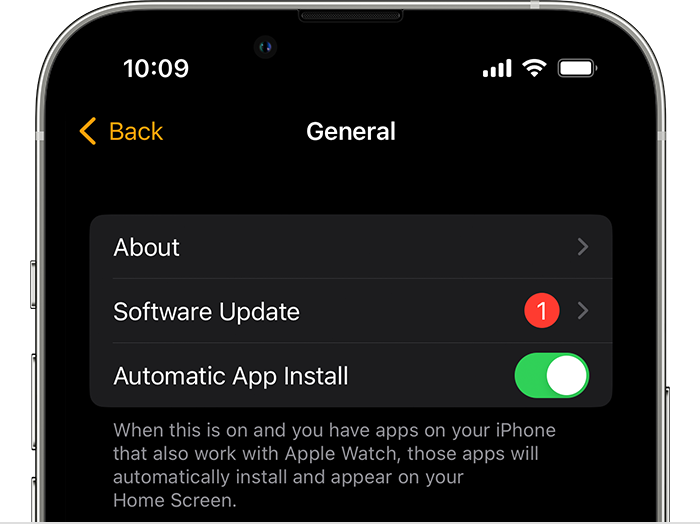
3. Download the update. If asked for your iPhone passcode or Apple Watch passcode, enter it.
4. Wait for the progress wheel to appear on your Apple Watch. It could take from several minutes to an hour for the update to complete.
If the issue continues after the update, please unpair your devices, then pair them back again.
Performing these steps may help correct any feature that is not working as expected.
Unpair and erase your Apple Watch
Set up your Apple Watch
Take care!


