How do you add widgets on you Lock Screen for locksmith?
How do you add a widget for locksmith on your Lock Screen on ipad?
iPad, iPadOS 15
How do you add a widget for locksmith on your Lock Screen on ipad?
iPad, iPadOS 15
Thanks for posting in the Apple Support Communities Hailey-1234
,
The following steps can help you add your preferred widgets to your iPad:
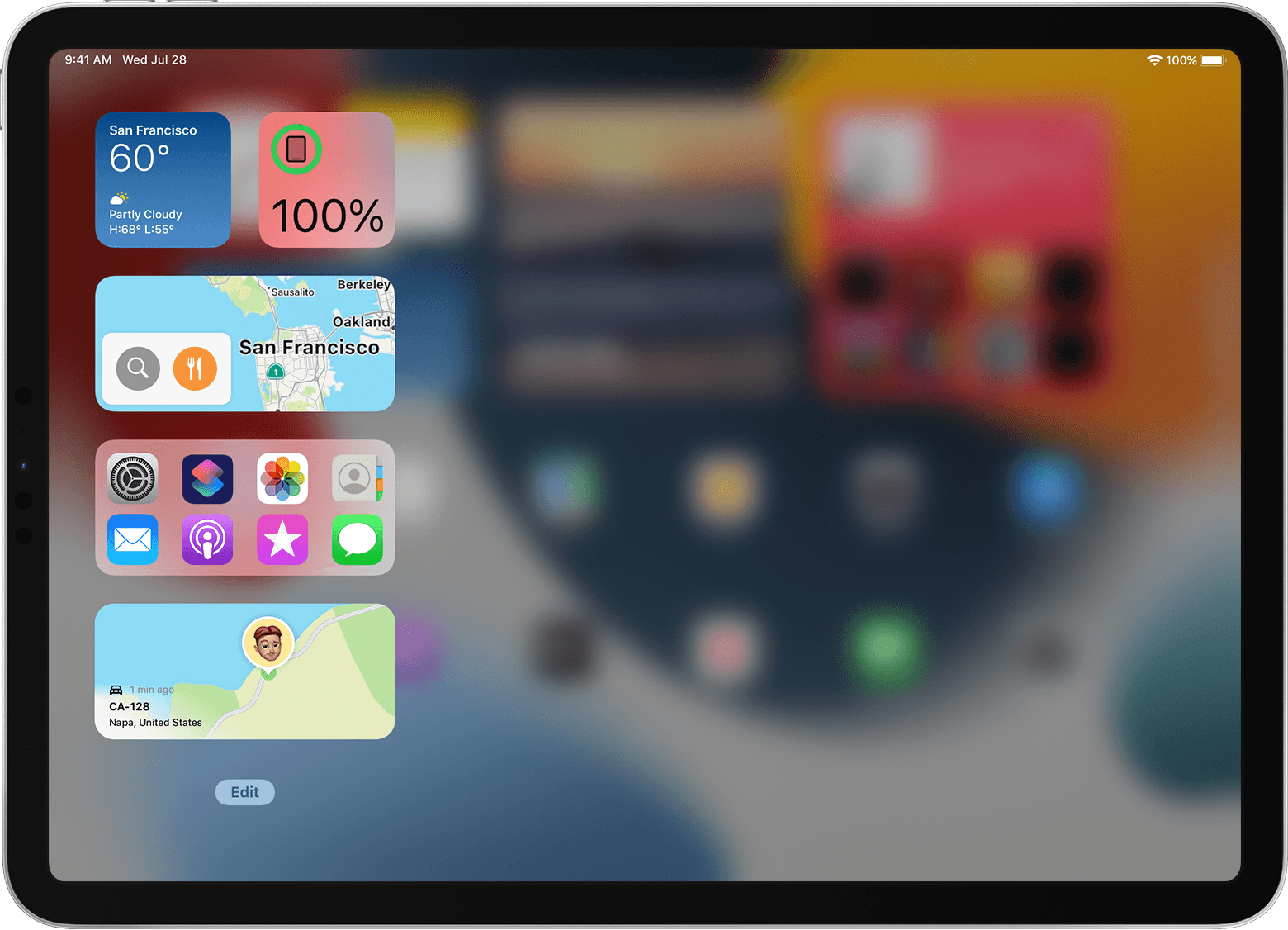
With iPadOS 15, you can use widgets on any page of your Home Screen. You can also swipe right from the Home Screen or Lock Screen to see a different set of widgets in Today View.
How to add widgets in Today View on your iPad
1: Swipe your finger to the right on your Home Screen until you see Today View.
2: Touch and hold an empty area in Today View, then tap the Add buttonwhen it appears in the upper-left corner.
3: Select a widget from the list on the left.
4: Swipe left or right on the widget to choose a size, then tap Add Widget.
5: Tap Done in the upper-right corner, or just tap your Home Screen.
You can also drag a widget from your Home Screen into Today View. To see widgets in Today View, swipe to the right on your Lock Screen or on the first page of your Home Screen.
Use widgets from other apps
Many third-party apps also provide widgets. Widgets that have been updated for iPadOS 14 and later work the same as built-in iPad widgets.
If an app hasn't been updated, you can still use its widgets, but they behave differently. Here's how to use widgets that haven't been updated:
1: Swipe all the way to the right on your Home Screen to show Today View.
2: Touch and hold an empty area in Today View until the widgets jiggle.
3: Scroll to the bottom of Today View, then tap Customize.
4: Tap the Add buttonnext to each app widget that you want to add.
5: Tap Done. The widgets you selected appear in a section at the bottom of Today View.
We hope this helps!
How do you add widgets on you Lock Screen for locksmith?