iPhone XS Mas battery charging issue after the OS upgrade.

Hi there, I sincerely thank you for your support in advance.

I have XS Max and I recently upgraded the OS to iOS16.1.1 and 16.1.2.

Since then I am not able to charge my iPhone from a MacBook pro using the OEM c-type USB cable that came with airpod.


Before the upgrade, it was super fast charging it. However, since 16.1.1, it has taken forever.

iPhone says it is being charged, but it won't move the bar or increase the % value.


A few symptoms I have noticed.


  1. If I turn off the phone and charge it, it charges fast. But if I turn on the phone and charge it, the battery bar doesn't move.
  2. If I use aftermarket 8-pin USB cable and connecting via a USB adaptor to MacBook pro, it charges normally.
  3. If I use wall charger with 8-pin USB cable, it charges normally. But after iphone goes to sleep mode, it stop charging.
  4. If I use wireless charger, it charges normally until iphone goes to the sleep mode.
  5. I did not try with wall charger using type-C USB cable though.


I am trying to avoid doing the factory reset just to test it. Hopefully, there is a button/feature that can be turned on/off to resolve this. lol......


Thanks again,

iPhone XS Max, iOS 16

Posted on Dec 12, 2022 2:52 PM

Reply

Similar questions

1 reply

Dec 14, 2022 4:48 PM in response to stevokim

Hello stevokim,


The latest version of iOS is currently iOS 16.2. Updating to this version can help to ensure the device is using the latest available fixes and improvements: Update your iPhone or iPad


For issues with the device not charging or charging slowly this page can provide some helpful steps to try that may resolve things: If your iPhone or iPod touch won't charge


If your device charges slowly or won’t charge
Follow these steps and try again after each:
1. Check your charging cable and USB adapter for signs of damage, like breakage or bent prongs. Don't use damaged accessories.
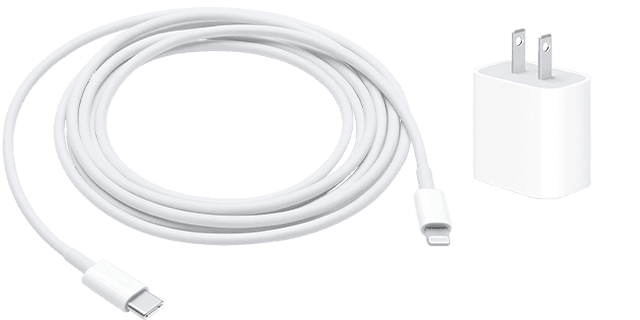
Lightning to USB and a USB-C wall adapter
2. Use a wall power outlet and check for firm connections between your charging cable, USB wall adapter, and wall outlet or AC power cable, or try a different outlet. 
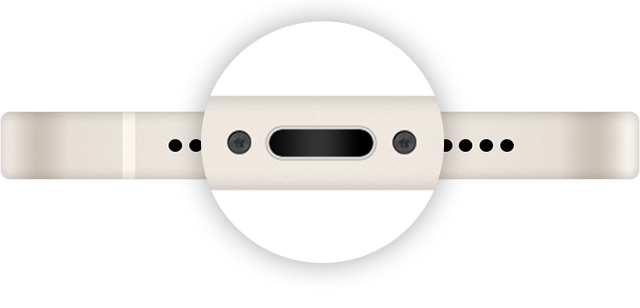
3. Remove any debris from the charging port on the bottom of your device, then firmly plug your charging cable into your device. If the charging port is damaged, your device probably needs service.

Image of the charging port.
4. Let your device charge for a half hour.
5. If your device is still unresponsive, force restart your device: 
•iPhone 8 or later and iPhone SE (2nd generation): Press and quickly release the volume up button. Press and quickly release the volume down button. Press and hold the side button until the Apple logo appears.
•iPhone 7, iPhone 7 Plus, and iPod touch (7th generation): Press and hold both the side (or top) button and the volume down button until the Apple logo appears. 
•iPhone 6s or earlier, iPhone SE (1st generation), and iPod touch (6th generation) or earlier: Press and hold both the side (or top) button and the Home button until the Apple logo appears.
6. Let your device charge for another half hour.
7. If your device still won't power on or charge, take your device, charging cable, and charging adapter to an Apple Store or Apple Authorized Service Provider for evaluation. You can also contact Apple Support.


Cheers.


This thread has been closed by the system or the community team. You may vote for any posts you find helpful, or search the Community for additional answers.

iPhone XS Mas battery charging issue after the OS upgrade.

Welcome to Apple Support Community
A forum where Apple customers help each other with their products. Get started with your Apple Account.