Hey khaleel_69,
You can only be signed into iCloud on a device with one account at a time. You can however switch accounts or create a new Apple ID, however there would not be an option available to merge or transfer purchases or content from one Apple ID to another.
You can find steps to create a new Apple ID here: How to create a new Apple ID
"Create an Apple ID using the App Store on your device
- Open the App Store and tap the sign-in button
 .
. - Tap Create New Apple ID. If you don't see this option, make sure that you're signed out of iCloud.
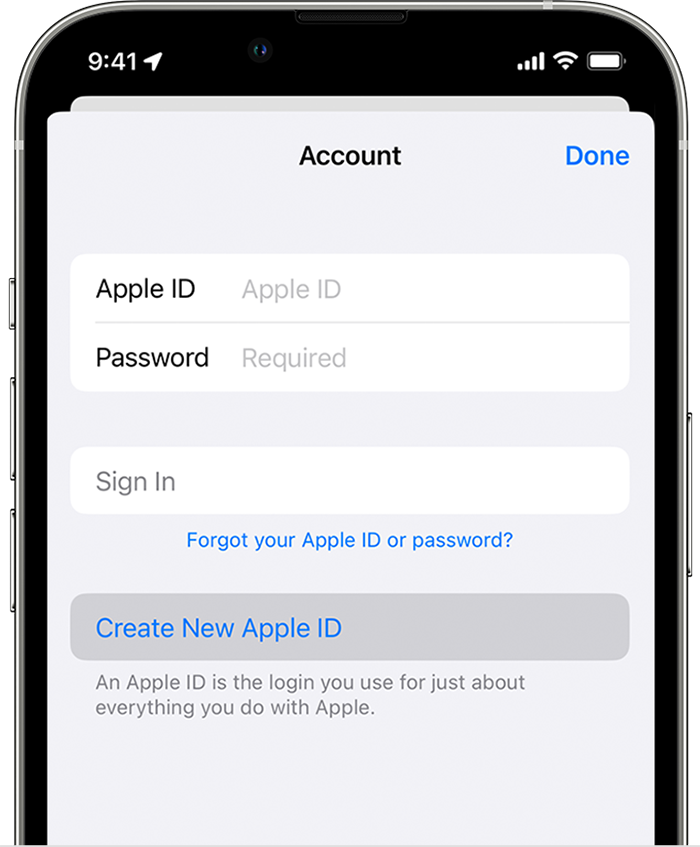
- Follow the onscreen steps to provide an email address, create a strong password, and set your device region. The email address that you provide will be your new Apple ID.*
- Enter your credit card and billing information, then tap Next. You can also choose None. Learn what to do if None isn't showing or you can't select it. You won't be charged until you make a purchase.
- Confirm your phone number. This can help to verify your identity and recover your account if needed. Tap Next.
- Check your email for a verification email from Apple and verify your email address.
After you verify your email address, you can use your Apple ID to sign in to the iTunes Store, App Store, and other Apple services such as iCloud."
Thanks!


