
The noise mode button on the airpods max stops working.
I was listening to music when I wanted to switch to noise cancellation and it didn't work and I unlinked them to reconnect them and then I realized that the button stopped working
I was listening to music when I wanted to switch to noise cancellation and it didn't work and I unlinked them to reconnect them and then I realized that the button stopped working
Hello Benjamint184,
Are you able to switch between noise-control modes on your paired device? We ask because we want to make sure this is not a software issue between your device and AirPods Max. AirPods Pro and AirPods Max Active Noise Cancellation and Transparency mode - Apple Support
"Switch between noise-control modes on your iPhone or iPad
 in the lower-left corner.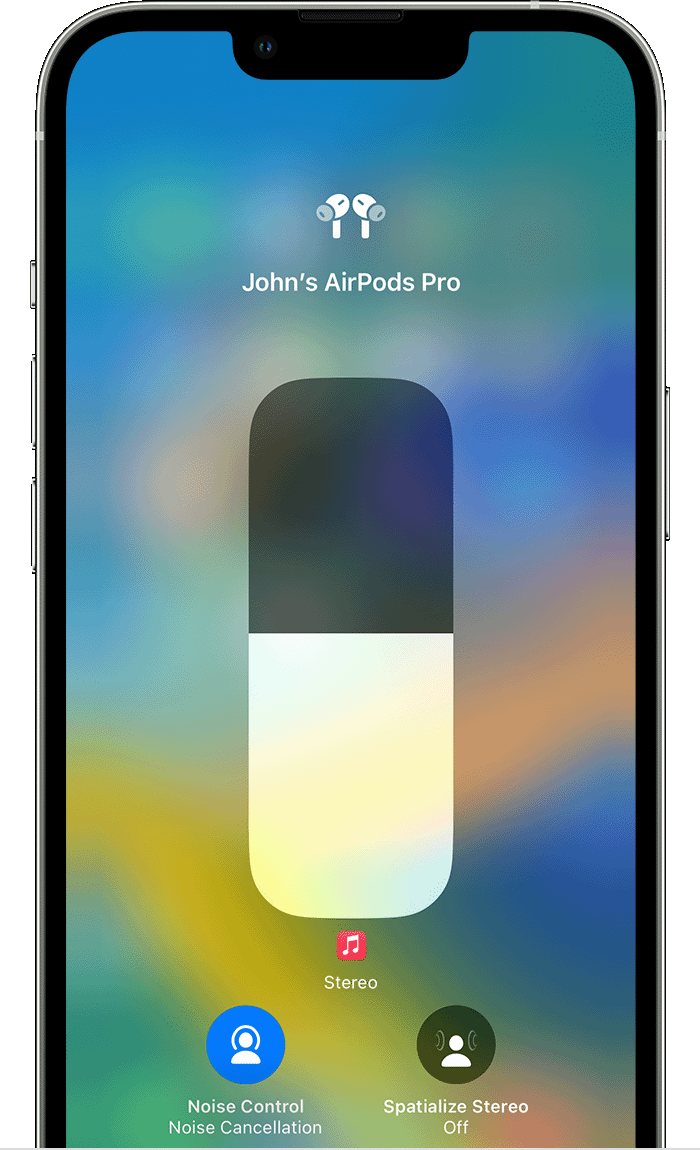
4. Tap Noise Cancellation, Transparency, or Off."

If this works, the button on your AirPods might have a hardware issue that will require service. You can reach out to Apple Support directly here, if this is the case: Get Support
Take care.
Benjamint184,
We'd like to clarify, are you referring to the Touch control on the stem of your AirPods or the physical button on your charging case? Also, since unpairing your AirPods have you been able to re-pair them? These details, in addition to any you feel are relevant, can help facilitate additional replies from the community.
Regards.
Yes, from the phone it does work but the physical button does not work for noise modes or to link to a new device.
The noise mode button on the airpods max stops working.


