
incorrect password
I'm sure the ID and Password are correct, but when I'm trying to sign in appear incorrect password in my imac 2015
iMac Line (2012 and Later)
I'm sure the ID and Password are correct, but when I'm trying to sign in appear incorrect password in my imac 2015
iMac Line (2012 and Later)
Hi justo97,
You came through from an article that provides great steps if you are having an issue with your Apple ID password. You can complete the steps in that article to reset your Apple ID account password.
If the issue is with your Mac login password, then we'd recommend completing the steps listed here: If you forgot your Mac login password that are also below.
"Option 1: Restart and show password options
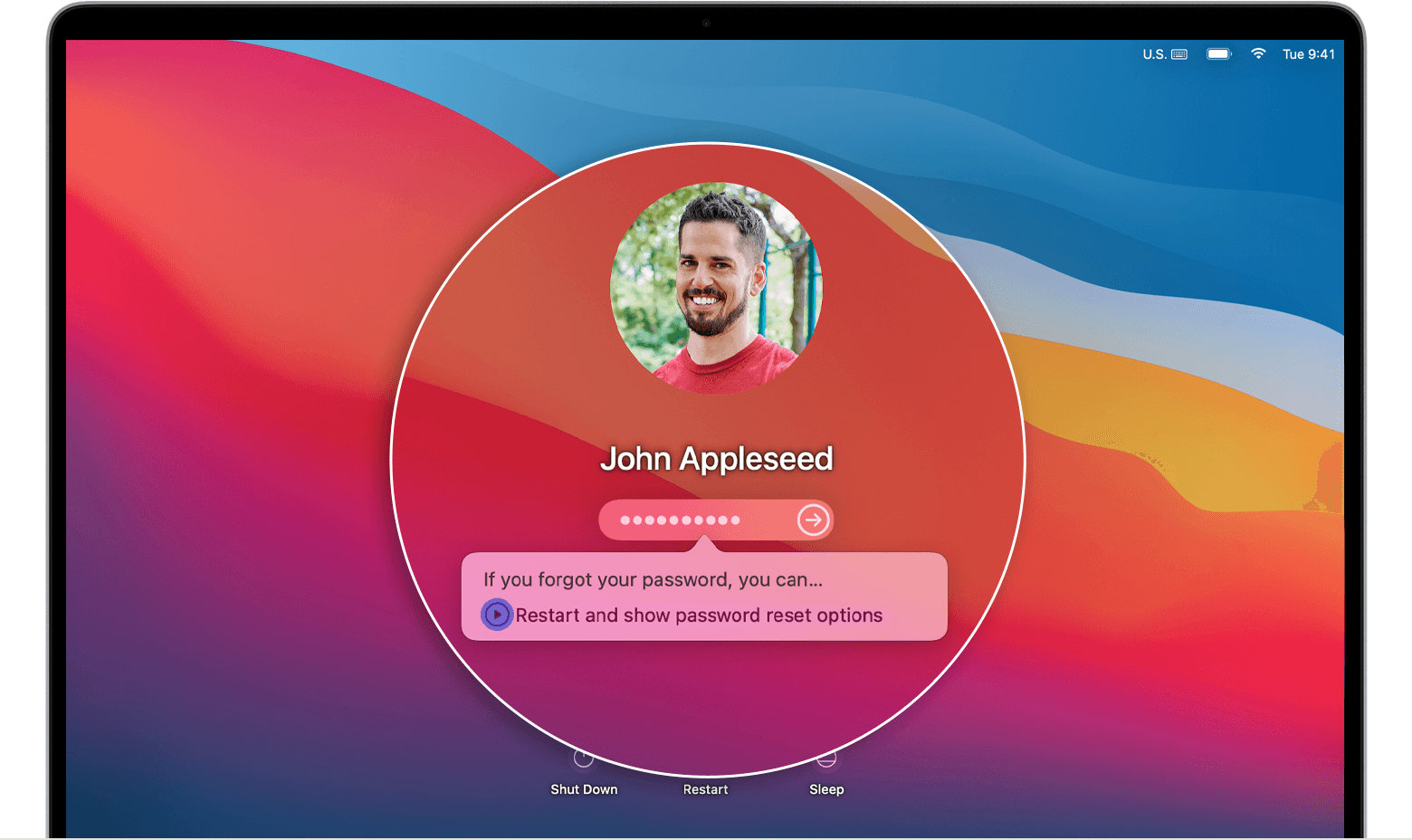
2. Select a user that you want to reset the password for, then click Next.
3. Enter your new password information, then click Next.
4. When the password reset is completed, click Restart.
Option 2: Reset using your Apple ID
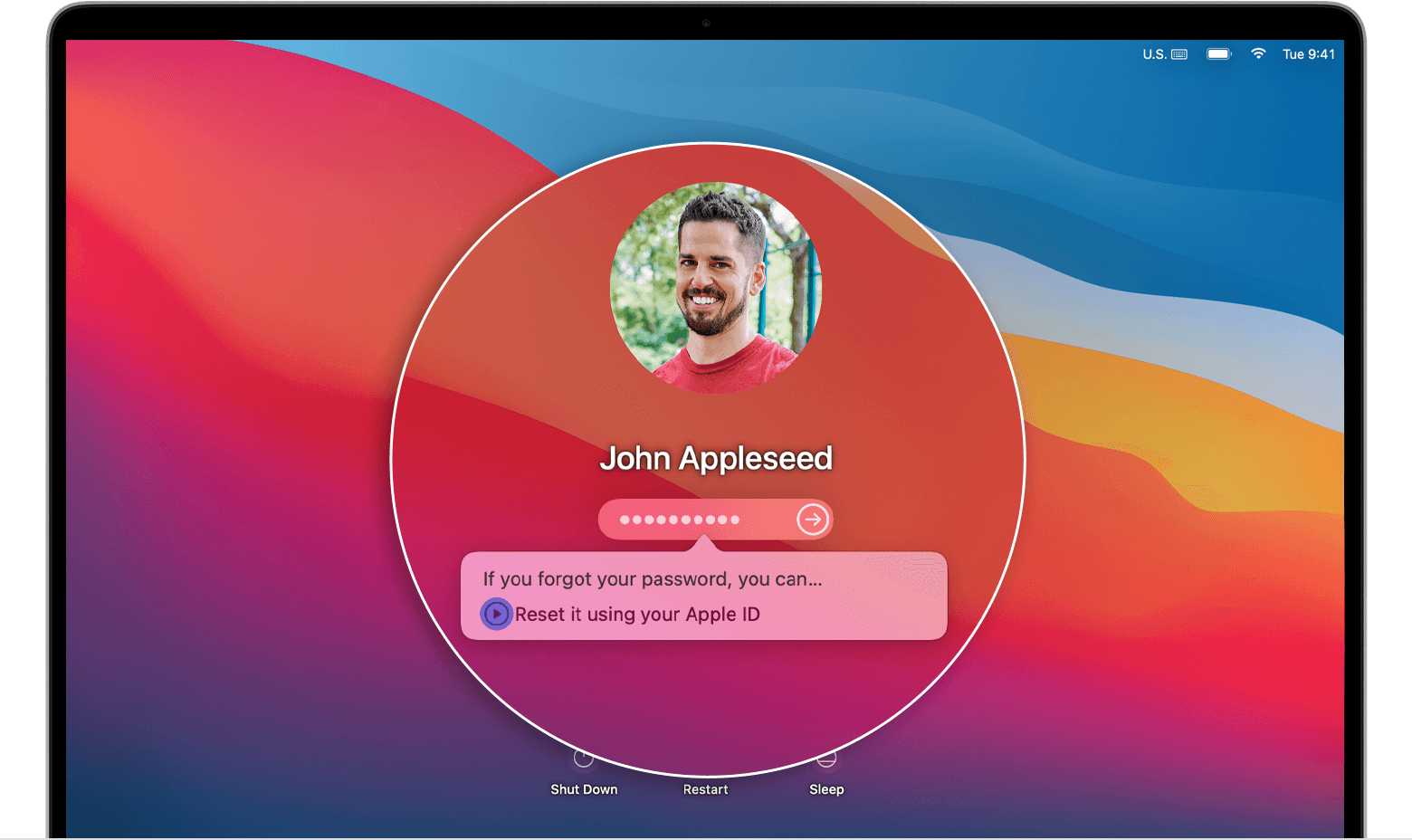
2. If you're asked to create a new keychain to store the user's passwords, click OK to restart your Mac.
3. If you're asked to select an admin user you know the password for, click “Forgot all passwords?”.
4. If you see a Reset Password window with the option to Deactivate Mac, click Deactivate Mac, then click Deactivate to confirm. This is temporary.
5. Enter your new password information, then click Next.
If this window shows multiple user accounts, click the Set Password button next to each account name, then enter the new password information for each account.
6. When the password reset is completed, click Restart."
Best regards.
Hi justo97,
You came through from an article that provides great steps if you are having an issue with your Apple ID password. You can complete the steps in that article to reset your Apple ID account password.
If the issue is with your Mac login password, then we'd recommend completing the steps listed here: If you forgot your Mac login password that are also below.
"Option 1: Restart and show password options
2. Select a user that you want to reset the password for, then click Next.
3. Enter your new password information, then click Next.
4. When the password reset is completed, click Restart.
Option 2: Reset using your Apple ID
2. If you're asked to create a new keychain to store the user's passwords, click OK to restart your Mac.
3. If you're asked to select an admin user you know the password for, click “Forgot all passwords?”.
4. If you see a Reset Password window with the option to Deactivate Mac, click Deactivate Mac, then click Deactivate to confirm. This is temporary.
5. Enter your new password information, then click Next.
If this window shows multiple user accounts, click the Set Password button next to each account name, then enter the new password information for each account.
6. When the password reset is completed, click Restart."
Best regards.
incorrect password

