Thanks. I read through a lot of those and few seemed to have any relevance.
I have never had any problems booting from the external SSD with Monterey, like many reported. Maybe it is because I still have my original Apple Fusion drive installed? I was considering paying to have an internal SSD installed but maybe I should not since Monterey seems to be looking for only an Apple supplied internal drive.
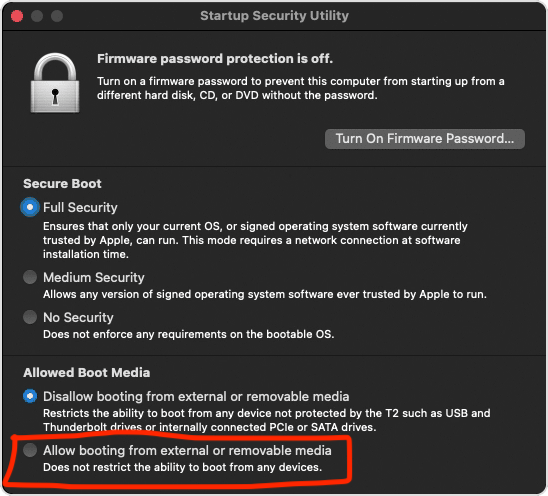
The one link had a person boot into Mac Recovery to select 'allow booting from external or removable media' but I never had to do that.
The only one that seemed relevant was this link (although I have not read them all):
iMac 5k 2015 incredibly slow since Monter… - Apple Community
However, I did not have any of the programs that they reported having and removing.
On my third install, I did a clean one, so that may have helped to remove many of the legacy items trying to run in the background, but that did not help with the issues of Music hogging my CPU nor the problems of sync'ing my iPad and iPhone to the iMac.
This final re-install did seem to help. My CPU mostly runs about 75% idle, which is not as low as it used to be, but adequate. But every change in song still has Music jump up to 100% for a while leaving only 35% idle, then settle back. I do not understand why this version of Music hogs so much of the CPU.
The nice thing about having a 'spare' external SSD is that I can experiment upgrading to Ventura, once I am confident in this install enough to erase the last SSD running Monterey.
There is an update to Monterey 12.6.3 available. Am planning on risking that today. Currently on 12.6.2.

