Downloaded songs not showing in some sound/tone choices

I have songs I purchased through iTunes that is present in my My Music app and will play there, but that don't show up on my choices for ringtones or for timer tones. They do, however, show up as available choices for alams. wth???


Posted on Dec 24, 2022 1:46 PM

Reply
Question marked as Top-ranking reply

Posted on Dec 26, 2022 4:19 PM

Hello kabdell,


While using purchased music from the iTunes Store as a ringtone or notification is not possible, you can purchase ringtones separately. See the following:


"Change your ringtone

  1. Go to Settings > Sounds & Haptics.
  2. Under Sounds and Haptic Patterns, tap the sound that you want to change.
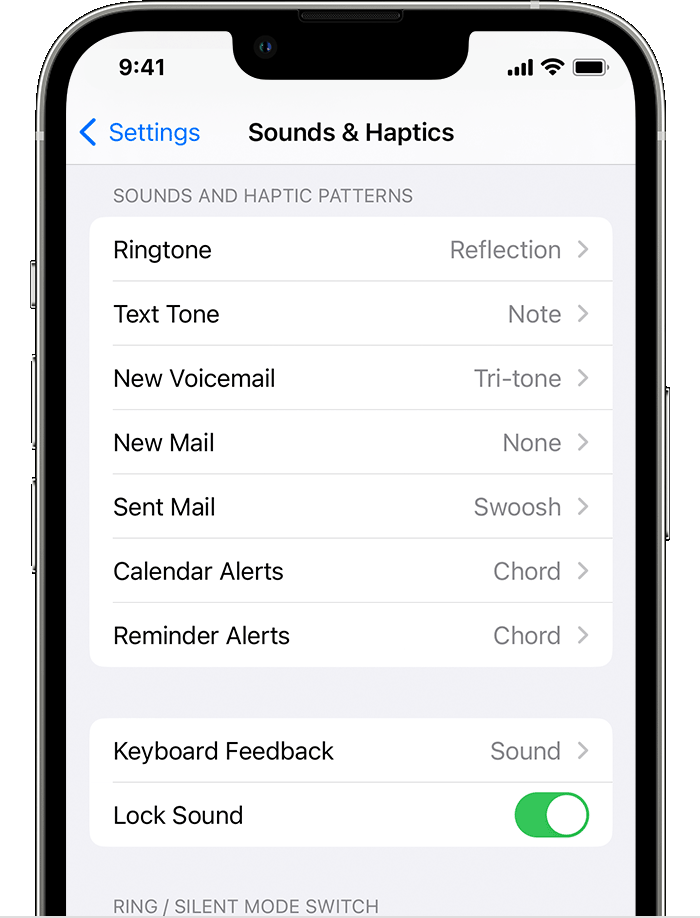
  3. Tap a ringtone or alert tone to hear it and set it as the new sound.

Set a ringtone or text tone for a contact

  1. Open the Contacts app and tap a person's name.
  2. In the upper-right corner of the person's contact card, tap Edit.
  3. Tap Ringtone or Text Tone, then choose a new sound.

Buy ringtones from the iTunes Store

  1. Open the iTunes Store app.
  2. Tap  More.
  3. Tap Tones. 
  4. Find a ringtone that you want to buy, then tap the price.
  5. Choose an option to automatically set the ringtone. Or tap Done to decide later.
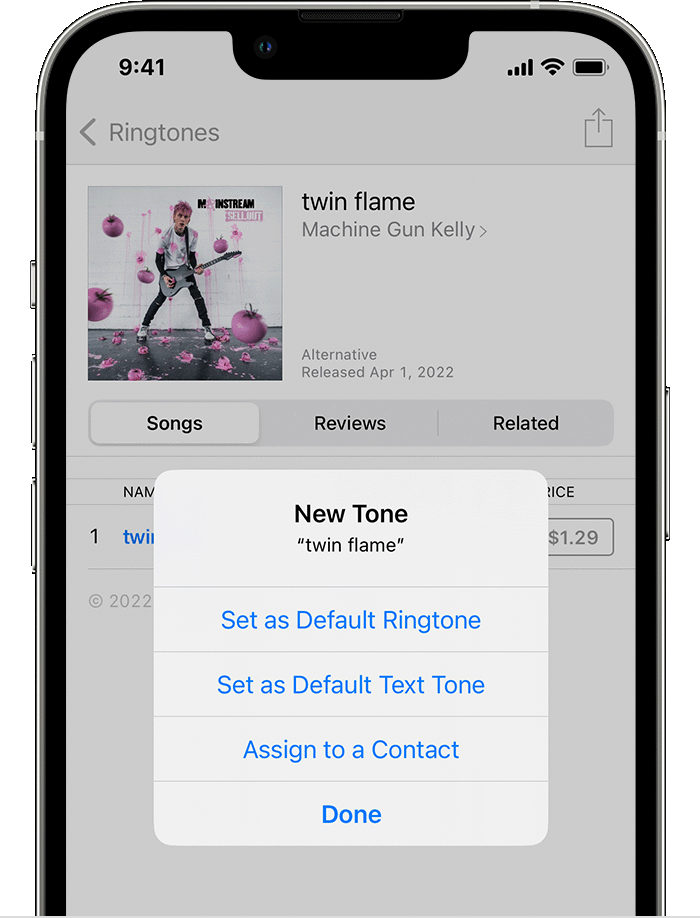
  6. You might need to enter your Apple ID password to complete your purchase.

Store availability and features might vary by country or region. Learn what's available in your country or region.

Ringtones on iTunes aren't full songs; they're just snippets.

Redownload ringtones purchased with your Apple ID

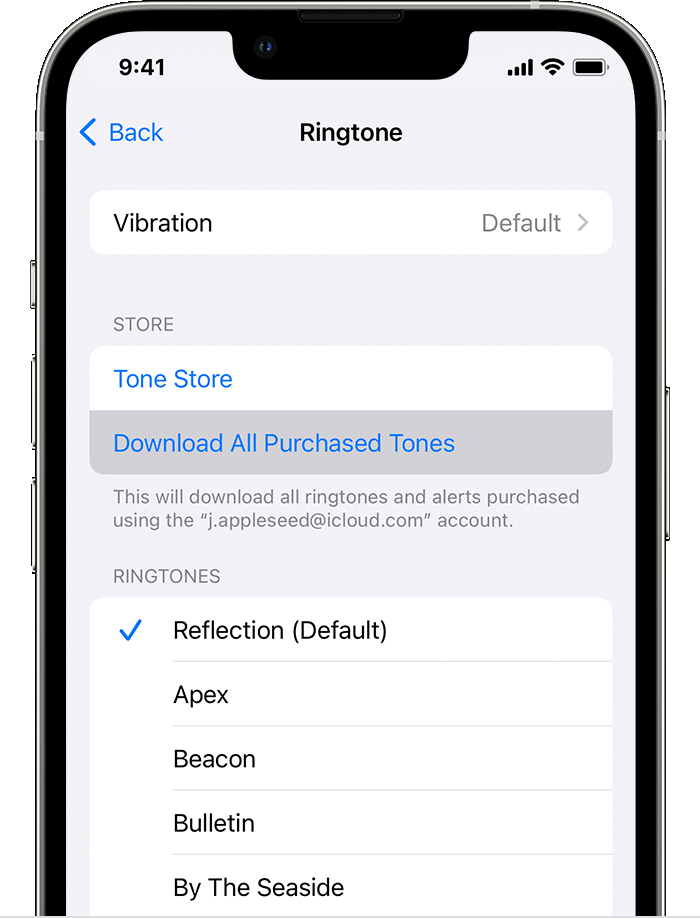
  1. Go to Settings > Sounds & Haptics.
  2. Under Sounds and Haptic Patterns, tap any sound.
  3. Tap Download All Purchased Tones. You might not see this option if you already downloaded all the tones that you purchased or if you haven't purchased any tones.
"


Use tones and ringtones with your iPhone or iPad


Cheers.


1 reply
Question marked as Top-ranking reply

Dec 26, 2022 4:19 PM in response to kabdell

Hello kabdell,


While using purchased music from the iTunes Store as a ringtone or notification is not possible, you can purchase ringtones separately. See the following:


"Change your ringtone

  1. Go to Settings > Sounds & Haptics.
  2. Under Sounds and Haptic Patterns, tap the sound that you want to change.

  3. Tap a ringtone or alert tone to hear it and set it as the new sound.

Set a ringtone or text tone for a contact

  1. Open the Contacts app and tap a person's name.
  2. In the upper-right corner of the person's contact card, tap Edit.
  3. Tap Ringtone or Text Tone, then choose a new sound.

Buy ringtones from the iTunes Store

  1. Open the iTunes Store app.
  2. Tap  More.
  3. Tap Tones. 
  4. Find a ringtone that you want to buy, then tap the price.
  5. Choose an option to automatically set the ringtone. Or tap Done to decide later.

  6. You might need to enter your Apple ID password to complete your purchase.

Store availability and features might vary by country or region. Learn what's available in your country or region.

Ringtones on iTunes aren't full songs; they're just snippets.

Redownload ringtones purchased with your Apple ID

  1. Go to Settings > Sounds & Haptics.
  2. Under Sounds and Haptic Patterns, tap any sound.
  3. Tap Download All Purchased Tones. You might not see this option if you already downloaded all the tones that you purchased or if you haven't purchased any tones.

"


Use tones and ringtones with your iPhone or iPad


Cheers.


This thread has been closed by the system or the community team. You may vote for any posts you find helpful, or search the Community for additional answers.

Downloaded songs not showing in some sound/tone choices

Welcome to Apple Support Community
A forum where Apple customers help each other with their products. Get started with your Apple Account.