How to combine TM and iCloud restore on a new Mac

on a new Mac, is it possible to restore everything from the previous Mac and user setting by using Time Machine backup EXCEPT documents and photos and decide restore these from iCloud?

thanks

MacBook Pro 13″, macOS 10.13

Posted on Jan 11, 2023 9:43 AM

Reply
5 replies

Jan 14, 2023 9:56 AM in response to Jet787

Thanks for reaching out Jet787,


It sounds like you want to restore selected files and settings from Time Machine. We can help.


You can follow these steps to use Time Machine to Restore your Mac from a backup:


If you made a Time Machine backup of your Mac, Migration Assistant can use that backup to restore your personal files, including apps and everything in your user account.


Use Migration Assistant

1. If you need to reinstall macOS, do that before continuing. For example, if your Mac starts up to a flashing question mark, you need to first reinstall macOS.
2. Make sure that your Time Machine backup disk is connected to your Mac and turned on.
3. Open Migration Assistant on your Mac. It's in the Utilities folder of your Applications folder.
4. If your Mac starts up to a setup assistant, which asks for details like your country and network, continue to the next step, because the setup assistant includes a migration assistant.
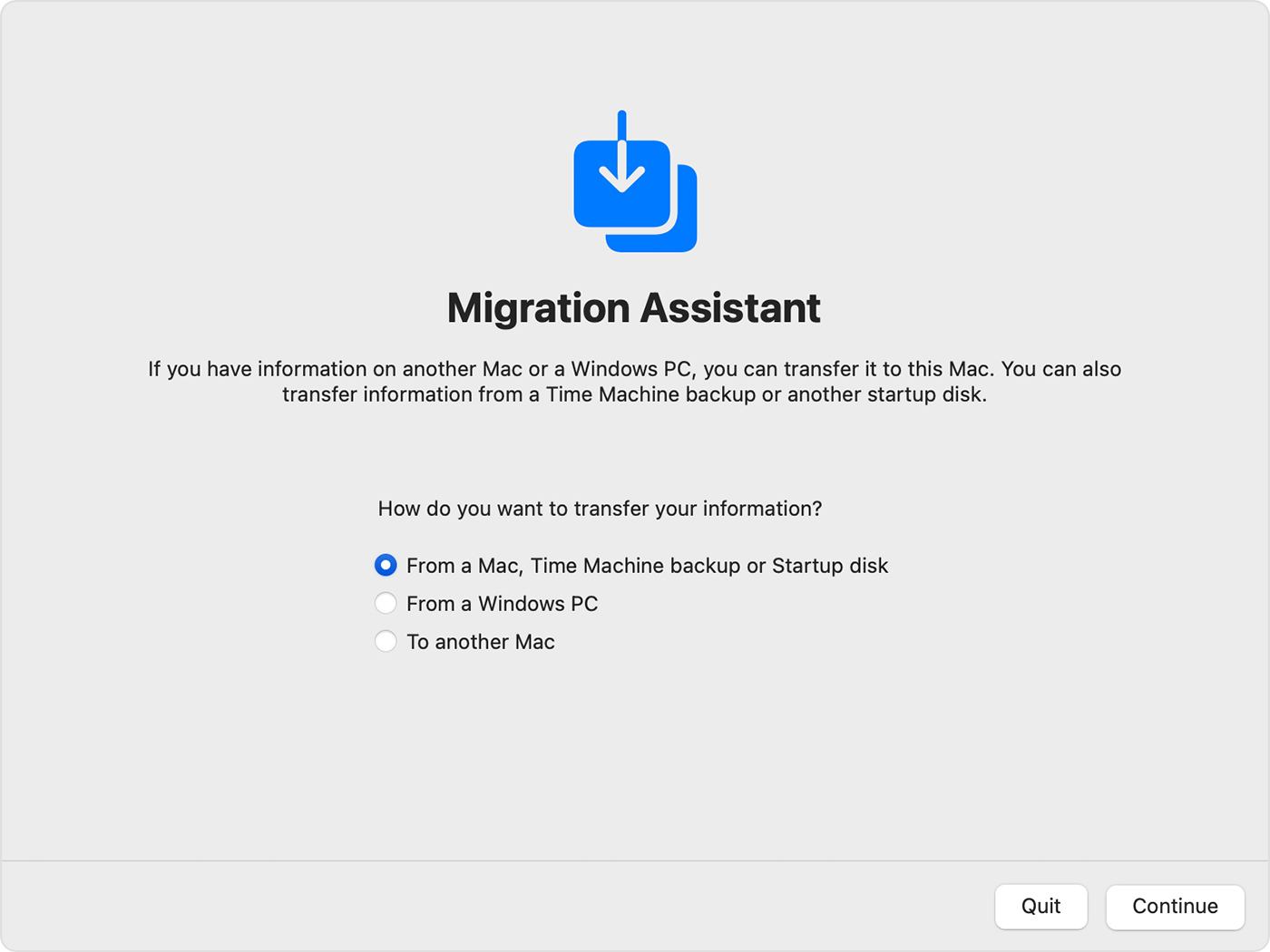
5. When asked how you want to transfer your information, select the option to transfer from a Mac, Time Machine backup, or startup disk. Then click Continue.

Migration Assistant: How do you want to transfer your information?

6. Select your Time Machine backup, then click Continue.
7. Choose a backup and click Continue.
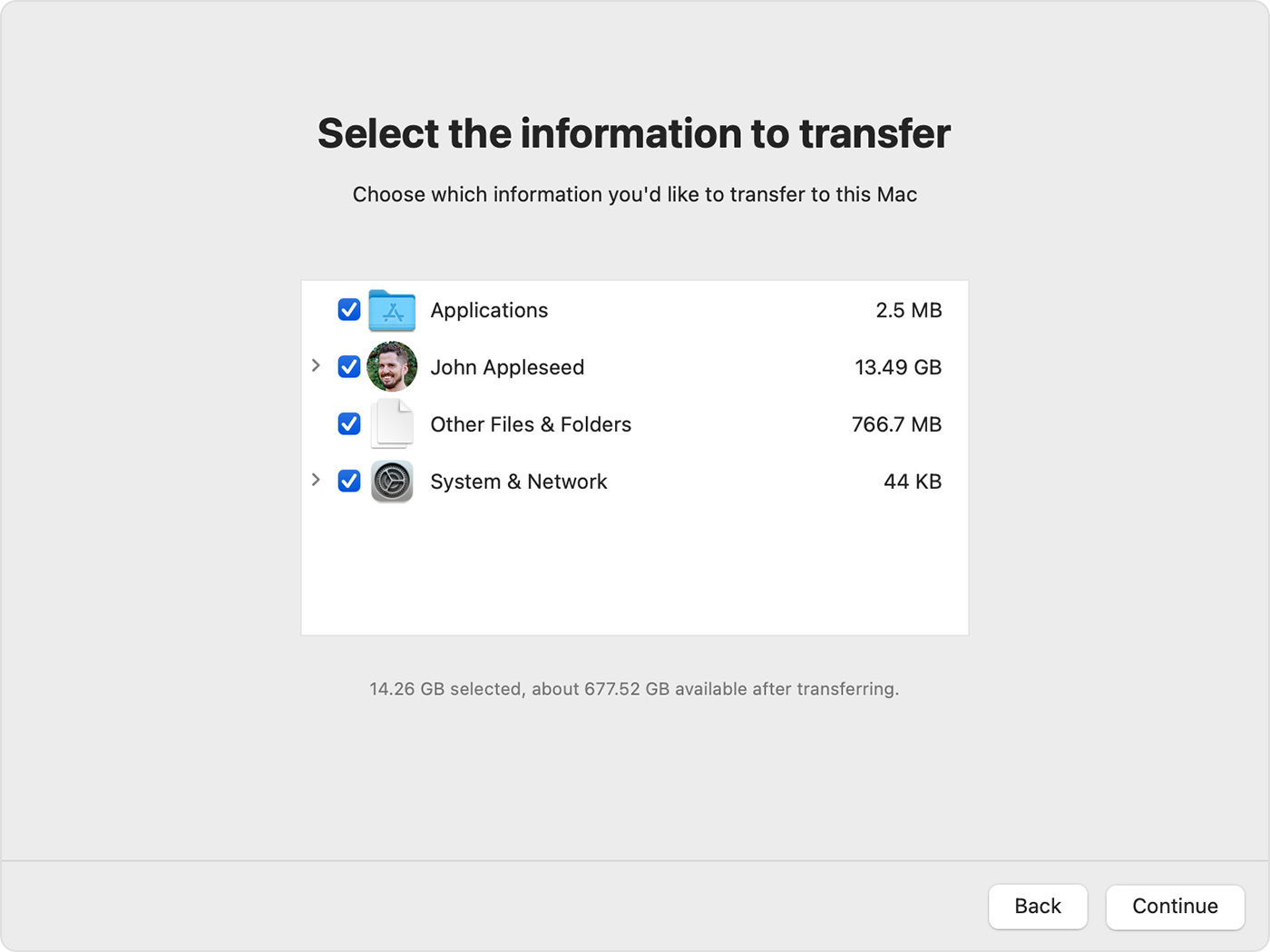
8. Select the information to transfer.

Migration Assitant: Choose information to transfer

8. Before clicking Continue, learn what it means to transfer a user account. In the example pictured here, John Appleseed is a user account. If an account on the your Mac has the same name, Migration Assistant asks whether to rename or replace:
- Rename: The account on your old Mac will appear as an additional user on your Mac, with a separate login and home folder. 
- Replace: The account on your old Mac will replace the identically named account on your Mac.
9. Large transfers might need hours to complete, and might seem to pause occasionally. You might want to start in the evening and allow migration to complete overnight. Click Continue to start the transfer. 
10. After Migration Assistant is done, quit Migration Assistant, then log in to the migrated account on your Mac to see its files.

If you need help, please contact Apple Support.


Hope that helps.


Take care.

Jan 18, 2023 7:44 AM in response to Jet787

Hey there Jet787, 


If you restore items, you most likely need to relocate the documents to the Desktop and Documents folder on your Mac. After doing so, they’ll sync like the documents and files already there.


Since restoring items from a Time Machine backup places them where they were located originally, you may see some duplication of your photos. To keep that from happening, we recommend contacting Apple Support to walk you through the steps to create a new system library and merging them both: Get Support


Have a good one!

Jan 17, 2023 11:00 AM in response to Jet787

Hi Jet787,


If after restoring your Time Machine backup, you'd like to access files in iCloud Drive, you would simply follow these instructions:


Access and manage your files in iCloud Drive - Apple Support


Any other gaps can be filled by restoring items from Time Machine using these instructions:


Restore items backed up with Time Machine on Mac - Apple Support


If you have further questions about restoring your files, we would encourage you to reach out to Apple Support using this link:


Contact - Official Apple Support


Cheers!

Jan 17, 2023 10:33 AM in response to AdvisorMP

Thanks for your time and useful info provided, all understood.


However, there is a little thing that is not clear yet regarding the fire of my question:


can I decide to transfer everything except Documents and Photos as I have them on iCloud and after Migration download both DOCUMENTS and PHOTOS from iCloud?


After replacing my old Mac account would I be able to do this with no risks?


thanks

This thread has been closed by the system or the community team. You may vote for any posts you find helpful, or search the Community for additional answers.

How to combine TM and iCloud restore on a new Mac

Welcome to Apple Support Community
A forum where Apple customers help each other with their products. Get started with your Apple Account.