Family sharing
I purchased “teach your monster to read” a 5.99 app, and when I try to download it on my husband’s ipad, it’s asking him to pay $5.99. The app says it’s compatible for 6 family members. What am I missing?
iPhone 11 Pro, iOS 15
I purchased “teach your monster to read” a 5.99 app, and when I try to download it on my husband’s ipad, it’s asking him to pay $5.99. The app says it’s compatible for 6 family members. What am I missing?
iPhone 11 Pro, iOS 15
Hello theoilcancino,
Please ensure that purchase sharing is set up correctly, so we can make sure that's not part of the issue: How to share purchases with your family
What is purchase sharing?
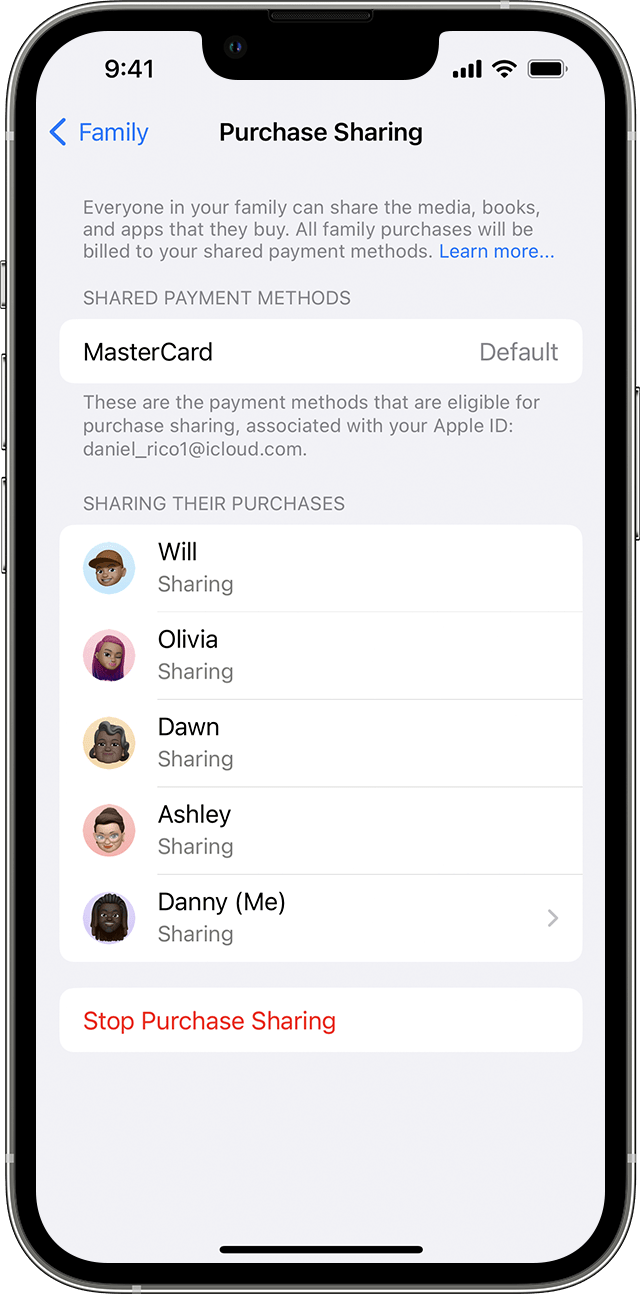
When you turn on purchase sharing, everyone in your family gets access to apps, music, movies, TV shows, and books that family members buy. The family organizer is billed for family members' purchases.
Some items can't be shared. Find out which types of content can't be shared.
Use your iPhone, iPad, or iPod touch to turn on purchase sharing
1. If you haven't set up Family Sharing yet, set up Family Sharing.
2. Open the Settings app.
3. Tap Family. If you don't see Family, tap your name, then tap Family Sharing.
4. Tap Purchase Sharing.
5. Tap Continue and follow the onscreen instructions.
6. To see which payment method will be billed, tap Purchase Sharing again and look at the Shared Payment Method information.
Please also be sure to review all of the information outlined in the link you came from, which can help with issues sharing content: If you can't find your family's shared content
Thanks!
Hello theoilcancino,
Please ensure that purchase sharing is set up correctly, so we can make sure that's not part of the issue: How to share purchases with your family
What is purchase sharing?
When you turn on purchase sharing, everyone in your family gets access to apps, music, movies, TV shows, and books that family members buy. The family organizer is billed for family members' purchases.
Some items can't be shared. Find out which types of content can't be shared.
Use your iPhone, iPad, or iPod touch to turn on purchase sharing
1. If you haven't set up Family Sharing yet, set up Family Sharing.
2. Open the Settings app.
3. Tap Family. If you don't see Family, tap your name, then tap Family Sharing.
4. Tap Purchase Sharing.
5. Tap Continue and follow the onscreen instructions.
6. To see which payment method will be billed, tap Purchase Sharing again and look at the Shared Payment Method information.
Please also be sure to review all of the information outlined in the link you came from, which can help with issues sharing content: If you can't find your family's shared content
Thanks!
Family sharing