Hey there Hamster1337,
Thanks for reaching out to the Apple Support Communities. To get started, are you currently updated to the most recent iOS and watchOS on both your devices? If not, since updating can often bring the latest features and bug fixes, we would recommend updating to the latest software versions and test the issue again.
For help with updating, check out the links below:
Update your iPhone or iPad wirelessly
1. Back up your device using iCloud or your computer.
2. Plug your device into power and connect to the internet with Wi-Fi.
3. Go to Settings > General, then tap Software Update.
4. If you see more than one software update option available, choose the one that you want to install.
5. Tap Install Now. If you see Download and Install instead, tap it to download the update, enter your passcode, then tap Install Now. If you don't know your passcode, learn what to do.
Update your Apple Watch - Apple Support
Update your Apple Watch using your iPhone
You can wait until Apple Watch notifies you when a new update is available. Tap Update Tonight in the notification, then go to your iPhone to confirm that you want to update overnight. At the end of the day, leave your Apple Watch and iPhone charging overnight so the update can complete.
Or you can update your Apple Watch with your iPhone manually:
1. On your iPhone, open the Apple Watch app, then tap the My Watch tab.
2. Tap General > Software Update.
3. Download the update. If asked for your iPhone passcode or Apple Watch passcode, enter it.
4. Wait for the progress wheel to appear on your Apple Watch. It could take from several minutes to an hour for the update to complete.
If still having issues after updating your devices, or if your devices are already up-to-date, are you able to confirm that you have good cellular coverage? For help with checking your cellular signal strength check out this next link here: About Bluetooth, Wi-Fi, and cellular on your Apple Watch - Apple Support
How to check your signal strength
1. Touch and hold the bottom of the screen.
2. Wait for Control Center to show, then swipe up.
3. Check the Cellular button 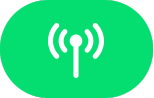 .
.
The Cellular button turns green when you have a connection. The green dots show the signal strength.
Keep us updated on what you find.
Take care!


