View QuickTime screen recording time?
During screen-recording, QuickTime display the recording time and movie size on the Touch Bar of my old MacBook Pro. Is there a way to see that on Macs without a Touch Bar?
MacBook Pro 16″, macOS 13.2
During screen-recording, QuickTime display the recording time and movie size on the Touch Bar of my old MacBook Pro. Is there a way to see that on Macs without a Touch Bar?
MacBook Pro 16″, macOS 13.2
Hello mhutson,
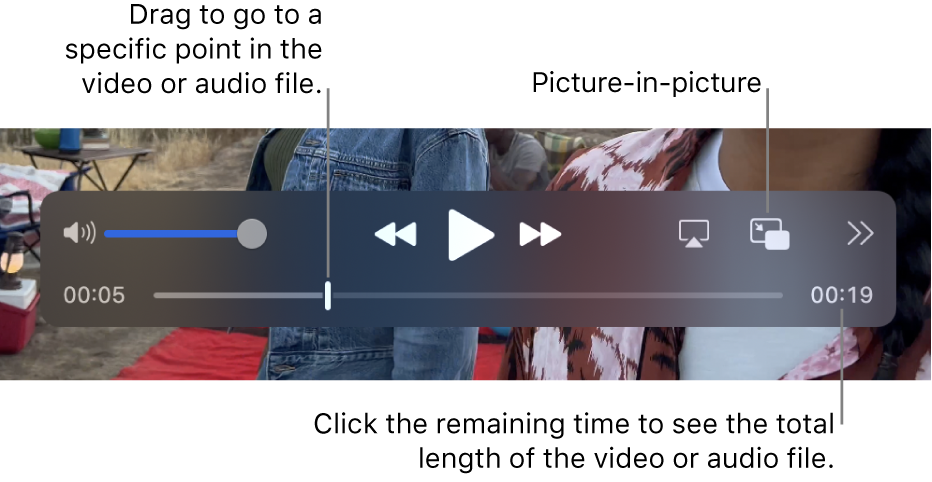
To play and control a file during playback on a Mac without a Touch Bar, you can hold the pointer over the screen to populate the playback controls.
1. In the QuickTime Player appon your Mac, open a video or audio file.
2. Move the pointer anywhere over the video to show the playback controls. (Controls for audio files are always visible.)
3. Use the playback controls to play the video or audio file; you can drag the controls to move them out of the way.
You can read more about using playback controls here: Open and play a file in QuickTime Player on Mac - Apple Support
If you'd like more detailed information about a file, here's how to find it: View information about a media file in QuickTime Player on Mac - Apple Support
Take care.
Thanks but how do I view recording time and movie size while recording?
View QuickTime screen recording time?