
I cannot get my iPad 5 to delete emails
I cannot get my iPad five to delete emails when I hit move it goes back to the home screen
[Re-Titled by Moderator]
iPad 2, iOS 9
I cannot get my iPad five to delete emails when I hit move it goes back to the home screen
[Re-Titled by Moderator]
iPad 2, iOS 9
Hello bigcars,
Thank you for reaching out to Apple Support Communities.
How are you deleting your emails? These steps may help:
"Delete multiple emails at once
To delete a large number of emails, you might find it easier to use your email provider's website.
Set Trash or Archive as your default option
Depending on the type of email account you have, you might see Archive instead of Trash when you try to delete emails. You can edit where your deleted messages go in your Mail settings:
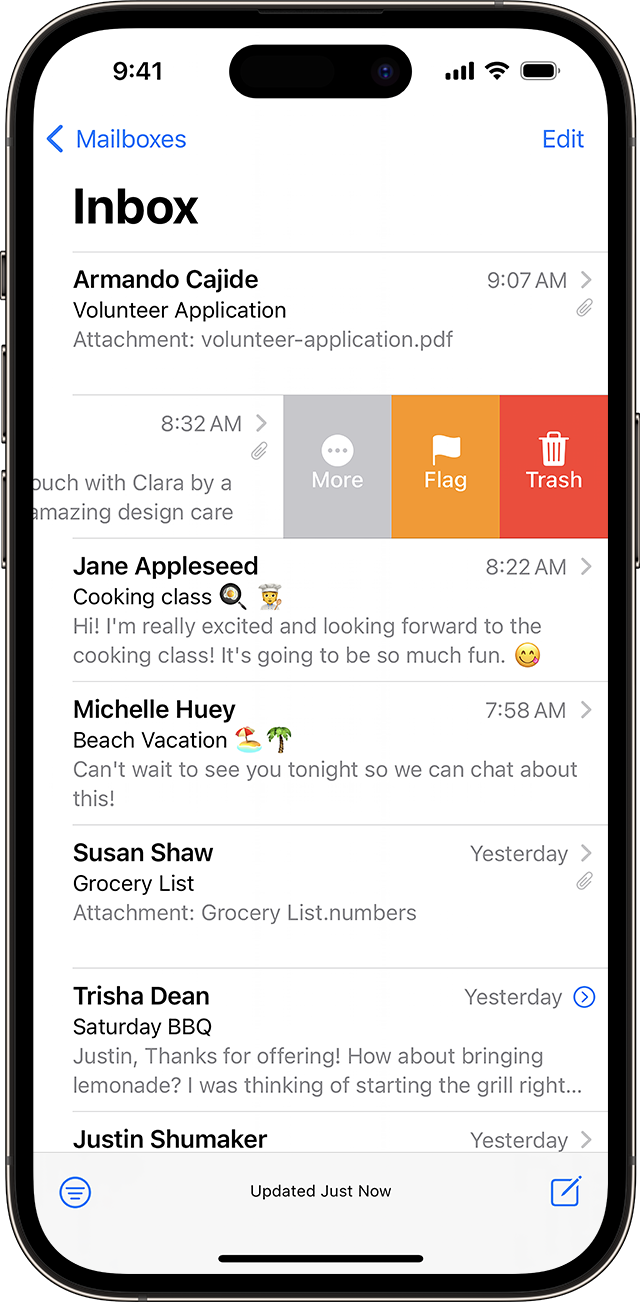
Swipe to delete and other ways to discard one email
 or the Trash button
  from within an email.
You can also use the steps to delete multiple emails to delete a single email."
More details can be found here: Delete emails on your iPhone or iPad
If the issue persist, can you provide a few more details? What is your exact iPadOS version? Are you experiencing this with multiple accounts or just one account? Also, when did you first notice this?
Cheers!
Hello bigcars,
Thank you for reaching out to Apple Support Communities.
How are you deleting your emails? These steps may help:
"Delete multiple emails at once
To delete a large number of emails, you might find it easier to use your email provider's website.
Set Trash or Archive as your default option
Depending on the type of email account you have, you might see Archive instead of Trash when you try to delete emails. You can edit where your deleted messages go in your Mail settings:
Swipe to delete and other ways to discard one email
or the Trash button from within an email.You can also use the steps to delete multiple emails to delete a single email."
More details can be found here: Delete emails on your iPhone or iPad
If the issue persist, can you provide a few more details? What is your exact iPadOS version? Are you experiencing this with multiple accounts or just one account? Also, when did you first notice this?
Cheers!
Hello bigcars,
Since the app is closing on its own, let's resolve the issue by completing the steps listed here: Close an app on your iPad - Apple Support that are also below.
Once done, please reopen the app and try to delete emails again.
Best regards.
You sent me all kinds of stuff but not what I need. Let’s try again when I try to delete my emails when I hit move it jumped right back to my home screen takes me out of emails. Please don’t send me all the other stuff try to help me fix my problem not a whole bunch of crap.
I cannot get my iPad 5 to delete emails


