Thanks for posting in the Apple Support Communities mimosa61,
We see you linked here from If the microphones on your iPhone aren't working.
While on a call on iPhone, you can adjust the volume using the volume buttons on the side of your iPhone.
If that doesn't help, complete the following steps:
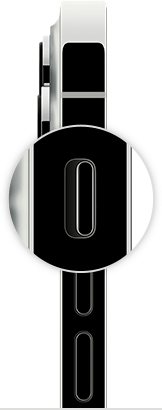
1: If your device has a Ring/Silent switch, move the switch forward—toward the device's display—so that orange isn't showing. If you're using an iPad, you can also swipe down from the top-right corner to open Control Center and make sure that Silent Mode is off.
2: Open Settings > Focus > Do Not Disturb and make sure that Do Not Disturb is off.
If the issue persists, the "If you want to try more steps on your own" section of the following page provides additional guidance: If you hear no sound or distorted sound from your iPhone, iPad, or iPod touch speaker
We hope this helps!


