How to change Ask Permission setting on iPhone 12
How do I change the setting on a minor’s iPhone 12 for Ask Permission to purchase items?
How do I change the setting on a minor’s iPhone 12 for Ask Permission to purchase items?
Hey donnah0131,
We'd be happy to help you out with getting your Ask to Buy settings adjusted. For help with doing so, please work through these steps best equipped to assist:
How to turn on or turn off Ask to Buy
If you're a parent or guardian, use your own device to turn on or turn off Ask to Buy.
On your iPhone, iPad, or iPod touch
1. Open the Settings app.
2. Tap your name.
3. Tap Family Sharing.
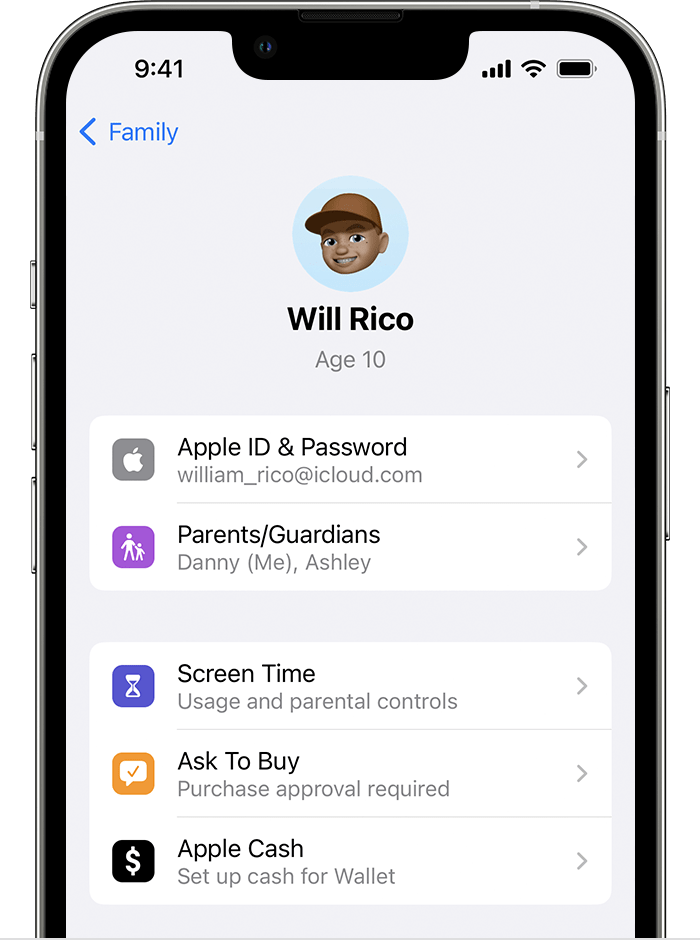
4. Tap your family member's name, then tap Ask to Buy. In iOS 15 or earlier, tap Ask to Buy then tap your family member's name.
5. Turn on or off Require Purchase Approval.
This is outlined further here: Approve what kids buy with Ask to Buy - Apple Support
We hope this helps out.
Take care!
Hey donnah0131,
We'd be happy to help you out with getting your Ask to Buy settings adjusted. For help with doing so, please work through these steps best equipped to assist:
How to turn on or turn off Ask to Buy
If you're a parent or guardian, use your own device to turn on or turn off Ask to Buy.
On your iPhone, iPad, or iPod touch
1. Open the Settings app.
2. Tap your name.
3. Tap Family Sharing.
4. Tap your family member's name, then tap Ask to Buy. In iOS 15 or earlier, tap Ask to Buy then tap your family member's name.
5. Turn on or off Require Purchase Approval.
This is outlined further here: Approve what kids buy with Ask to Buy - Apple Support
We hope this helps out.
Take care!
How to change Ask Permission setting on iPhone 12