
Apple TV App has no dialogue audio on any of my devices.

I have a PlayStation 5, an Xfinity streaming box and two Sony tv that all support the Apple Tv+ app and they all have the same problem, no matter what show I watch they only play background audio/music, no dialogue. The PlayStation is connected to a soundbar and its audio setting are configured to such. Both tv are standalone and audio setting are set to tv speaker, stereo. The streaming box is also on the same system as the PlayStation. I can play any other streaming app just fine: Netflix, YouTube, Hulu, paramount+, you name it.


I looked into the setting in the Apple TV app and there is nothing that can be changed there to fix the issue. I’m wondering if this is a glitch that needs fixing with an app update. I’ve updated all my software and firmware of each device and the app itself. Help please.

BRAVIA4KUR2,

Posted on Feb 11, 2023 9:11 AM

Reply
1 reply

Feb 13, 2023 1:37 PM in response to brandon_deon

Hello brandon_deon,


To help us get a better understanding of the issue, we’d like to ask a few questions.


1. Have you always experienced this issue, or did this begin recently? If it started recently, were any changes made to your devices or settings before this happened?

2. You mentioned checking some settings, can you let us know more about that? For example, have you confirmed your preferred language is selected in the Apple TV app settings?


The above details will help us plan how to proceed.


Please check out the following page to confirm the language settings are correct, so we can make sure there's no issue there: Change subtitles or languages for videos in the Apple TV app or iTunes Store


Audio languages on Apple TV, smart TV, or streaming device

1. On a Siri Remote or Apple TV Remote, press the Play/Pause button while watching a video to bring up the playback controls. Or on a remote for a smart TV, streaming device, or game console, press the button that brings up the video timeline.
2. Use your Siri Remote or Apple TV Remote to swipe up and select the Audio button . Or use your smart TV, streaming device, or game console remote to navigate to the Audio button .
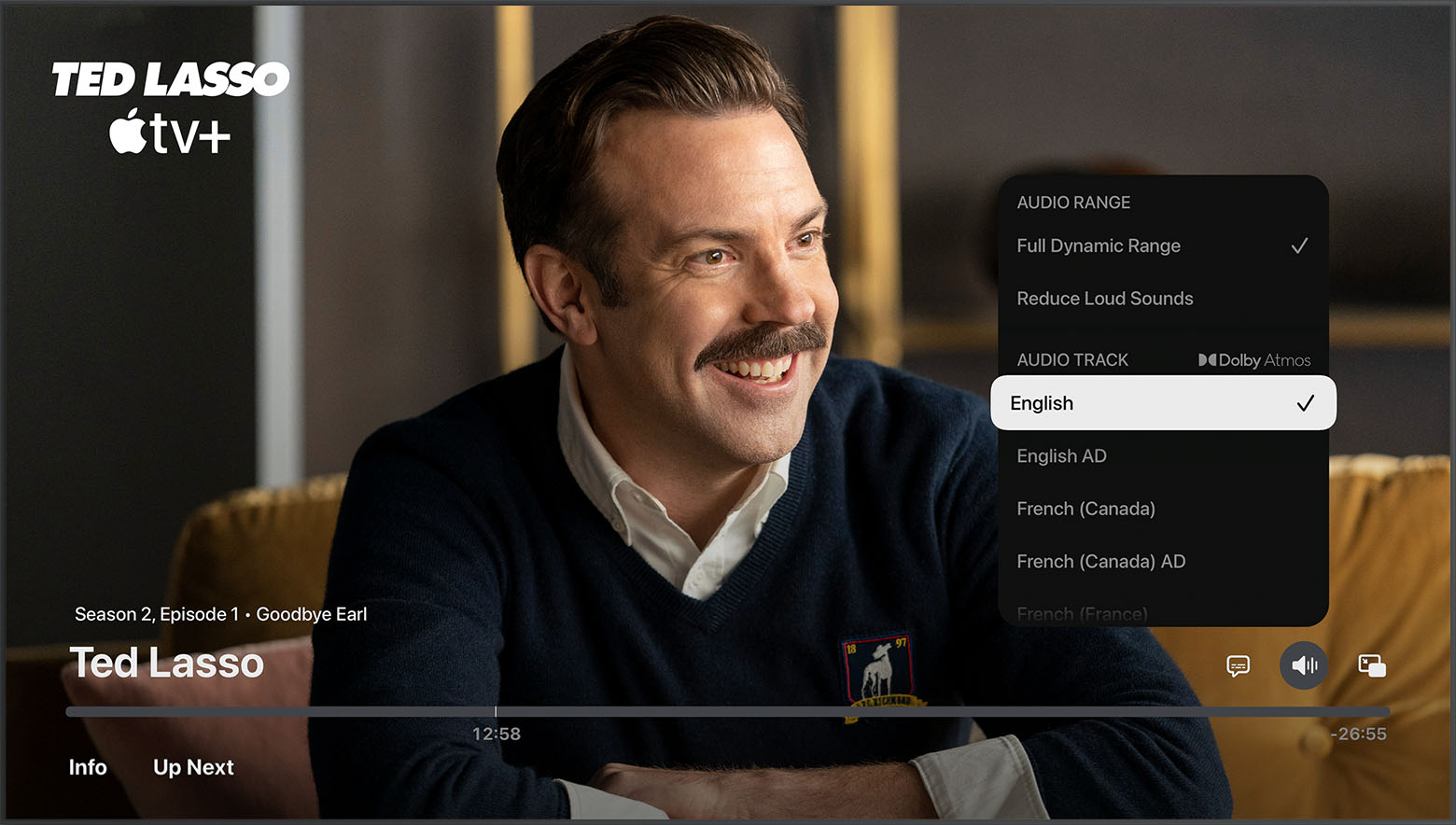
3. Choose the audio language that you want.

Audio Language options in the Apple TV app on Apple TV, smart TV, and streaming device

4. To change the default audio language in Settings, go to Settings > Video and Audio > Audio > Audio Language, then choose the language that you want.


Thank you.

This thread has been closed by the system or the community team. You may vote for any posts you find helpful, or search the Community for additional answers.

Apple TV App has no dialogue audio on any of my devices.

Welcome to Apple Support Community
A forum where Apple customers help each other with their products. Get started with your Apple Account.