
Help. Stuck in theater mode on my I watch
How do I get unstuck from theater mode
How do I get unstuck from theater mode
You can find complete instructions in this link to Apple Support, but I’ve copied the pertinent information here for you.
Use Control Center on Apple Watch - Apple Support (PH)
Use theater mode on Apple Watch
Theater mode prevents the Apple Watch display from turning on when you raise your wrist, so it stays dark. It also turns on silent mode and makes your Walkie-Talkie status unavailable, but you still receive haptic notifications.
Touch and hold the bottom of the screen, swipe up to open Control Center, tap  , then tap Theater Mode.
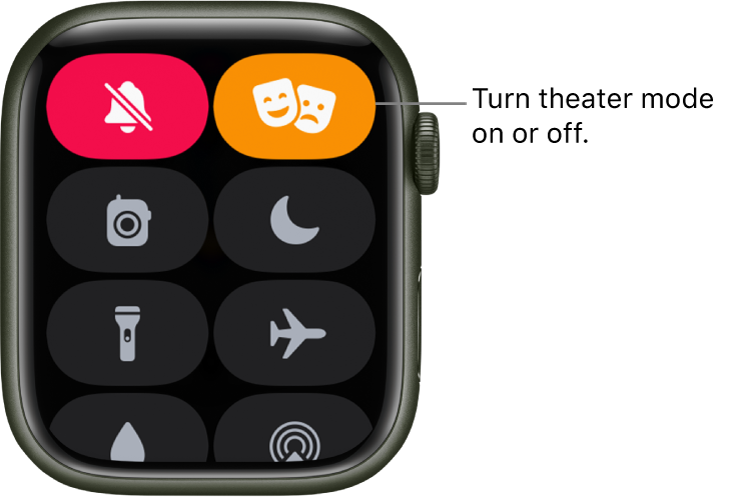
When theater mode is on, you see  at the top of the screen.
You can find complete instructions in this link to Apple Support, but I’ve copied the pertinent information here for you.
Use Control Center on Apple Watch - Apple Support (PH)
Use theater mode on Apple Watch
Theater mode prevents the Apple Watch display from turning on when you raise your wrist, so it stays dark. It also turns on silent mode and makes your Walkie-Talkie status unavailable, but you still receive haptic notifications.
Touch and hold the bottom of the screen, swipe up to open Control Center, tap , then tap Theater Mode.
When theater mode is on, you see at the top of the screen.
Thank you. Got it!! Out of Theater mode
Happy to help!
Help. Stuck in theater mode on my I watch
