Read the information from the article below. If you are in the first scenario it may be automatically stored. If not, it is too late to use that method. You can, however, apply to Apple as in: How to request access to a deceased family member's Apple account - Apple Support
How to add a Legacy Contact for your Apple ID - Apple Support
Share the access key with your Legacy Contact
The access key is extremely important—your Legacy
Contact must have both the access key and your death certificate to
request access after you pass away. Then they'll need the access key
again to set up a legacy contact Apple ID and access your data.
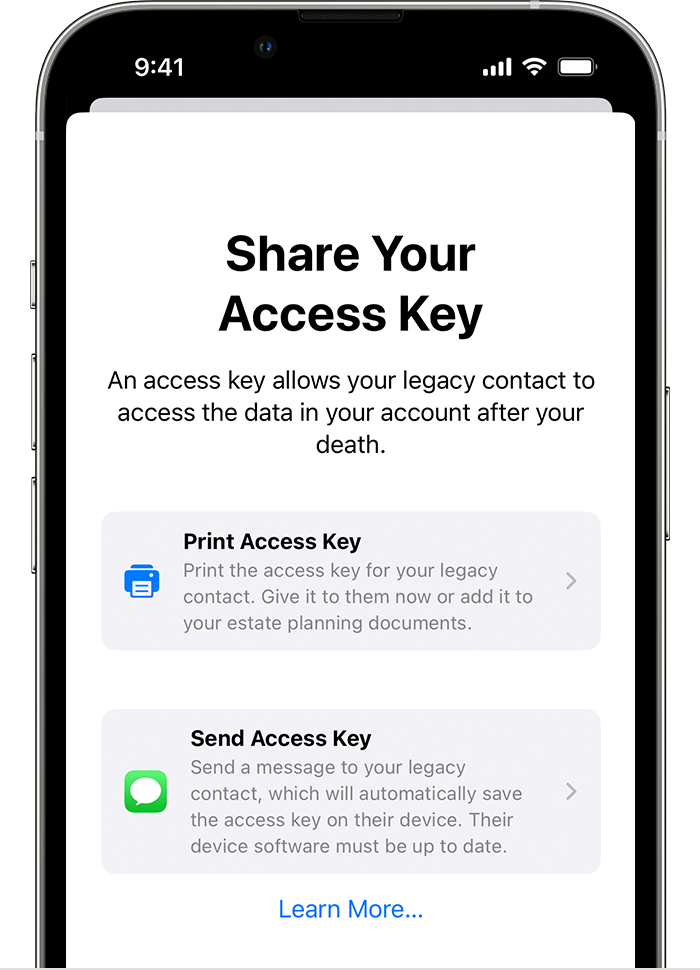
If your Legacy Contact is using a device with iOS 15.2, iPadOS 15.2, or macOS Monterey 12.1 or later, you can notify them via Messages when you add them, and if they accept, they automatically store a copy of the access key in their Apple ID settings. You’ll receive a notification if they decline your Legacy Contact request, and you can choose someone else.
If your Legacy Contact is using an Apple device with older software,
you can ask them to update to iOS 15.2, iPadOS 15.2, or macOS Monterey
12.1. Then you can use the Send a Message option to allow them to
receive and store the access key on their device. Or you can print out
and give them a copy of the access key.
If you add someone who doesn’t have an Apple device or can't access Legacy Contact settings on their device, you'll
need to give them a physical copy of the access key. You can print a
copy of the access key and give it to them, send them a PDF or
screenshot of the page, or save a copy with your estate planning
documents.

