Battery percentage not showing up during charging
When I am charging my Apple Watch. I can’t make the percentage show up even when I press the charging button. Please advise. Thanks.
Apple Watch Series 8, 9
When I am charging my Apple Watch. I can’t make the percentage show up even when I press the charging button. Please advise. Thanks.
Apple Watch Series 8, 9
Hello Ericleekf,
According to this page, you should be able to check the battery percentage on your Apple Watch in the following ways: Check your battery and charge your Apple Watch - Apple Support
Check your battery and charge your Apple Watch
Check your battery at a glance from the watch face, Control Center, or Nightstand mode.
Check your battery charge
You can check your Apple Watch battery's charge level in several places:
* Swipe up on the watch face to open Control Center and find the battery percentage.
* On some watch faces, you can add a battery complication.
* On your iPhone, you can add a battery widget to show any connected Apple Watch.
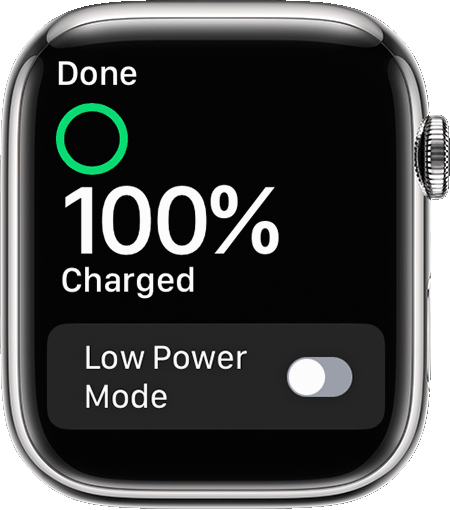
* When your Apple Watch is charging in Nightstand mode, tap the charging buttonto check the battery percentage.
See charging details in Settings
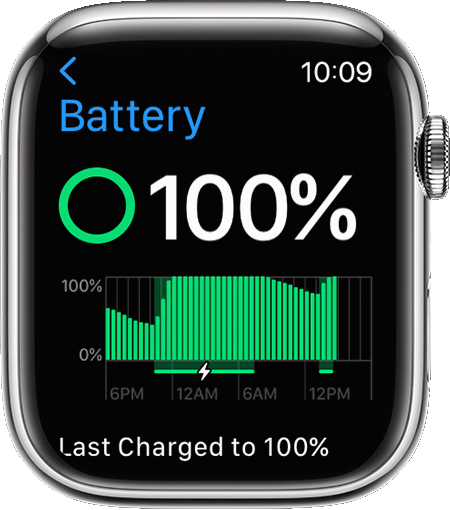
Open the Settings app, then tap Battery. Your current charge level appears, along with a detailed charging graph.
If you're unable to see the charge with these options, then we'd recommend the following steps for the latest fixes:
Should it persist, we'll need to learn more about the issue. What happens exactly when you connect the Apple Watch to the charger? Does it display anything on the screen at all?
Hoping to hear how it goes.
Take care.
Yes.
I still can.
This is true for the charger you are using. The most recent post is about the lack of the green progress circle using the provided Apple circle magnet charger.
Battery percentage not showing up during charging