
Power beats pro does at 55 percent
Does anyone know why my Power Beats Pro dies at 55%. What can I do to fix this?
Beats
Does anyone know why my Power Beats Pro dies at 55%. What can I do to fix this?
Beats
Hi Esabercrombie,
We'll be happy to help with your Beats. If they're powering off before the percentage runs out, we'd recommend trying to reset them as a first step: Reset your Beats earphones
"Reset Powerbeats Pro
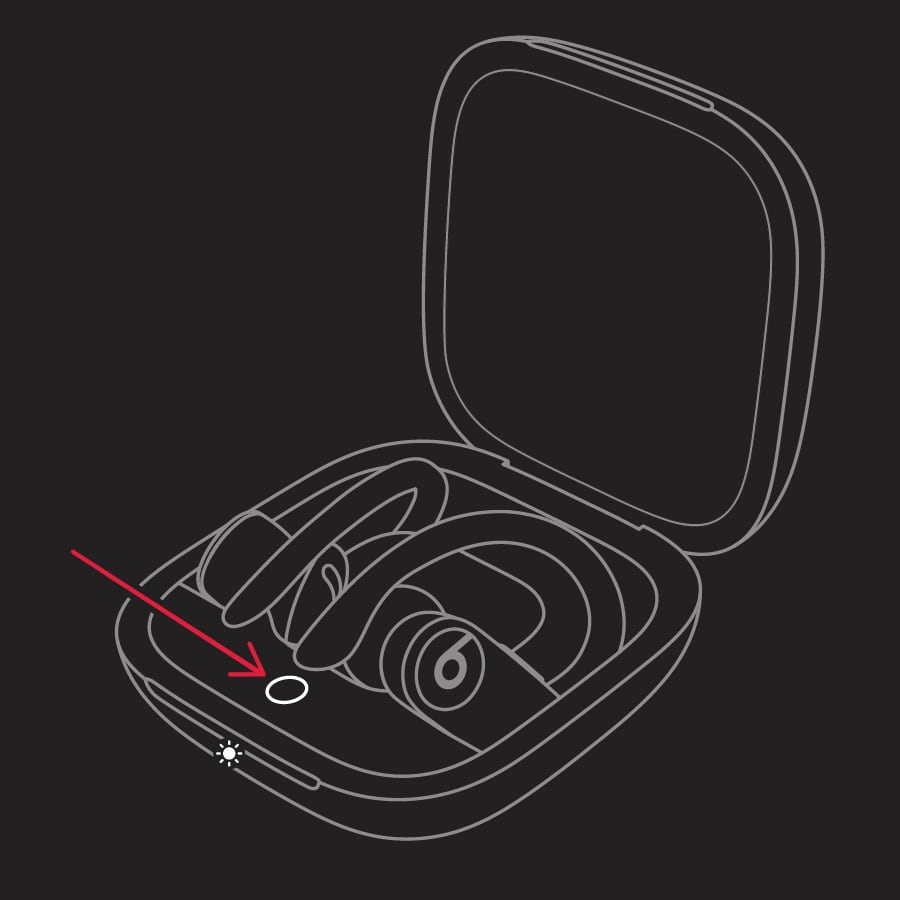
The LED indicator light will continue to flash white, which means that you can pair your Powerbeats Pro with your iPhone, Mac, Android device, or other device again."
If you still have issues after that, reach out to Apple for further help: Get Support
Cheers.
Thanks for clarifying this for us, Esabercrombie,
Since you've already reset your Beats and updated your iOS on your companion iPhone, we'd suggest that you contact Apple to help you to determine your repair options. You can reach them here: Contact Apple Support
Take care!
I already reset the headphones and updated to the latest IOS before posting this question.
Power beats pro does at 55 percent


