You may have a misunderstanding of what autosave does. All during the editing process iMovie periodically and automatically saves your project to the iMovie Backups folder located at this file path:
Go/Home/Library/Containers/com.apple.iMovieApp/Data/Library/Caches/iMovieBackups
During the editing process you can continue to make as many edits and changes that you want, and the project will be saved with the most current edits as you go along. That way, if you should happen to accidentally delete or lose your project you can retrieve it intact from the iMovie Backups folder. Good idea . . .or not?
If you want to explore different editing ideas before choosing a set of edits to export, that is done by making duplicates of the project. So, you do a combination of edits in the original project. Then make a duplicate of the original project. Working with the duplicate, you can do a completely different set of edits while the edits in the original project are preserved. You can create as many duplicates as you want, changing the edits as you wish,, and then choose the original project or any one or move of the duplicates to export out as the final project.
To duplicate a project, go to your project browser screen, where your projects are displayed as icons. Move your cursor over a project's icon and that will cause a little circle with dots in it to appear to the right of the title. Click on the circle to reveal a drop down menu. Choose Duplicate Project from the menu.
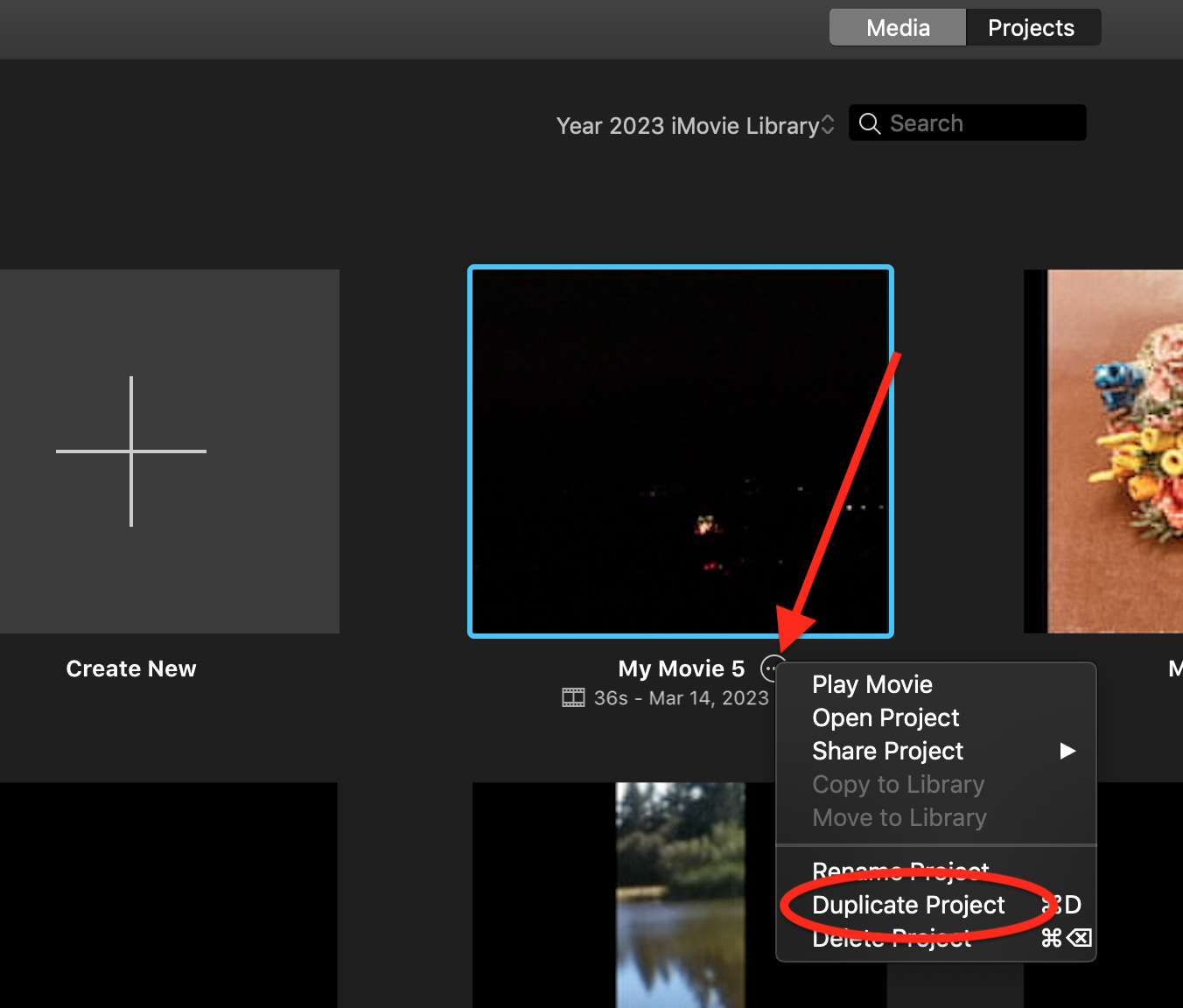
After doing that, a duplicate project will be created and displayed in the project browser, while the original project
is preserved.
-- Rich


