Hello Lucas1948,
First, let's try restarting your iPad which can help with unexpected behavior like this.
"How to restart an iPad without a Home button
- Press and hold either volume button and the top button until the power off slider appears.
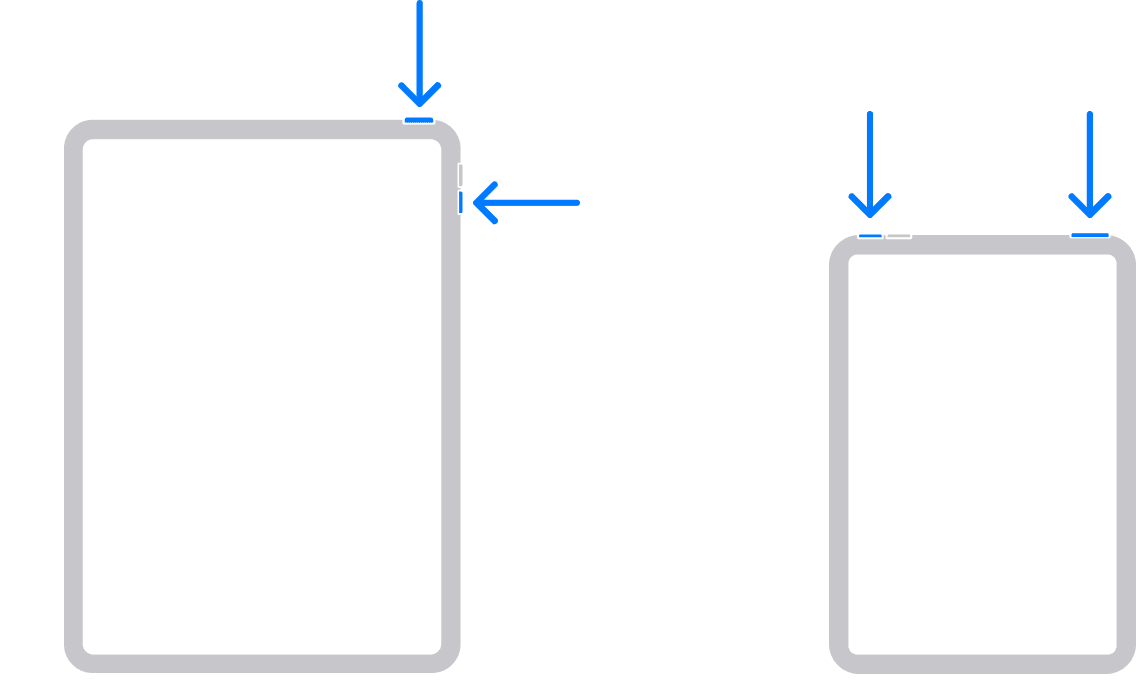
- Drag the slider, then wait 30 seconds for your device to turn off. If your device is frozen or unresponsive, force restart your device.
- To turn your device back on, press and hold the top button until you see the Apple logo.
How to restart an iPad with a Home button
- Press and hold the top button until the power off slider appears.

- Drag the slider, then wait for 30 seconds for your device to turn off. If your device is frozen or unresponsive, force restart your device.
- To turn your device back on, press and hold the top button until you see the Apple logo.
"
Restart your iPad - Apple Support
Additionally, make sure your wife's iPad has the latest iPadOS installed which can also help.
"Update your iPhone or iPad wirelessly
- Back up your device using iCloud or your computer.
- Plug your device into power and connect to the internet with Wi-Fi.
- Go to Settings > General, then tap Software Update.
- If you see more than one software update option available, choose the one that you want to install.
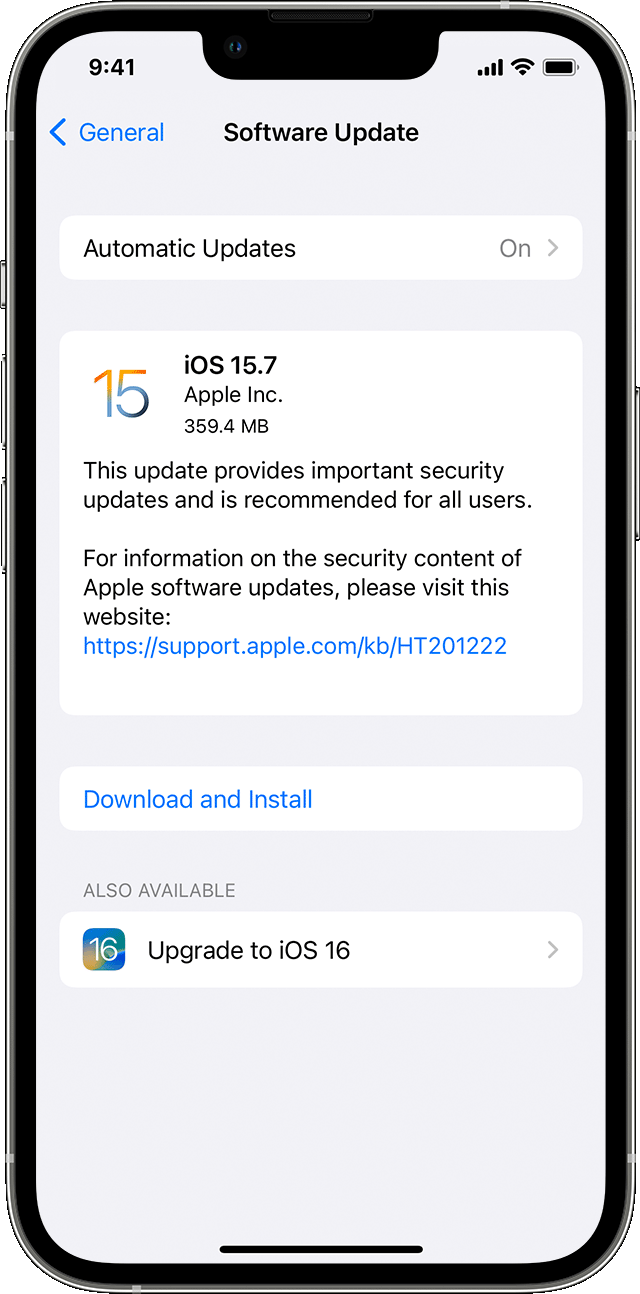
- Tap Install Now. If you see Download and Install instead, tap it to download the update, enter your passcode, then tap Install Now. If you don't know your passcode, learn what to do.
If you get an alert when updating wirelessly
Learn what to do if you see an alert message while trying to update your device wirelessly.
Some software updates aren't available wirelessly. VPN or proxy connections might prevent your device from contacting the update servers.
If you need more space when updating wirelessly
If a message asks to temporarily remove apps because the software needs more space for the update, tap Continue to allow apps to be removed. After installation is complete, those apps are automatically reinstalled. If you tap Cancel instead, you can delete content manually from your device to add more space.

"
Update your iPhone or iPad - Apple Support
Cheers.


