Apple Music Default Album View

As a new iPhone user, I so want to like Apple Music but so far I can’t get it to work worth a ****. I depend on my own library because I frequently am without cell service. If I click on Artist or Genre, all I get is Album view when all I really want is the list of songs. Can I fix this or do I need to use a third party app like Offloading Music as my music player?

iPhone 14 Pro Max, iOS 16

Posted on Mar 23, 2023 2:34 PM

Reply
1 reply

Mar 25, 2023 8:36 AM in response to Jcvandd

Hello Jcvandd,


What you are describing is expected behavior with Apple Music if you do not have an an internet connection. When you click on Artist or Genre it would typically load all of those categories available on Apple Music and without a network connection, it can't.


You can use the steps here to download your library so that it is available when you have no data connection: Add and download music from Apple Music - Apple Support


Download music from Apple Music
After you add music to your library, you can download it to your device to listen to offline. Just follow the steps below for your device.
How to download music from Apple Music on your iPhone, iPad, or Android
1. Open the Apple Music app.
2. Add a song, album, or playlist to your library.
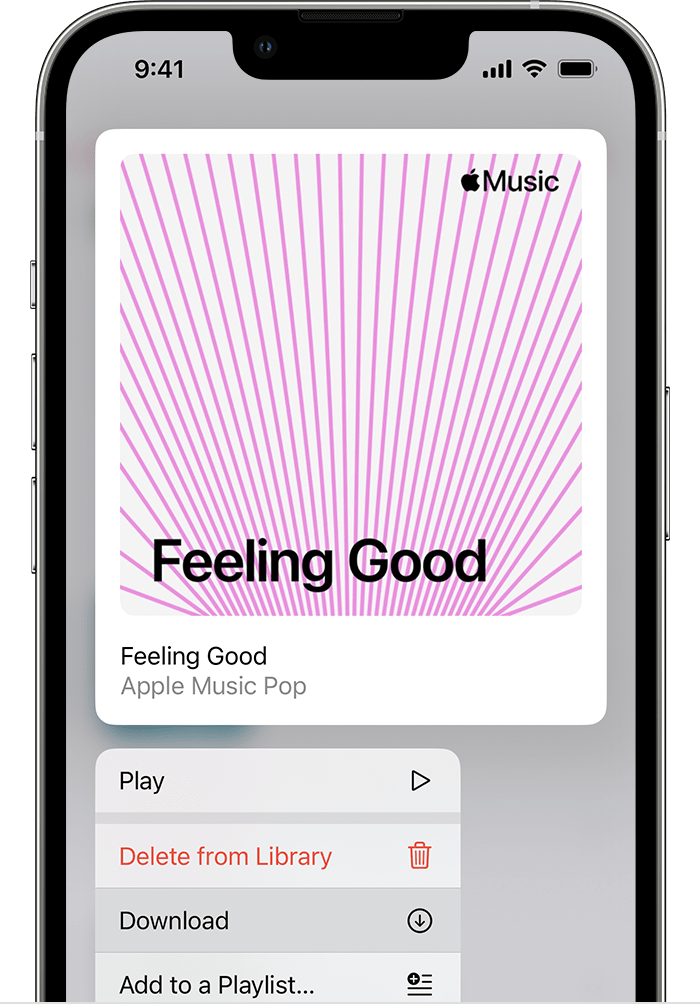
3. Touch and hold the song, album, or playlist that you added from Apple Music.
4. Tap Download.
iPhone showing Download

We hope this helps.


Cheers!

This thread has been closed by the system or the community team. You may vote for any posts you find helpful, or search the Community for additional answers.

Apple Music Default Album View

Welcome to Apple Support Community
A forum where Apple customers help each other with their products. Get started with your Apple Account.