Charging iPhone in car from 12V while wired connection to CarPlay

Hi,

The USB port in my car barely charges my iPhone 14 while connected to the apple CarPlay (only keeps the battery on same level).

So I'd like to know if it's possible somehow to connect 2 lightning cables to my iPhone - one for the data transfer, and 1 for power.

My car doesn't support wireless CarPlay and I can't think of another way.


Thanks!

iPhone 14

Posted on Mar 26, 2023 12:38 AM

Reply
3 replies

Mar 27, 2023 11:29 AM in response to avihai888

Hello avihai888,


Please check out the information in the following link, which explains how to connect your iPhone to your car, and outlines options, which may be helpful: How to connect your iPhone, iPad, or iPod touch to your car


Connect using USB playback

1. Restart your device and your car.
2. Make sure that your device is unlocked and on the Home screen.
3. If possible, try to connect using another cable or USB port. Check the manual that came with your car to learn how to connect an Apple device.
4. Check your charging port for any debris or damage. Make sure that your charging cable is properly inserted into the port.
5. Update your device.
6. Make sure that your stereo is using the latest firmware from the car manufacturer. Check your car's manual for more information.
7. Try playing audio from a different app. If you can't play audio from a third-party app, contact the app developer for help. If you can't play audio from an Apple app, contact Apple Support.


If your iPhone won't charge, please review this link for some suggestions that may help as well: If your iPhone or iPod touch won't charge


If your device charges slowly or won’t charge

Follow these steps and try again after each:

1. Check your charging cable and USB adapter for signs of damage, like breakage or bent prongs. Don't use damaged accessories.
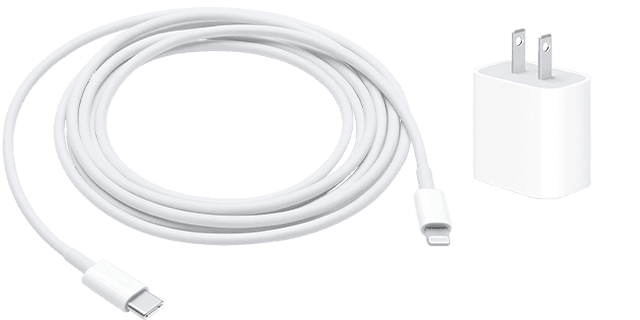
Lightning to USB and a USB-C wall adapter
2. Use a wall power outlet and check for firm connections between your charging cable, USB wall adapter, and wall outlet or AC power cable, or try a different outlet. 
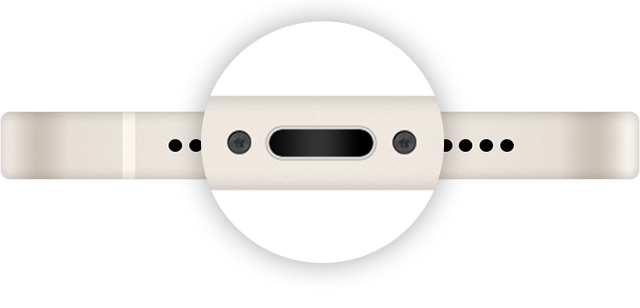
3. Remove any debris from the charging port on the bottom of your device, then firmly plug your charging cable into your device. If the charging port is damaged, your device probably needs service.
Image of the charging port.
4. Let your device charge for a half hour.
5. If your device is still unresponsive, force restart your device: 
* iPhone 8 or later and iPhone SE (2nd generation): Press and quickly release the volume up button. Press and quickly release the volume down button. Press and hold the side button until the Apple logo appears.
* iPhone 7, iPhone 7 Plus, and iPod touch (7th generation): Press and hold both the side (or top) button and the volume down button until the Apple logo appears. 
* iPhone 6s or earlier, iPhone SE (1st generation), and iPod touch (6th generation) or earlier: Press and hold both the side (or top) button and the Home button until the Apple logo appears.
6. Let your device charge for another half hour.
7. If your device still won't power on or charge, take your device, charging cable, and charging adapter to an Apple Store or Apple Authorized Service Provider for evaluation. You can also contact Apple Support.


Thanks!

This thread has been closed by the system or the community team. You may vote for any posts you find helpful, or search the Community for additional answers.

Charging iPhone in car from 12V while wired connection to CarPlay

Welcome to Apple Support Community
A forum where Apple customers help each other with their products. Get started with your Apple Account.