Hi logical_outline7,
Since you're trying to manage the storage on your iPhone, we recommend that you try the steps here: Manage your photo and video storage - Apple Support
To perform the recommended troubleshooting steps via the link above, complete the steps in the section titled "Check to see how much storage you have."
See how much storage you have left on your device and in iCloud, and which apps use the most space.
Device storage
1. Go to Settings.
2. Tap General.
3. Tap [device] Storage.
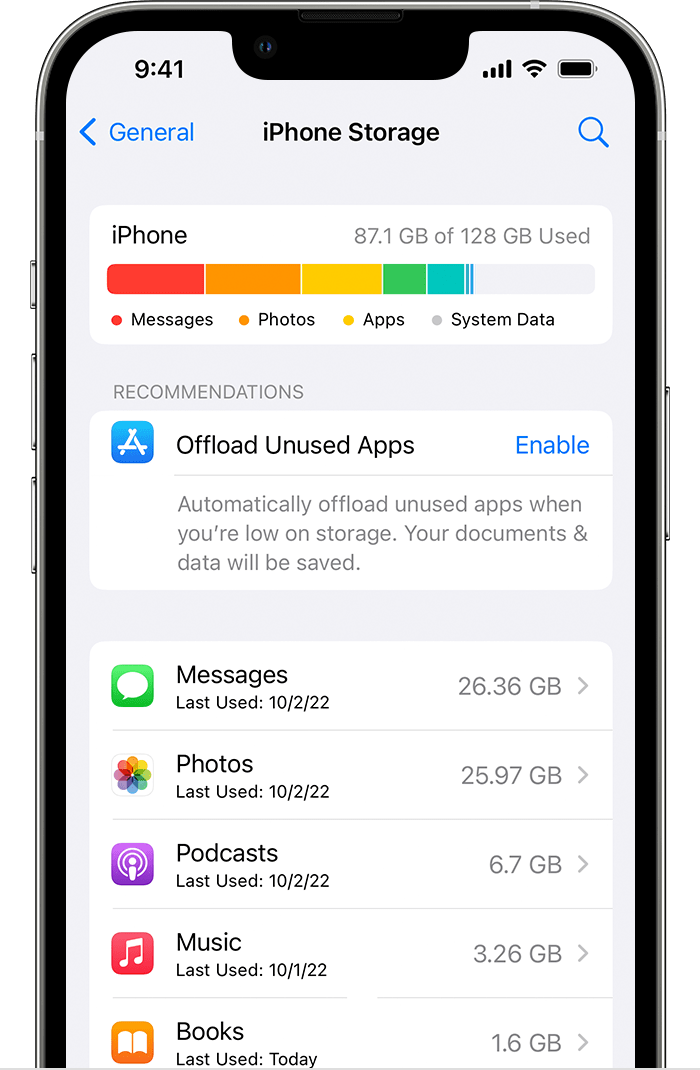
You might see recommendations for optimizing your storage, a list of your apps, and the amount of space that each one uses.
iCloud storage
1. Go to Settings.
2. Tap your name.
3. Tap iCloud.
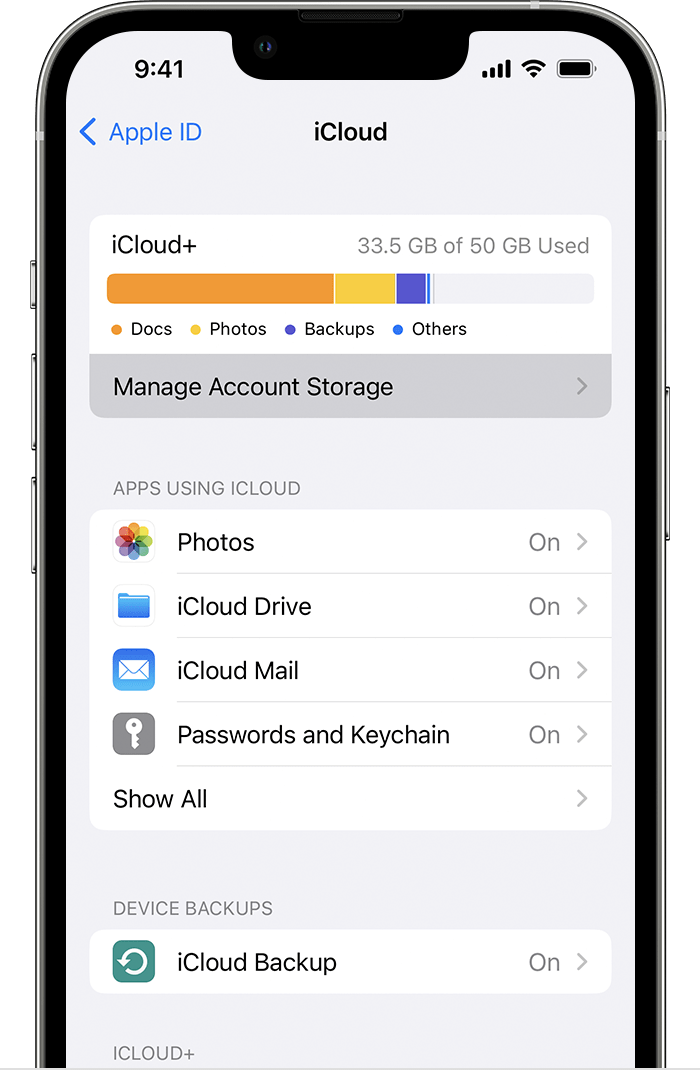
You see how much space you have left in iCloud and if you need to upgrade your storage plan. Tap Manage Account Storage to see how apps are using your storage.

We recommend the steps above because they will show you how to manage your photo and video storage on your iPhone
Please do not hesitate to contact us if you have other questions.
Thanks for using the Apple Support Communities.
Cheers!


