Hi, I am getting message "I am having trouble connecting to the internet. Check the home app for more info." Any idea how to fix it ? Thank you.. - Raj

Hi, When I was trying to setup my Homepod, I am getting message "I am having trouble connecting to the internet. Check the home app for more info." Any idea how to fix it ? Thank you.. - Raj

Posted on Mar 26, 2023 12:24 PM

Reply
Question marked as Top-ranking reply

Posted on Mar 27, 2023 5:28 PM

Hi VRajram,


We'll be glad to go over this with you further. If it's stating it's having trouble connecting to the internet, there's likely an issue with the Wi-Fi network you're connected to. Either the HomePod isn't connected at all, or is connected and is unable to access the Internet.


The steps outlined in If HomePod or HomePod mini isn't responding - Apple Support should help you out.


Specifically, "Check your Wi-Fi connection

HomePod and HomePod mini automatically connect to the same Wi-Fi network as your iPhone or iPad. To check your Wi-Fi signal strength:

  1. Open the Home app on your iPhone, iPad, or Mac.
  2. Tap or click HomePod. 
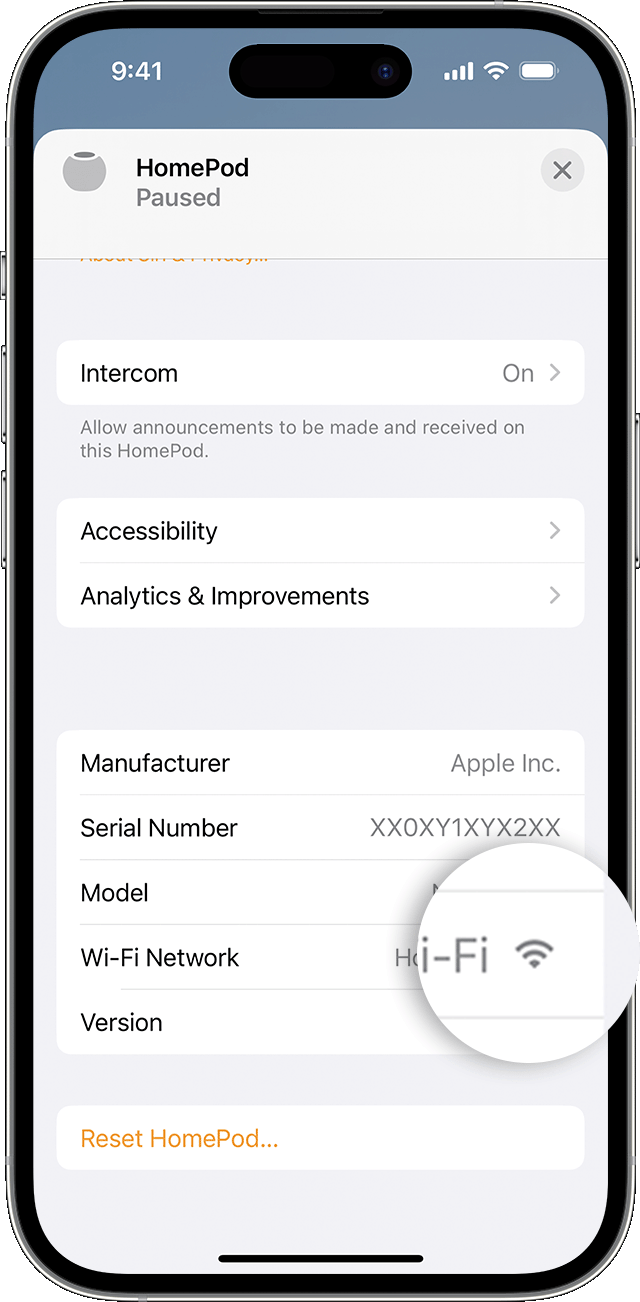
  3. Scroll down, or tap or click the Settings icon  and scroll down to Wi-Fi Network. The Wi-Fi signal strength indicator  appears next to your network name.
  • If the signal strength indicator shows two bars or fewer , your Wi-Fi signal strength is weak. Try moving your HomePod speaker closer to your router and remove potential sources of wireless interference.
  • If the signal strength indicator shows an exclamation point learn what to do.


Learn what to do if Siri on your HomePod says it can't connect to the internet"


Cheers.

1 reply
Question marked as Top-ranking reply

Mar 27, 2023 5:28 PM in response to VRajram

Hi VRajram,


We'll be glad to go over this with you further. If it's stating it's having trouble connecting to the internet, there's likely an issue with the Wi-Fi network you're connected to. Either the HomePod isn't connected at all, or is connected and is unable to access the Internet.


The steps outlined in If HomePod or HomePod mini isn't responding - Apple Support should help you out.


Specifically, "Check your Wi-Fi connection

HomePod and HomePod mini automatically connect to the same Wi-Fi network as your iPhone or iPad. To check your Wi-Fi signal strength:

  1. Open the Home app on your iPhone, iPad, or Mac.
  2. Tap or click HomePod. 
  3. Scroll down, or tap or click the Settings icon  and scroll down to Wi-Fi Network. The Wi-Fi signal strength indicator  appears next to your network name.
  • If the signal strength indicator shows two bars or fewer , your Wi-Fi signal strength is weak. Try moving your HomePod speaker closer to your router and remove potential sources of wireless interference.
  • If the signal strength indicator shows an exclamation point learn what to do.


Learn what to do if Siri on your HomePod says it can't connect to the internet"


Cheers.

This thread has been closed by the system or the community team. You may vote for any posts you find helpful, or search the Community for additional answers.

Hi, I am getting message "I am having trouble connecting to the internet. Check the home app for more info." Any idea how to fix it ? Thank you.. - Raj

Welcome to Apple Support Community
A forum where Apple customers help each other with their products. Get started with your Apple Account.