Why is only one ear is charging?
Only one ear is charging and this happen in my last set of pro's
Only one ear is charging and this happen in my last set of pro's
Hi gregg41,
The following resource addresses what you're describing specifically, and should provide a solution:
If your AirPods won’t charge - Apple Support
We also recommend resetting your AirPods as those steps assure you have cleared out any minor software issues. How to reset your AirPods and AirPods Pro - Apple Support
1. Put your AirPods in their charging case, and close the lid.
2. Wait 30 seconds.
3. Open the lid of your charging case, and put your AirPods in your ears.
4. Go to Settings > Bluetooth. Or go to Settings > [your AirPods].
* If your AirPods appear there as connected, tap the More Info buttonnext to your AirPods, tap Forget This Device, then tap again to confirm.
* If your AirPods don't appear there, continue to the next step.
5. Put your AirPods in their charging case, and keep the lid open.
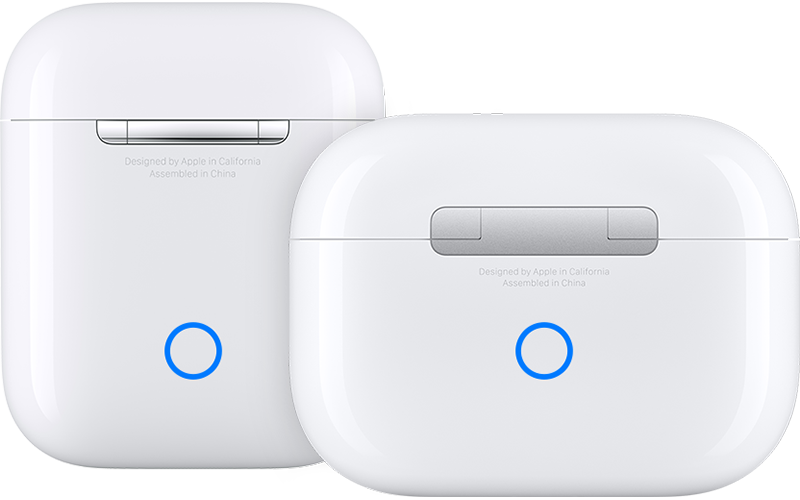
6. Press and hold the setup button on the back of the case for about 15 seconds, until the status light on the front of the case flashes amber, then white.*
7. Reconnect your AirPods: With your AirPods in their charging case and the lid open, place your AirPods close to your iPhone or iPad. Follow the steps on your device's screen.
If you still have questions, reach out to Apple Support directly, as this may require closer guidance: Get Support
Cheers!
Hi gregg41,
The following resource addresses what you're describing specifically, and should provide a solution:
If your AirPods won’t charge - Apple Support
We also recommend resetting your AirPods as those steps assure you have cleared out any minor software issues. How to reset your AirPods and AirPods Pro - Apple Support
1. Put your AirPods in their charging case, and close the lid.
2. Wait 30 seconds.
3. Open the lid of your charging case, and put your AirPods in your ears.
4. Go to Settings > Bluetooth. Or go to Settings > [your AirPods].
* If your AirPods appear there as connected, tap the More Info button
* If your AirPods don't appear there, continue to the next step.
5. Put your AirPods in their charging case, and keep the lid open.
6. Press and hold the setup button on the back of the case for about 15 seconds, until the status light on the front of the case flashes amber, then white.*
7. Reconnect your AirPods: With your AirPods in their charging case and the lid open, place your AirPods close to your iPhone or iPad. Follow the steps on your device's screen.
If you still have questions, reach out to Apple Support directly, as this may require closer guidance: Get Support
Cheers!
Why is only one ear is charging?