
How do I remove my Apple ID from on device so I can use my Apple Music on a another device
How do I remove my Apple ID from one device so I can use my Apple Music on a different device
iPhone SE, 16
How do I remove my Apple ID from one device so I can use my Apple Music on a different device
iPhone SE, 16
Hey Thickerthanasnicker,
You can remove your Apple ID from an associated device using the steps in this article: View and remove your devices that are associated with Apple ID purchases - Apple Support
"Use a Mac or PC to find or remove your associated devices
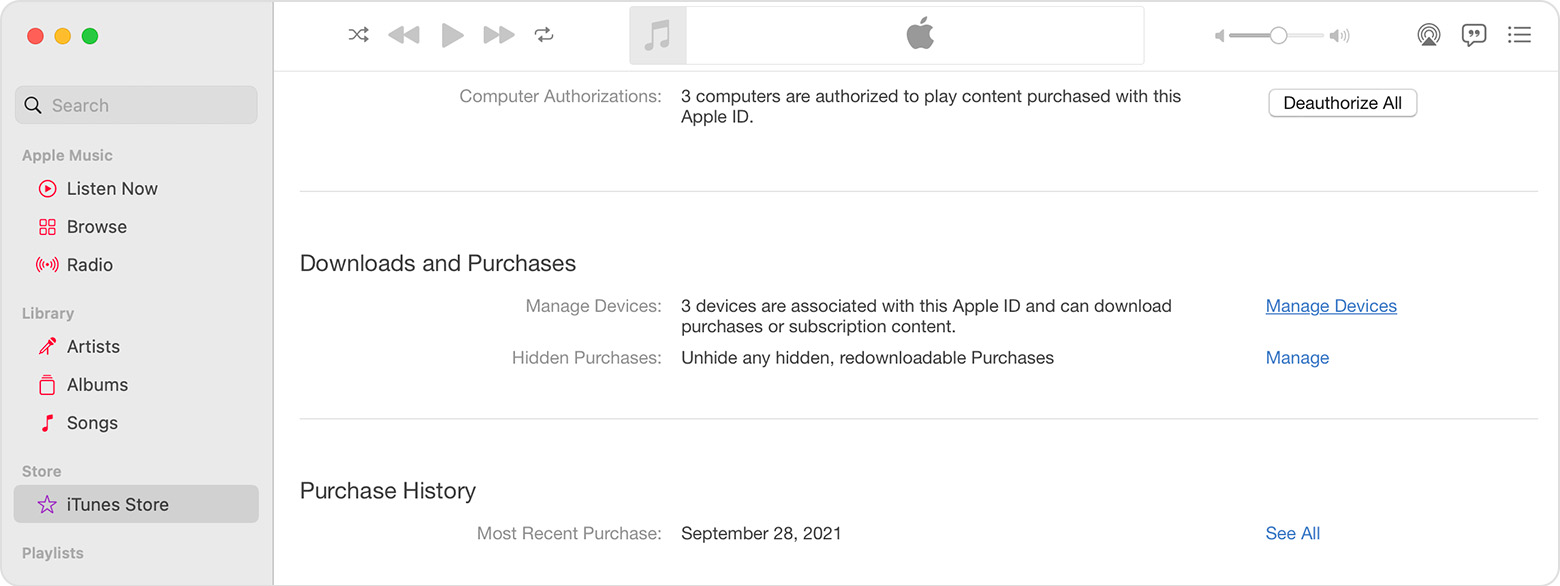
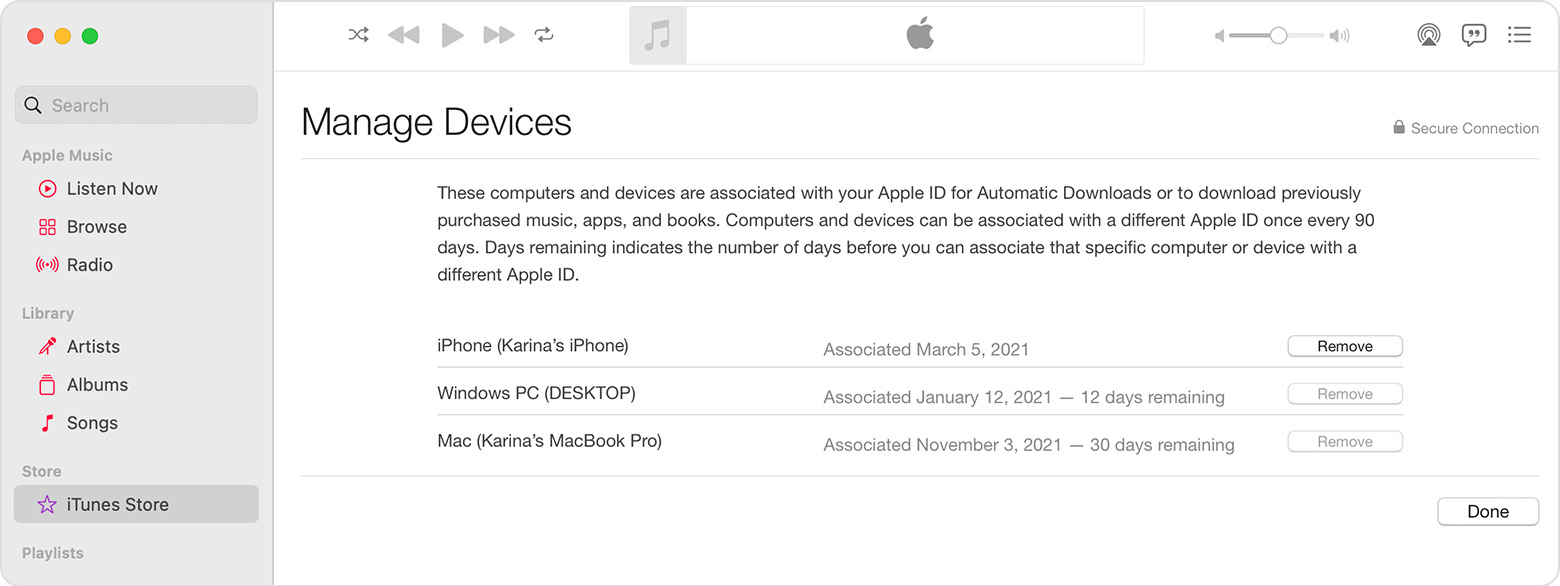
Remove your associated iPhone or iPad
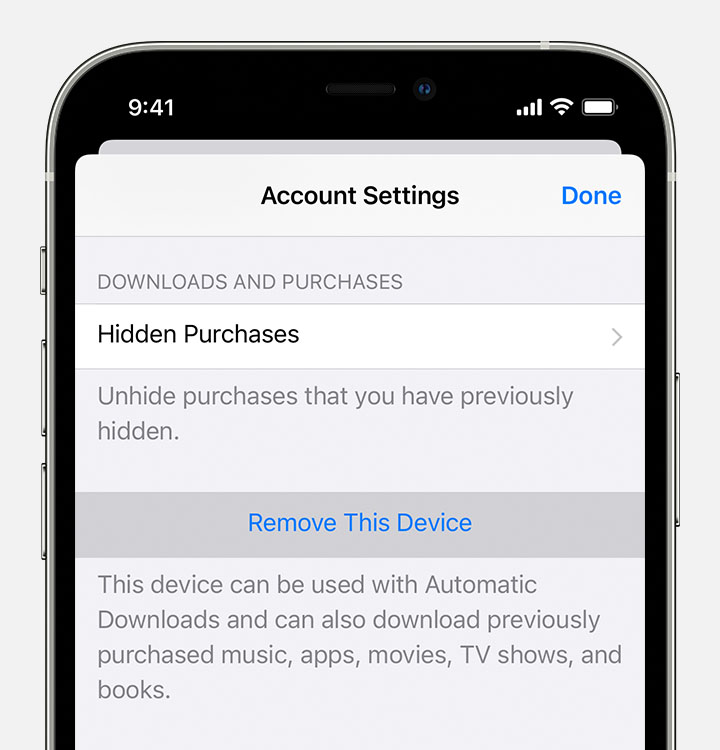
More about associated devices
Want to add a new device to the list? Just use that device to make a purchase from the App Store, Apple TV app, or another Apple service.
You can have ten devices (no more than five computers) associated with your Apple ID for purchases at one time.
When you try to associate a device that was previously associated, you might notice a message that says, "This device is associated with another Apple ID. You cannot associate this device with another Apple ID for [number] days." You might need to wait up to 90 days to associate the device with a different Apple ID.
This list of associated devices is not the same as the list of devices that you're currently signed in to with your Apple ID. You can find out where you're signed in on your Apple ID account page."
Thanks!
Hey Thickerthanasnicker,
You can remove your Apple ID from an associated device using the steps in this article: View and remove your devices that are associated with Apple ID purchases - Apple Support
"Use a Mac or PC to find or remove your associated devices
Remove your associated iPhone or iPad
More about associated devices
Want to add a new device to the list? Just use that device to make a purchase from the App Store, Apple TV app, or another Apple service.
You can have ten devices (no more than five computers) associated with your Apple ID for purchases at one time.
When you try to associate a device that was previously associated, you might notice a message that says, "This device is associated with another Apple ID. You cannot associate this device with another Apple ID for [number] days." You might need to wait up to 90 days to associate the device with a different Apple ID.
This list of associated devices is not the same as the list of devices that you're currently signed in to with your Apple ID. You can find out where you're signed in on your Apple ID account page."
Thanks!
How do I remove my Apple ID from on device so I can use my Apple Music on a another device

