
Sync Itunes music to nano
Hello ... for some reason I can not get the selected music to load on to a couple of my nano's players.
Hello ... for some reason I can not get the selected music to load on to a couple of my nano's players.
Hello vpdrt1,
Welcome to Apple Support Communities.
We understand that you want to sync music to your iPod. We are happy to help.
These steps may help. Please try the steps here: Use iTunes to sync your iPhone, iPad, or iPod with your computer - Apple Support
"Sync or remove content using iTunes

3. From the list under Settings on the left side of the iTunes window, click the type of content that you want to sync or remove.* To turn syncing on for a content type, select the checkbox next to Sync.
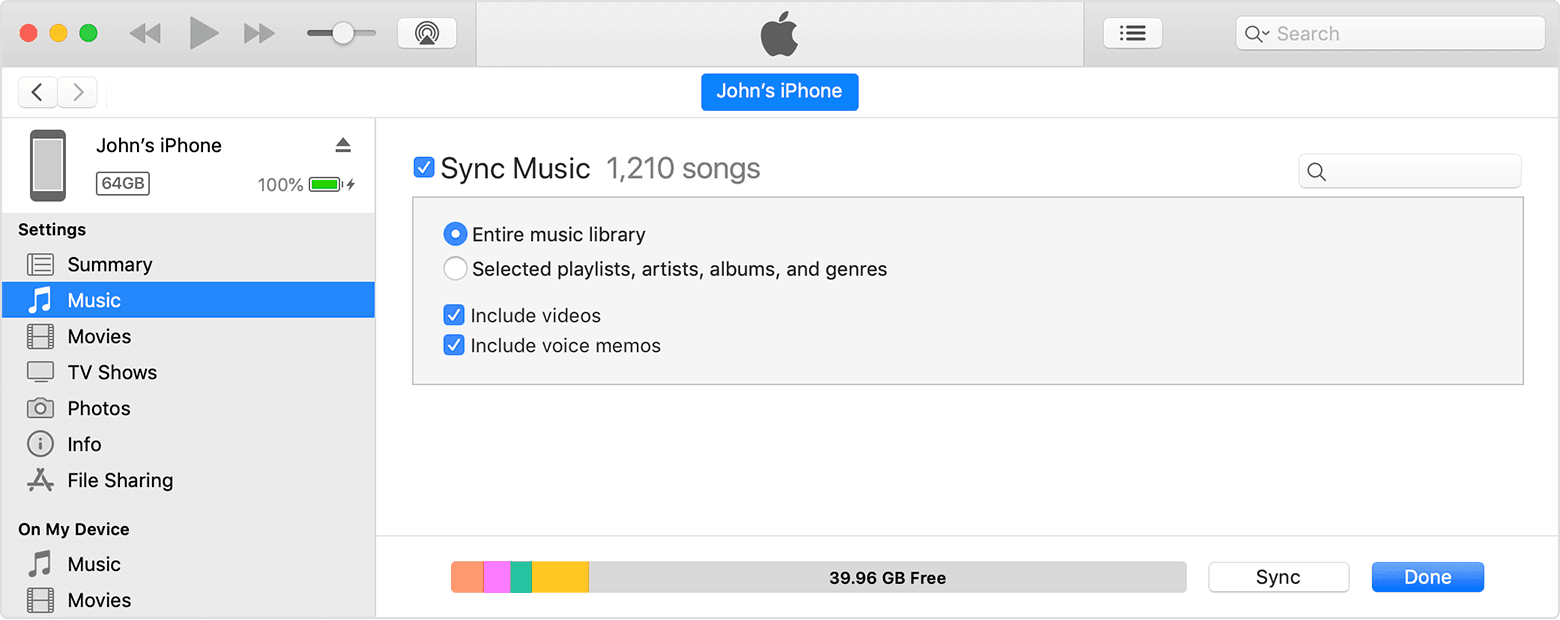
4. Select the checkbox next to each item that you want to sync.
5. Click the Apply button in the lower-right corner of the window. If syncing doesn't start automatically, click the Sync button.
* You can only sync your device with one iTunes library at a time. If you see a message that your device is synced with another iTunes library, your device was previously connected to another computer. If you click "Erase and Sync" in that message, all content of the selected type on your device will be erased and replaced with content from this computer."
Let us know if you have further questions.
Take care.
Sync Itunes music to nano

