I have a mag wallet paired another Apple ID. How do I unpair?
I have a Mag wallet still paired with a previous owner who now has no Apple products to use in unpairing. How can I unpair so I can connect to my Apple ID?
AirTag
I have a Mag wallet still paired with a previous owner who now has no Apple products to use in unpairing. How can I unpair so I can connect to my Apple ID?
AirTag
Hey there DylanPapa,
According to the Apple Support article about connecting an iPhone Wallet with MagSafe, Add your iPhone Wallet with MagSafe to Find My on iPhone - Apple Support:
If the iPhone Wallet with MagSafe and Find My support is associated with someone else’s Apple ID, they need to remove it before you can add it.
The steps outlined in the Apple Support article If an item or device is connected to another Apple ID - Apple Support explain how to have the original owner of the wallet remove it from their Apple ID, which are detailed below:
How to remove AirPods, AirTag, or another Find My network accessory or device from an Apple ID on iPhone, iPad, or iPod touch
1. Open the Find My app, then tap the Items tab or Devices tab.
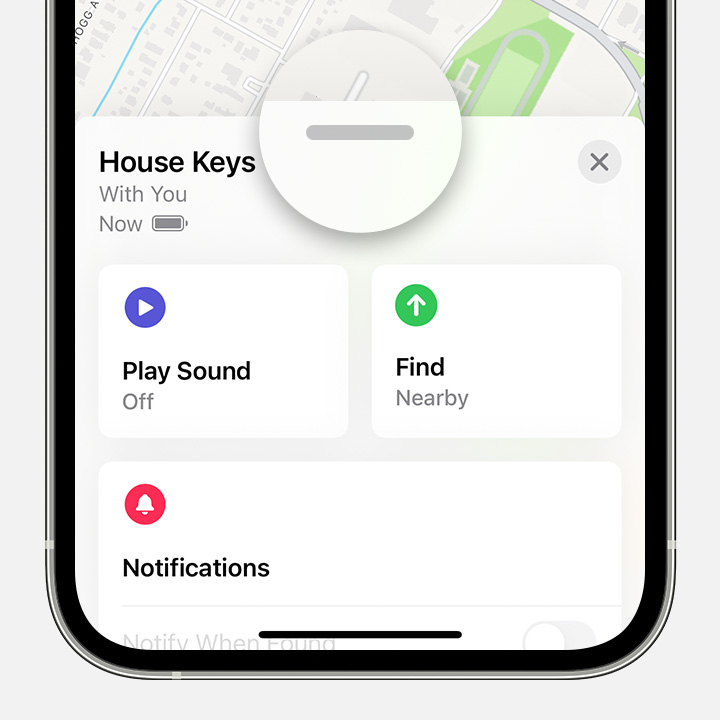
2. Tap the item or device you want to remove, then swipe up on the handle.
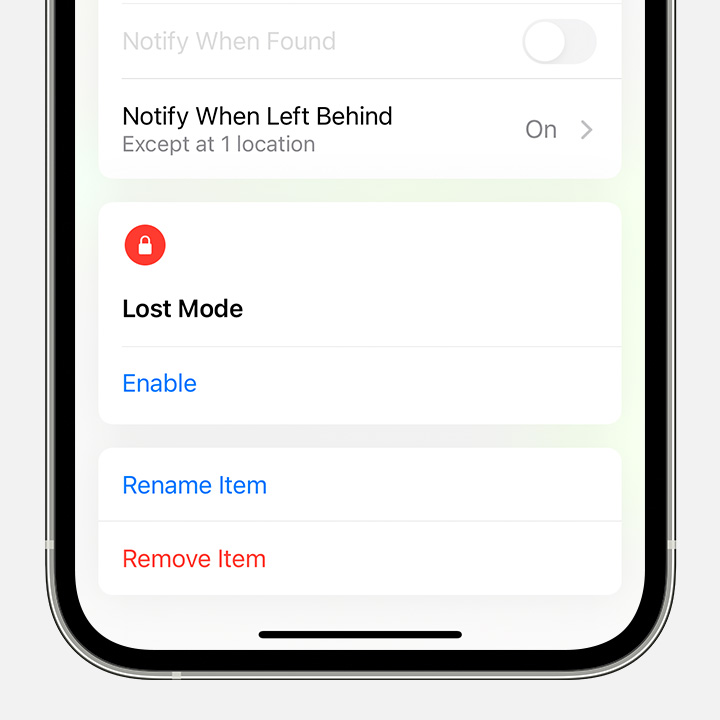
3. Tap Remove Item or Remove This Device, then tap Remove to confirm.
Have a wonderful day!
I have a mag wallet paired another Apple ID. How do I unpair?