Hi Littlerosey,
As this looks like an Intel MacBook, we'd recommend trying a SMC reset as outlined below:
"Follow these steps on older computers that have neither Apple silicon nor the Apple T2 Security Chip.
Laptop computer
- Shut down your Mac.
- On your built-in keyboard, press and hold all of these keys:
- Shift
 on the left side of your keyboard
 - Control
 on the left side of your keyboard
 - Option (Alt)
 on the left side of your keyboard
- While holding all three keys, press and hold the power button as well.
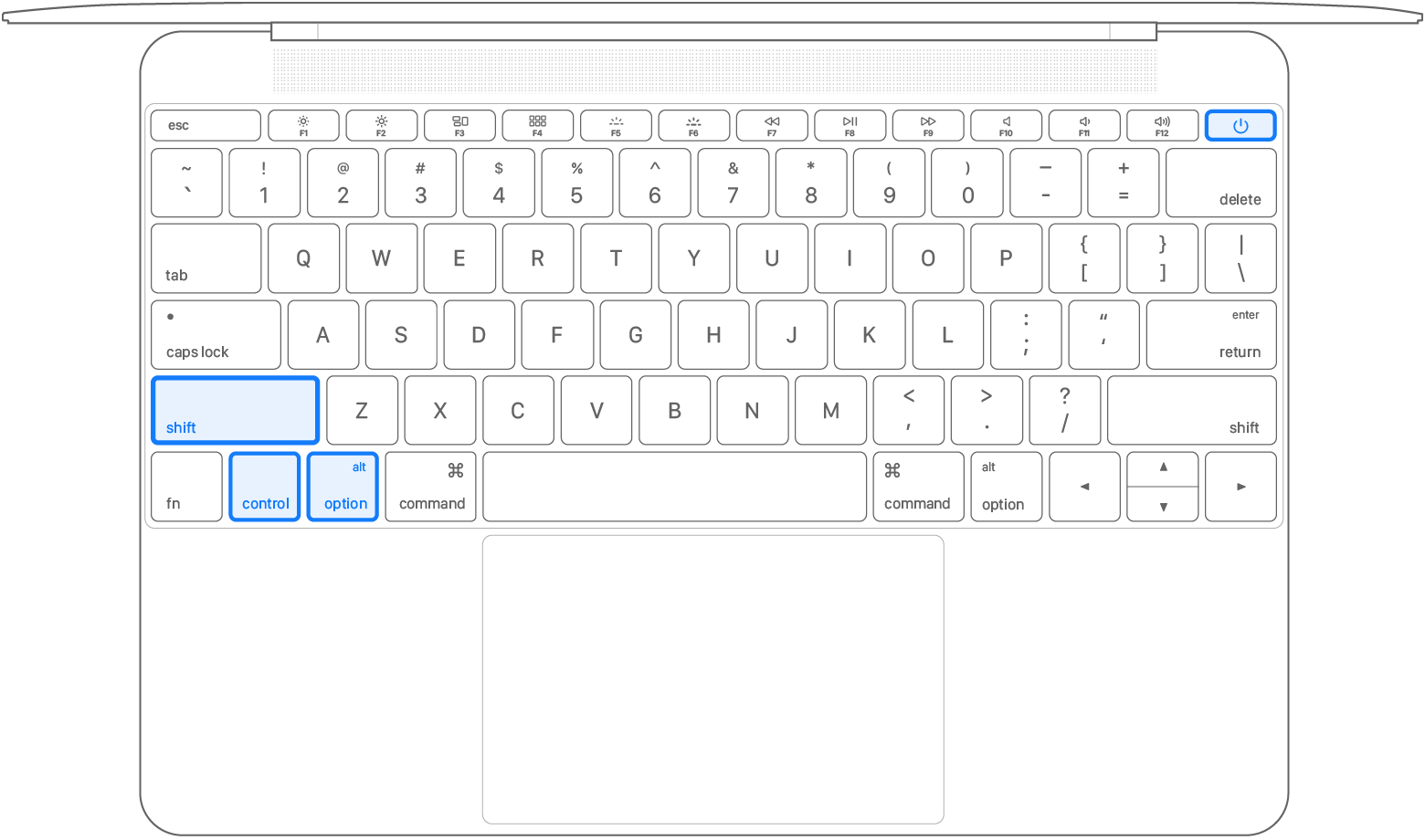
- Keep holding all four keys for 10 seconds.
- Release all keys, then press the power button to turn on your Mac.
If you need help, contact Apple Support. "
Should the issue persist, we'd advise contacting Apple Support as there may be a hardware issue.
Cheers!


