Thanks for reaching out Suzannelarue13,
It sounds like you're having trouble with connecting your Logitech Slim Folio to your iPad. We can help.
A great place to start is with the steps in this article, If you can't connect your iPad to your Magic Keyboard, Smart Keyboard, or Smart Keyboard Folio:
Find out what to do if your Magic Keyboard for iPad, Smart Keyboard, or Smart Keyboard Folio doesn't respond to your typing or trackpad input.
1. Update your iPad to the latest version of iPadOS. Go to Settings and tap the Software Update Available notification. If you don't see a notification, go to General > Software Update to see if an update is available.
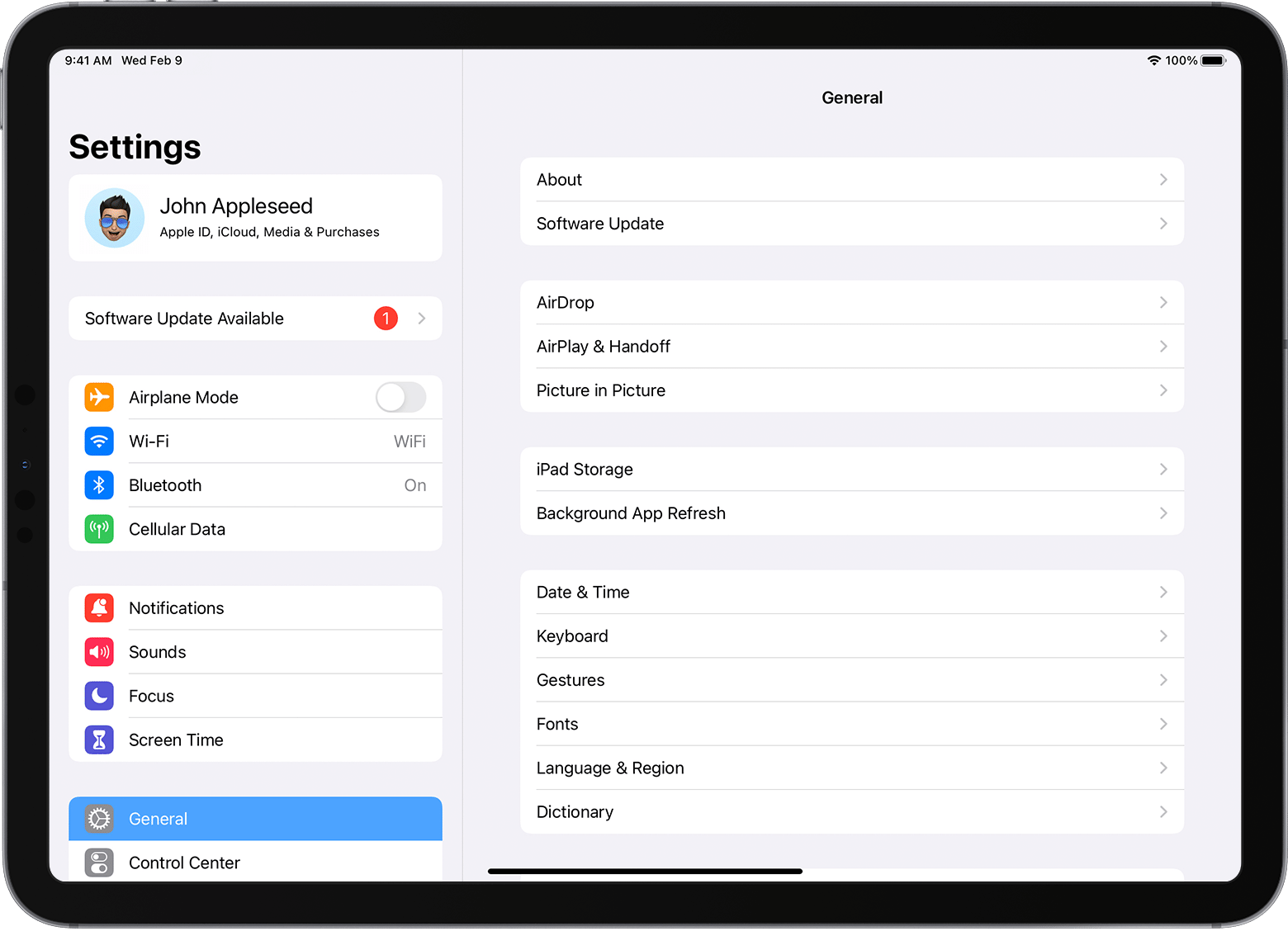 - If you're using Magic Keyboard, make sure that you have iPadOS 14.5 or later.
2. Remove any other iPad case or cover if you're using Magic Keyboard or Smart Keyboard Folio.
3. Connect your Magic Keyboard or Smart Keyboard / Smart Keyboard Folio.
4. If your keyboard doesn't immediately respond, restart your iPad.
5. If your keyboard is not connecting, or if you're experiencing issues unrelated to connecting, contact Apple Support.
You can also find help on Logitech's support page: Getting Started - SLIM FOLIO Case with keyboard for iPad.
Hope that helps.
Take care.


