red themometer
I have a red thermometer on my watch and can’t change it. I’ve cooked my watch down but still happening
Apple Watch Series 6, watchOS 9
I have a red thermometer on my watch and can’t change it. I’ve cooked my watch down but still happening
Apple Watch Series 6, watchOS 9
Hey Ninnney54,
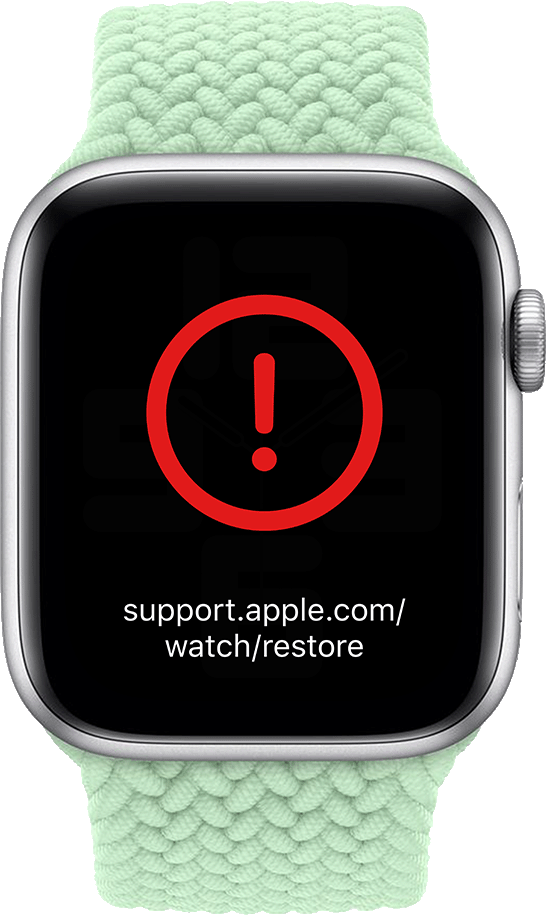
Thanks for using Apple Support Communities. We'll be happy to help out. It sounds like you're trying to say you have a red exclamation point showing on your Apple Watch. If so, please work through the following steps best equipped to assist:
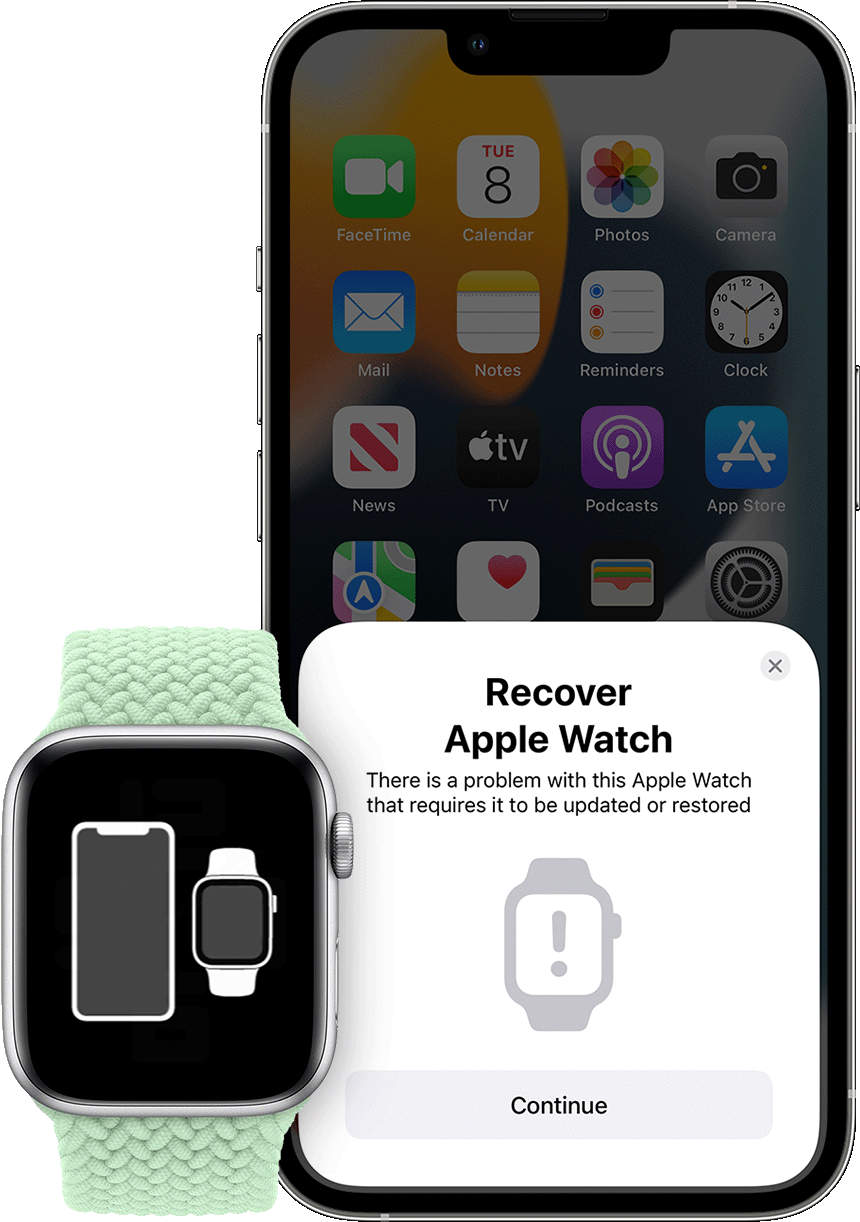
If your Apple Watch with watchOS 8.5 or later displays an animation showing a watch and iPhone being brought close together, follow these steps:
1. Make sure that an iPhone is nearby. The iPhone needs to have iOS 15.4 or later, it needs to be connected to Wi-Fi* with Bluetooth turned on, and it needs to be unlocked.
2. Put your Apple Watch on its charger.
3. Double-click the side button (the button below the circular Digital Crown) on your Apple Watch.
4. Follow the steps that appear on the iPhone.
* If these steps don't work for you, check your Wi-Fi. Try using a 2.4GHz network instead of 5GHz, and make sure that you're not on a captive or 802.1X network.
If your Apple Watch shows a red “!”
In some instances, your Apple Watch might show a red exclamation point. If this happens, double-click the side button, then follow the steps above.
This is outlined further here: If your Apple Watch shows an iPhone and a watch or a red “!”
We hope this helps out.
Take care!
red themometer