AirPod failing to connect with iPhone device. I’ve done everything check online for solution and followed all video support but still won’t connect

AirPod failing to connect with iPhone device. I’ve done everything check online for solution and followed all video support but still won’t connect

iPhone 12 Pro Max, iOS 15

Posted on May 19, 2023 10:29 PM

Reply
1 reply

May 21, 2023 1:52 PM in response to KwashieK

Hello KwashieK,


If your AirPods won't connect, please ensure all of the suggestions outlined in this link have been completed, as they may help resolve some connection issues: If your AirPods won't connect


If you can't connect to your iPhone, iPad, or iPod touch

1. Make sure that your iPhone or iPod touch has the latest version of iOS or that your iPad has the latest version of iPadOS.
2. Put both AirPods in the charging case and make sure that both AirPods are charging.
3. To make sure that Bluetooth is on, go to Settings > Bluetooth.
4. If your AirPods are connected, make sure that they're selected as your audio device. If your AirPods appear in the list of devices but they don't connect, go to the next step.
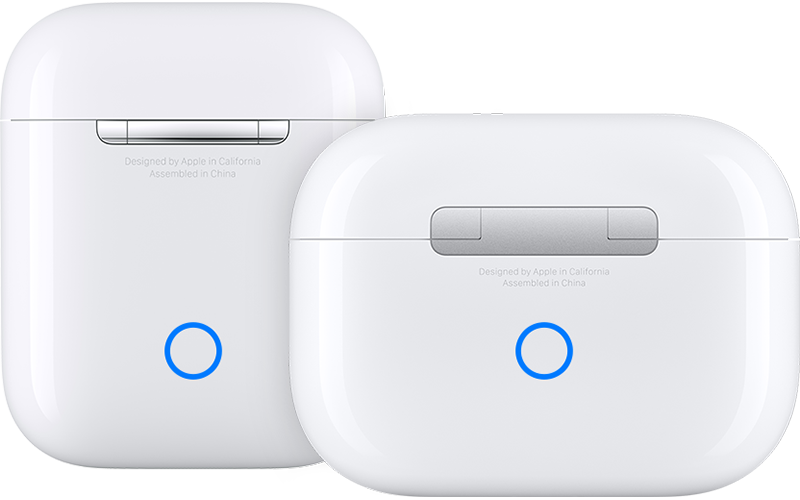
5. Close the lid, wait 15 seconds, then open the lid. Press and hold the setup button on the back of the charging case for up to 10 seconds. The status light on the front of the charging case should flash white, which means that your AirPods are ready to connect.
AirPods charging cases
6. Hold the charging case, with your AirPods inside and the lid open, next to your iPhone, iPad, or iPod touch.
7. Follow the steps on the screen of your iPhone, iPad, or iPod touch.
8. Test your AirPods. If you still can't connect, reset your AirPods.


If you've already tried the suggestions outlined in the above link and the issue still isn't resolved, please contact Apple Support for assistance: Get Support


Thanks!

This thread has been closed by the system or the community team. You may vote for any posts you find helpful, or search the Community for additional answers.

AirPod failing to connect with iPhone device. I’ve done everything check online for solution and followed all video support but still won’t connect

Welcome to Apple Support Community
A forum where Apple customers help each other with their products. Get started with your Apple Account.