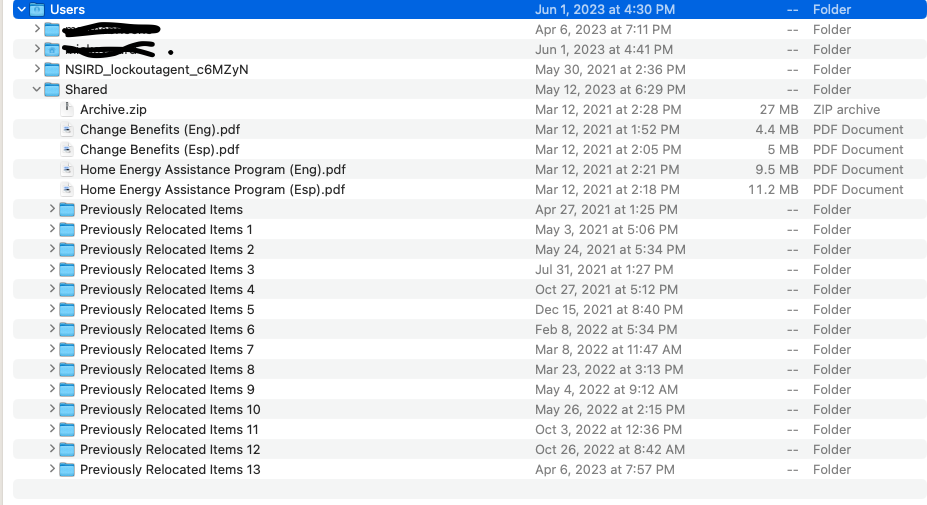
Quit honestly, I cannot say how or when this data ended up in my trash bin. My current Mac is a recent purchase and its data was migrated from a previous Mac dating back to 2021.
Given the system-related function of these files, I would have no interest or reason seeking them out of their proper system location and deleting them. I was able to "Put Back" the folder and file from trash, but they are now placed under the Users folder, on peer with two users and the Shared folders, obviously not their intended location if they are such critical system infrastructure.
Note that I contacted Apple support on the issue, but they were not very helpful. Like you, they seemed to take a defensive position as if to suggest that I did something wrong and should not be tampering with these files.
I explained that I was only interested in restoring my system to its proper configuration, and asked if they could at least guide me to the proper location of these system files, where they are less prone to inadvertent deletion. Judging by the content (folder with zero byte "Enable " file), I assumed it to serve as some sort of system Mutex that could be easily reproduced by the lock agent if it were possible to delete.
However, Apple support would not tell me where they should go (saying they would not be responsible), only to suggest a re-install of the OS or a clean install. Because of the amount of data and configuration, I am not willing to do a clean install. But I had my doubts about a re-install cleaning this issue up because I had performed a number of re-installs on the last machine prior to the ultimate migration to this one. However, I did perform a re-install a day ago to no avail. The folder/file remain under the Users folder. Note, a "Safe" mode reboot does not help in relieving the "in use" lock on this file either.
Speaking of garbage files, I notice another series of mysterious "Previously Relocated..." folders under the Shared users folder too.