
Ringtone
Why can’t I use the ringtone I just paid for? If I can’t use it then refund my money!! 🙄
iPhone 11, iOS 16
Why can’t I use the ringtone I just paid for? If I can’t use it then refund my money!! 🙄
iPhone 11, iOS 16
Hi Angiew77,
We'd like to share some helpful guidance to assist with this issue you have assigning a purchased ringtone. Looking over Use tones and ringtones with your iPhone or iPad, we would recommend checking the steps to see if matches the process you tried.
Buy ringtones from the iTunes Store
 More.
More.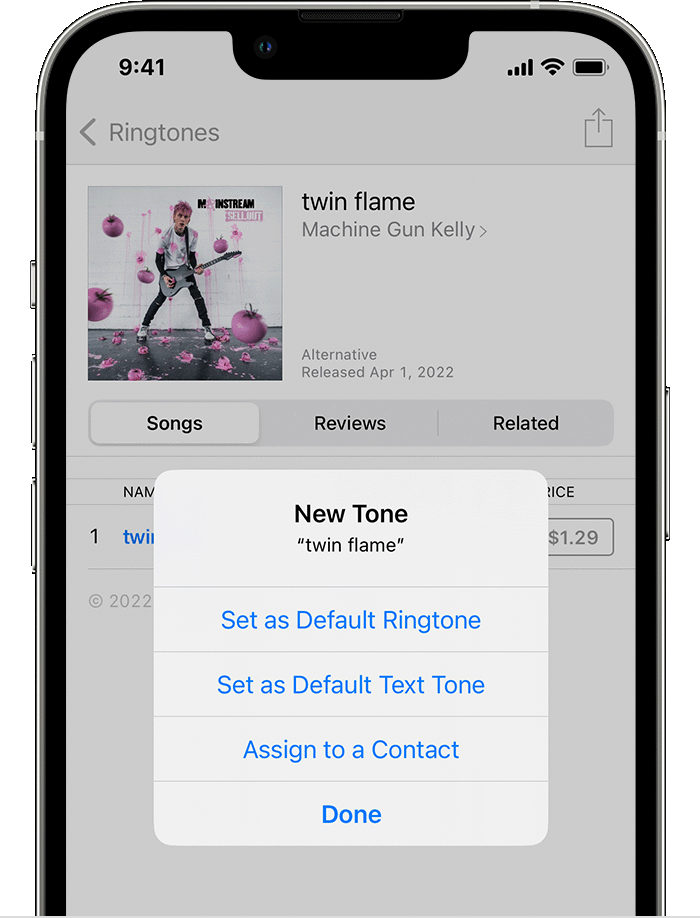
7.You might need to enter your Apple ID password to complete your purchase.
This should show the prompt to set the tone and further steps here:
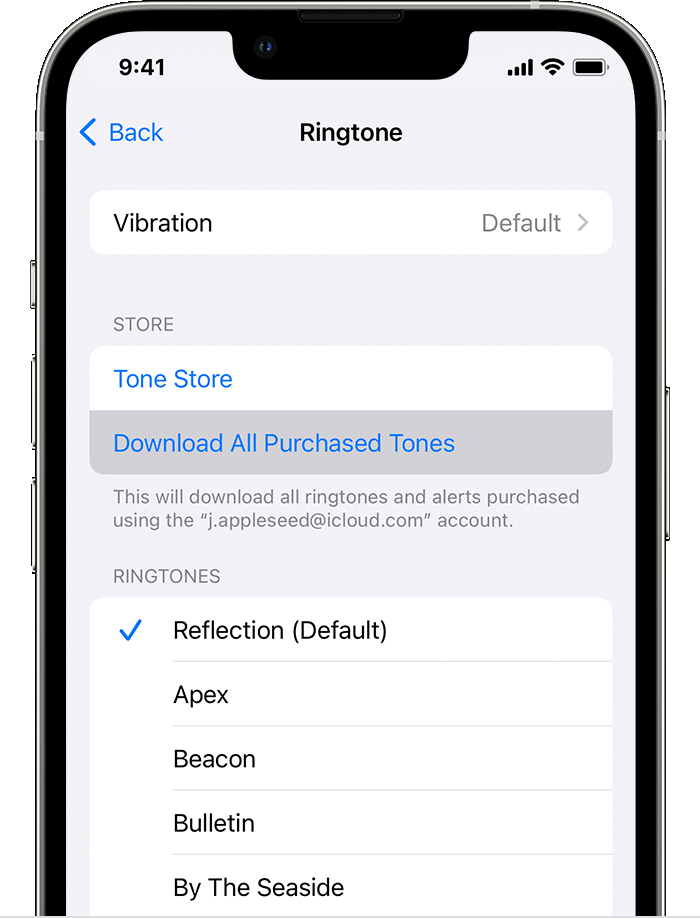
Redownload ringtones purchased with your Apple ID
If you continue to have an issue, you can contact Apple Support to further look into this or request a refund via Request a refund for apps or content that you bought from Apple
Thanks for using Apple Support Communities.
Hi Angiew77,
We'd like to share some helpful guidance to assist with this issue you have assigning a purchased ringtone. Looking over Use tones and ringtones with your iPhone or iPad, we would recommend checking the steps to see if matches the process you tried.
Buy ringtones from the iTunes Store
More.7.You might need to enter your Apple ID password to complete your purchase.
This should show the prompt to set the tone and further steps here:
Redownload ringtones purchased with your Apple ID
If you continue to have an issue, you can contact Apple Support to further look into this or request a refund via Request a refund for apps or content that you bought from Apple
Thanks for using Apple Support Communities.
Ringtone

