How do I sync my iPad and iPhone text messages

Since I changed my password yesterday now my text messages on iPad and iPhone aren’t syncing. It’s like they are separate.

iPad Pro, iPadOS 16

Posted on Jun 30, 2023 7:48 AM

Reply
Question marked as Top-ranking reply

Posted on Jun 30, 2023 8:00 AM

Set up text message forwarding

  1. On your iPhone, iPad, or iPod touch, go to Settings > Messages > Send & Receive. On your Mac, open Messages, choose Messages > Preferences, then click iMessage. Make sure that you're signed in to iMessage with the same Apple ID on all your devices.
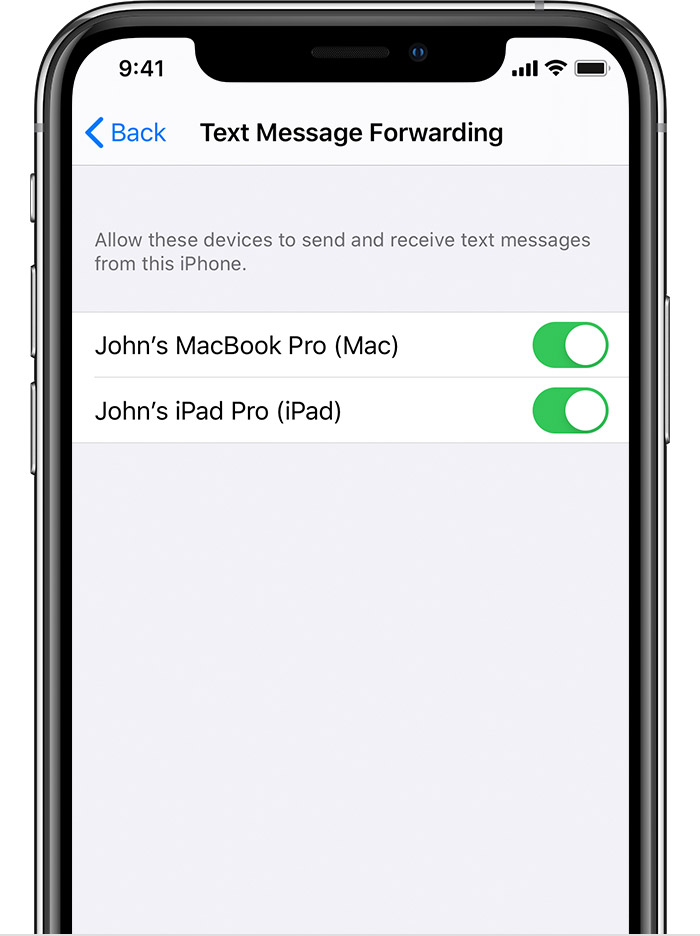
  2. On your iPhone, go to Settings > Messages > Text Message Forwarding.*
  3. Choose which devices can send and receive text messages from your iPhone. If you're not using two-factor authentication for your Apple ID, a verification code appears on each of your other devices: enter that code on your iPhone.


1 reply
Question marked as Top-ranking reply

Jun 30, 2023 8:00 AM in response to Marykayg

Set up text message forwarding

  1. On your iPhone, iPad, or iPod touch, go to Settings > Messages > Send & Receive. On your Mac, open Messages, choose Messages > Preferences, then click iMessage. Make sure that you're signed in to iMessage with the same Apple ID on all your devices.
  2. On your iPhone, go to Settings > Messages > Text Message Forwarding.*
  3. Choose which devices can send and receive text messages from your iPhone. If you're not using two-factor authentication for your Apple ID, a verification code appears on each of your other devices: enter that code on your iPhone.


This thread has been closed by the system or the community team. You may vote for any posts you find helpful, or search the Community for additional answers.

How do I sync my iPad and iPhone text messages

Welcome to Apple Support Community
A forum where Apple customers help each other with their products. Get started with your Apple Account.