Hello riazot,
Thank you for reaching out in Apple Support Communities. You'd like to know that the iPhone you recently purchased is bypass. Are you wanting to know if the iPhone is unlocked or that it has an Activation Lock feature enabled? We want to make sure we fully understand to provide you the best support.
If you're referring to the Activation Lock feature and determine if the iPhone can be used, you'll want to follow these steps:
Check for Activation Lock before you buy a device from someone else
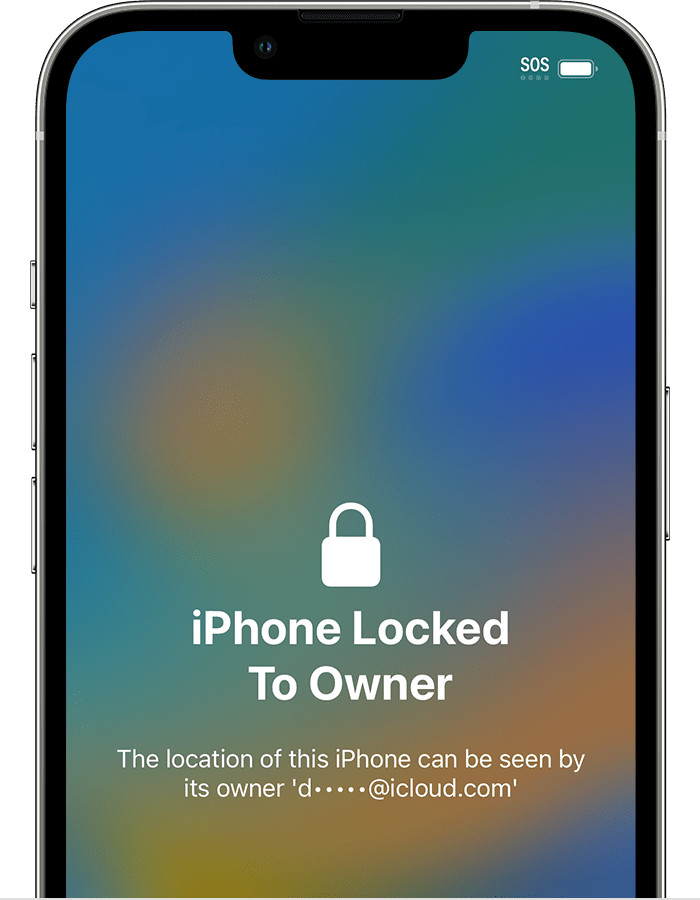
Before you buy an iPhone, iPad, or iPod touch from someone other than Apple or an Apple Authorized Reseller, make sure that the device is erased and no longer linked to the previous owner’s account.
On a device with iOS or iPadOS 15 or later that is protected by Activation Lock, you see an "iPhone Locked to Owner" screen when you turn on or wake the device. Don't take ownership of any used iPhone, iPad, or iPod touch if it's protected by Activation Lock.
If you don't see that screen, follow these steps to check if the device is ready to use:
1. Turn on and unlock the device.
2. If the passcode Lock Screen or the Home Screen appears, the device hasn't been erased. Ask the seller to follow the steps below to completely erase the device. Don't take ownership of any used iPhone, iPad, or iPod touch until it's been erased.
3. Begin the device setup process.
4. If you're asked for the previous owner’s Apple ID and password, the device is still linked to their account. Hand the device back to the seller and ask them to enter their password. If the previous owner isn't present, contact them as soon as possible and ask them to use a browser to remove the device from their account. Don't take ownership of any used iPhone, iPad, or iPod touch until it has been removed from the previous owner’s account.
A device is ready for you to use when you see the Hello screen.
Following these steps can help and is outlined in this article: Activation Lock for iPhone, iPad, and iPod touch - Apple Support
We look forward to hearing back from you with an update.
Kind regards.


