
Airpod pro 2nd gen problem
They will not switch into noise canceling or transparency mode. How can I fix this?
AirPods Pro (2nd generation)
They will not switch into noise canceling or transparency mode. How can I fix this?
AirPods Pro (2nd generation)
Hello cade285,
Thank you for reaching out to Apple Support Communities.
Let's attempt to reset your AirPods to see if we can get Noise canceling and Transparency to work again:
"You might need to reset your AirPods if they won't charge, or to fix a different issue.
 next to your AirPods, tap Forget This Device, then tap again to confirm.
5.Put your AirPods in their charging case, and keep the lid open.
6.Press and hold the setup button on the back of the case for about 15 seconds, until the status light on the front of the case flashes amber, then white.*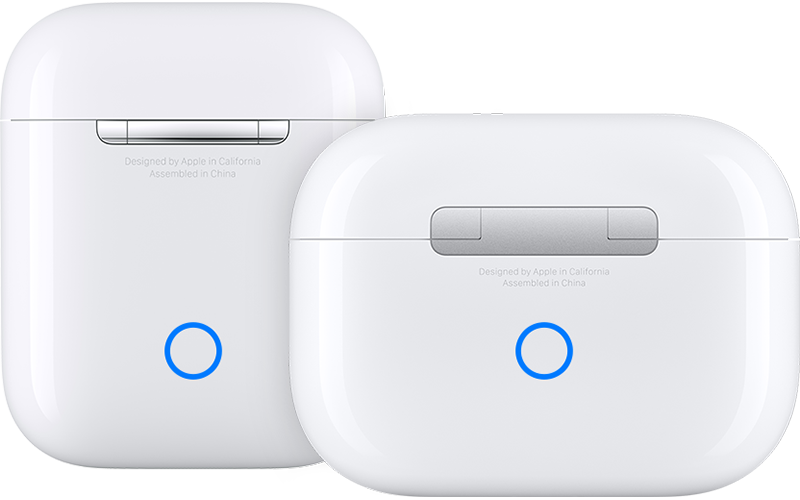
7.Reconnect your AirPods: With your AirPods in their charging case and the lid open, place your AirPods close to your iPhone or iPad. Follow the steps on your device's screen."
More details can be found here: How to reset your AirPods and AirPods Pro
If the issue persists, can you provide a few more details? Which device and OS d you have paired to your AirPods? Does the issue persist if you pair to another device?
Cheers!
Airpod pro 2nd gen problem

