I can’t connect my Apple TV 4K to my Home app. I followed the instructions but it does not show up. How to connect to the app?
How to connect Apple TV 4K to the Home app?
How to connect Apple TV 4K to the Home app?
Hello CaliGir,
Thank you for reaching out in Apple Support Communities. It appears you were reviewing this article: Add a smart home accessory to the Home app - Apple Support Just to be sure, did you follow these specific steps:
Add your Apple TV to the Home app
1. Open Settings on your Apple TV.
2. Select Users and Accounts > Default User. Make sure that your name is selected and that you're signed in to iCloud with the Apple ID that you used to set up your accessories in the Home app.
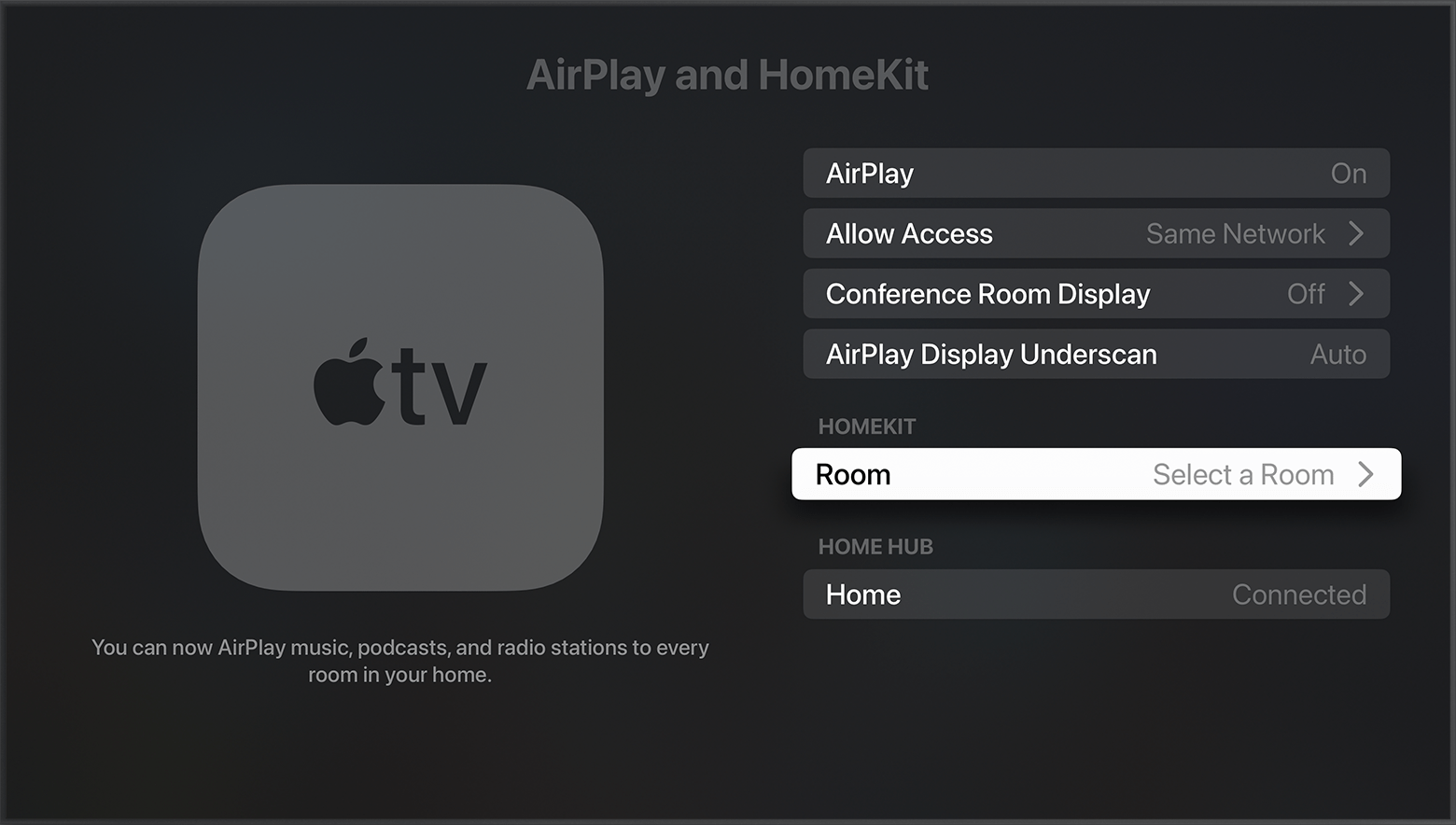
3. Go back to Settings, then select AirPlay and HomeKit.
4. Scroll down and select Room, then choose a room or add a new room.
If not these are the steps we recommend for you to follow. In addition to that, please ensure that your Apple TV is updated to the latest version of tvOS. Here's how: Update your Apple TV - Apple Support
Following these steps may help and we look forward to hearing back from you with an update.
Kind regards.
Hello CaliGir,
Thank you for reaching out in Apple Support Communities. It appears you were reviewing this article: Add a smart home accessory to the Home app - Apple Support Just to be sure, did you follow these specific steps:
Add your Apple TV to the Home app
1. Open Settings on your Apple TV.
2. Select Users and Accounts > Default User. Make sure that your name is selected and that you're signed in to iCloud with the Apple ID that you used to set up your accessories in the Home app.
3. Go back to Settings, then select AirPlay and HomeKit.
4. Scroll down and select Room, then choose a room or add a new room.
If not these are the steps we recommend for you to follow. In addition to that, please ensure that your Apple TV is updated to the latest version of tvOS. Here's how: Update your Apple TV - Apple Support
Following these steps may help and we look forward to hearing back from you with an update.
Kind regards.
Hey CaliGir,
That would be right, you need to be the default user in order to perform the steps above.
To change the default user, see Share Apple TV with multiple users - Apple Support for the details.
Reach back out if we can help.
Take care!
I am a user on the Apple TV. My husband is the default user. Do I need to remove him and add my information to use the Apple TV as my hub?
I can’t connect my Apple TV 4K to my Home app. I followed the instructions but it does not show up. How to connect to the app?