Hey there and welcome to Apple Support Communities JamesF0X,
We can certainly understand your concern and can help provide some insight.
We recommend checking out these steps on what to do if you find duplicate items in iTunes on PC.
" Find items and duplicates in iTunes on PC
You can quickly locate items in your library or a playlist.
Find an item in your iTunes library or a playlist
- In the iTunes app
 on your PC, click in the search field in the top-right corner and type search criteria for the item you want to find.

As you type, iTunes displays a list of items that match the criteria you entered. To choose where you want to search, click In Library or All Apple Music (if you’re an Apple Music subscriber).
To search song comments, make sure the Comments column is displayed (choose View > Show View Options).
2. Press Enter.
Your search results appear in the iTunes window.
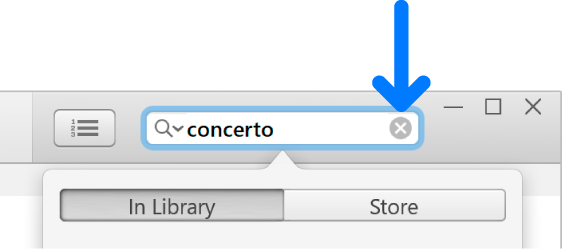
3. To see all your items again, delete the text from the search field (or press the Escape key).
Tip: To delete text quickly, click the Delete button  in the search field.
You can’t search radio listings.
Find duplicates
You can find every instance of a song by the same artist anywhere in your iTunes library. For example, the same song could appear on the artist’s album and on a movie soundtrack.
You can also search for exact duplicates, in which the song, artist, album, and version are all the same (if, for example, you inadvertently imported the song twice).
Note: You can find duplicates for songs, movies, TV shows, and audiobooks.
- In the iTunes app on your PC, choose an option (Music or Movies, for example) from the pop-up menu at the top left, then click Library.

2. Select an item, then do one of the following:
- Find every instance of that item in your library: Choose File > Library > Show Duplicate Items.
- Find exact duplicates: Hold down the Shift key, then choose File > Library > Show Exact Duplicate Items.
After you find duplicate items, you can delete them if you want to declutter your library.
To see all items again, click Done in the top-right corner or choose File > Library > Show All Items. "
For additional information, check out this link: Find items and duplicates in iTunes on PC - Apple Support
These steps will help ensure your device is working with ease and can fix common issues like the ones you’re experiencing.
Kindest regards!




