iPhone SE (2022) battery doesn’t last 4 hours

I bought my 3rd gen. SE new from T-Mobile last year. Lately (last couple of months) I’ve had to charge the battery much more frequently. Even when I start at 100% it is down to 30 or 20% within a few hours. I’m a 50 year old lady who doesn’t use my phone for music or streaming videos. Almost exclusively Facebook and Googling. I have a lot of photos stored, but that shouldn’t use up battery. My battery health is at 95%. The attached pic shows that I fully charged it around 1-2p and by 7p it was down to 20% again! It also says my screen was only off for 1 MINUTE which is WAY off! Anyone know what’s going on and/or how to fix it?

iPhone SE, iOS 16

Posted on Jul 25, 2023 4:57 PM

Reply

Similar questions

1 reply

Jul 26, 2023 12:17 PM in response to tara0826

Hi tara0826,


Thanks for connecting with us here in Apple Support Communities. Let's see if you have any apps running background activity as this can affect your battery life and turning this off may help to resolve your issue. You can see more about this here: About the battery usage on your iPhone, iPad, and iPod touch - Apple Support


Check battery usage

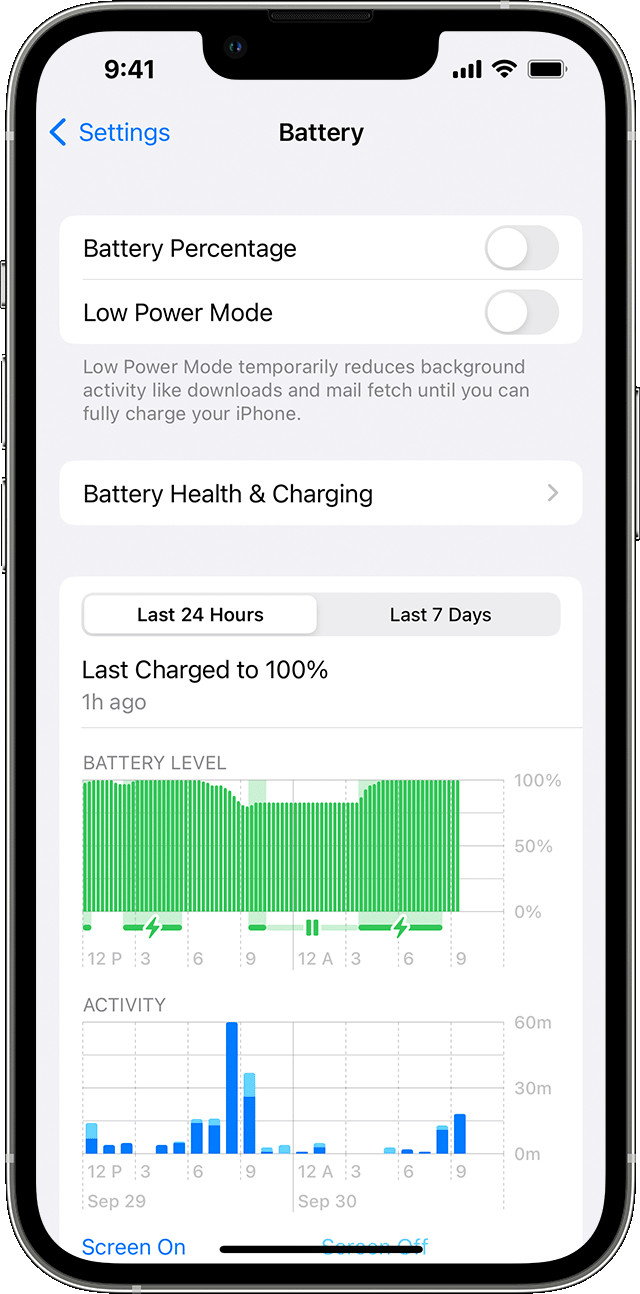
To see an overview of your battery level and activity for the last 24 hours and up to the last 10 days, go to Settings > Battery.
When you tap one of the time periods above the Activity graph (Last 24 Hours or Last [X] Days), you can see which apps contributed to your battery usage during that time period, and the proportion of battery used for the app.
To see how long each app was in use on screen (the dark blue bars) or in the background (the light blue bars), tap Show Activity. Under each app, you might see these usage types:
iPhone showing Battery screen in Settings 
* Background Activity means that most of the app's battery usage — such as playing music or tracking location — happened while the app was in the background.
* No Cell Coverage and Low Signal means that your device was searching for a signal or being used with a low signal.
* Connected to Charger means the app was used only when your device was charging.
You can also see when your device was last connected to a charger and the last charge level. With iOS 16, you can see if charging paused because of Optimized Battery Charging, Clean Energy Charging, or temperature.

Adjust settings to improve battery life

While viewing your battery usage, you might get a suggestion like Enable Auto-Brightness or Adjust Display Brightness. This is because the software determined that changing these settings could improve your battery life.
Learn more about maximizing the battery performance and lifespan of your iPhone, iPad, or iPod touch.


Kind regards.

This thread has been closed by the system or the community team. You may vote for any posts you find helpful, or search the Community for additional answers.

iPhone SE (2022) battery doesn’t last 4 hours

Welcome to Apple Support Community
A forum where Apple customers help each other with their products. Get started with your Apple Account.